52
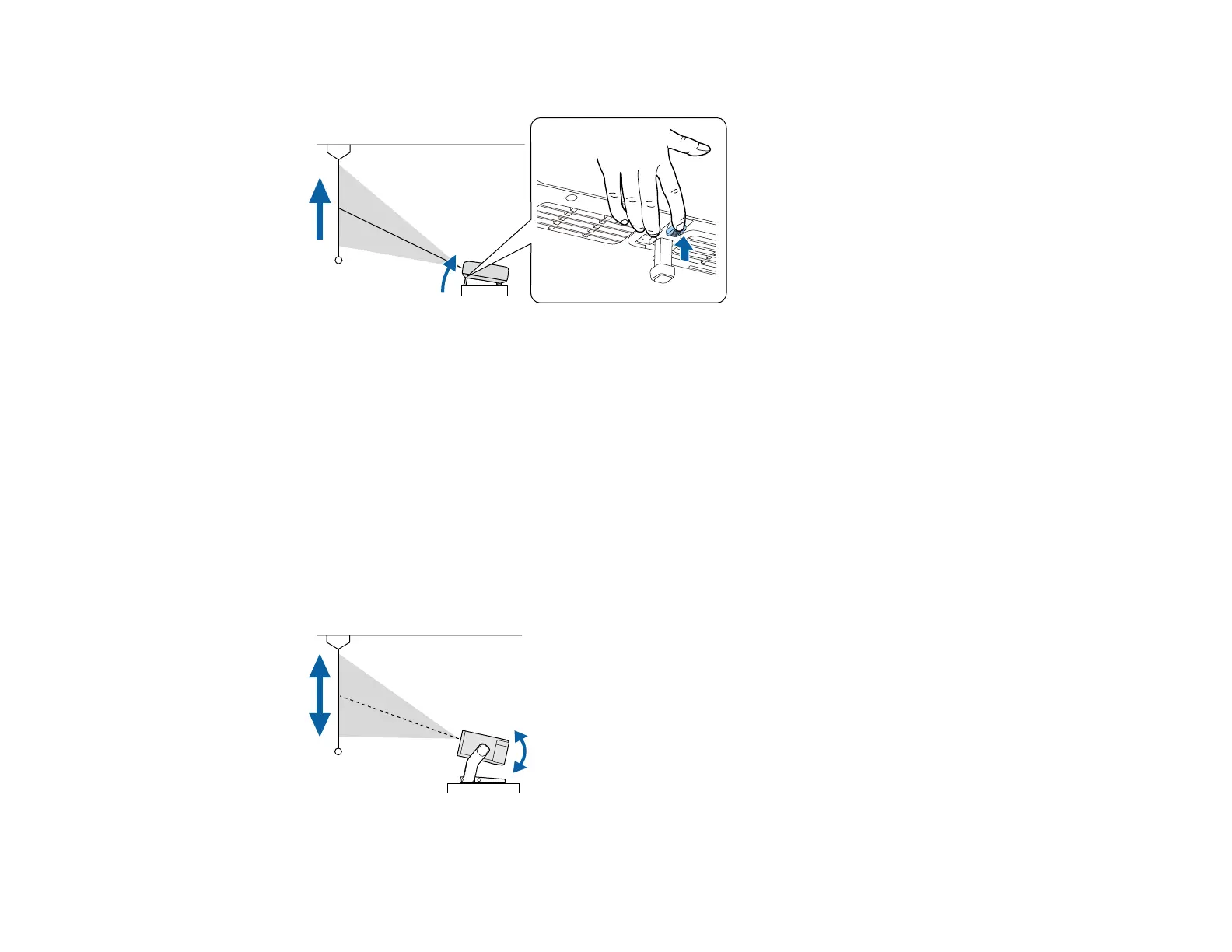
2. Press the foot release lever to extend and retract the front adjustable foot.
The foot extends from the projector. You can adjust the position up to 9°.
3. Release the lever to lock the foot.
If the projected image is unevenly rectangular, you need to adjust the image shape.
Parent topic: Using Basic Projector Features
Adjusting the Position of the Image (EF22)
If you are projecting from a table or other flat surface, you can adjust the image position by tilting or
moving the projector on the stand.
The larger the angle of tilt, the harder it becomes to focus. Locate the projector so that it only needs to be
tilted at a small angle.
1. Turn on the projector and display an image.
2. Adjust the image height by tilting the projector up or down.



 To Next Page