58
1. Turn on the projector and display an image.
2. Press the focus button on the remote control.
The focus adjustment screen is displayed.
3. Use the up and down arrow buttons to adjust the focus setting.
4. Press esc to exit the menus.
Parent topic: Image Shape
Remote Control Operation
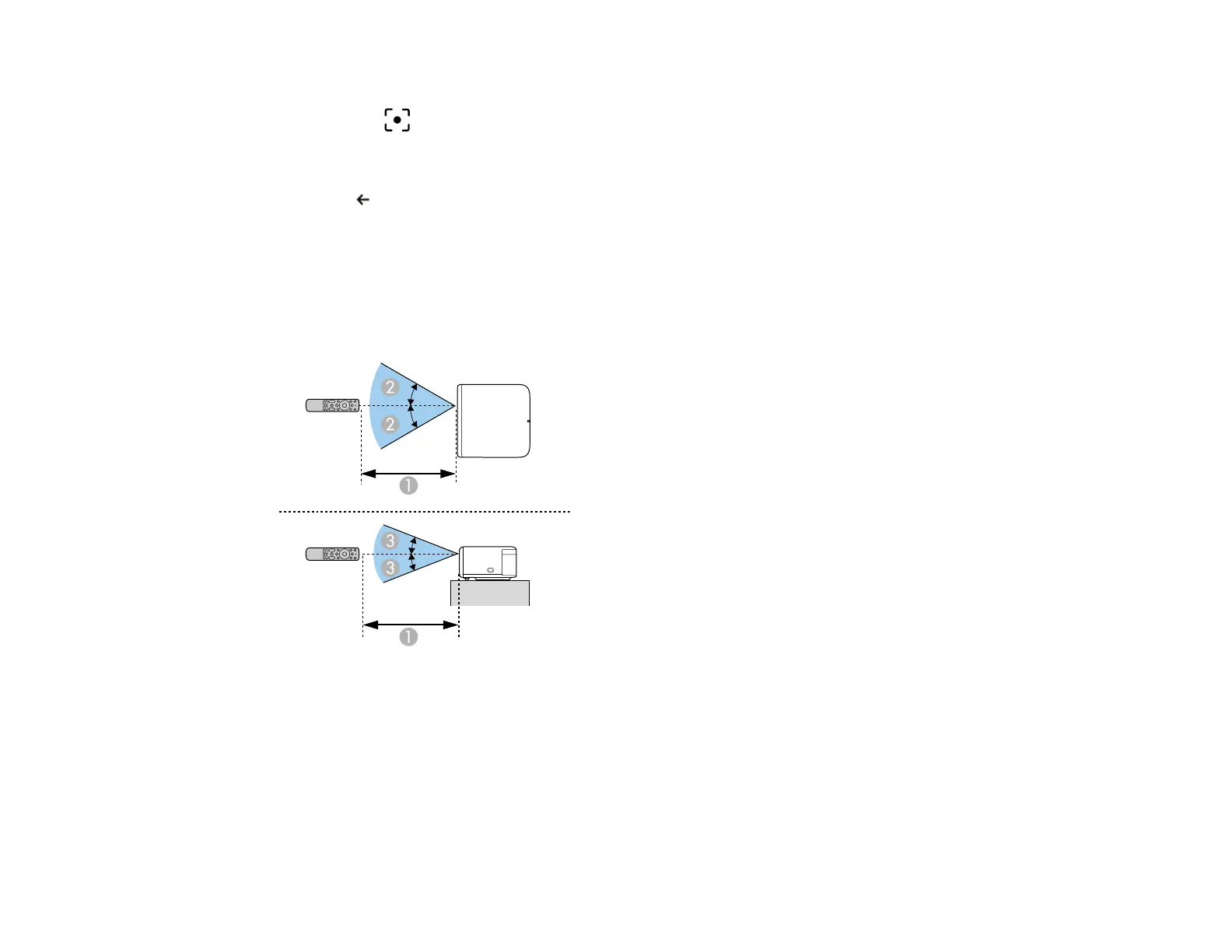
The remote control lets you control the projector from almost anywhere in the room, up to 16.4 feet (5 m)
away. It is recommended that you aim the remote control at the projector's receivers within the distance
and angles listed here.
1 16.4 feet (5 m)
2 30°
3 15°
Note: Avoid using the remote control in conditions with bright fluorescent lights or in direct sunlight, or
the projector may not respond to commands. If you will not use the remote control for a long time,
remove the batteries.



 To Next Page