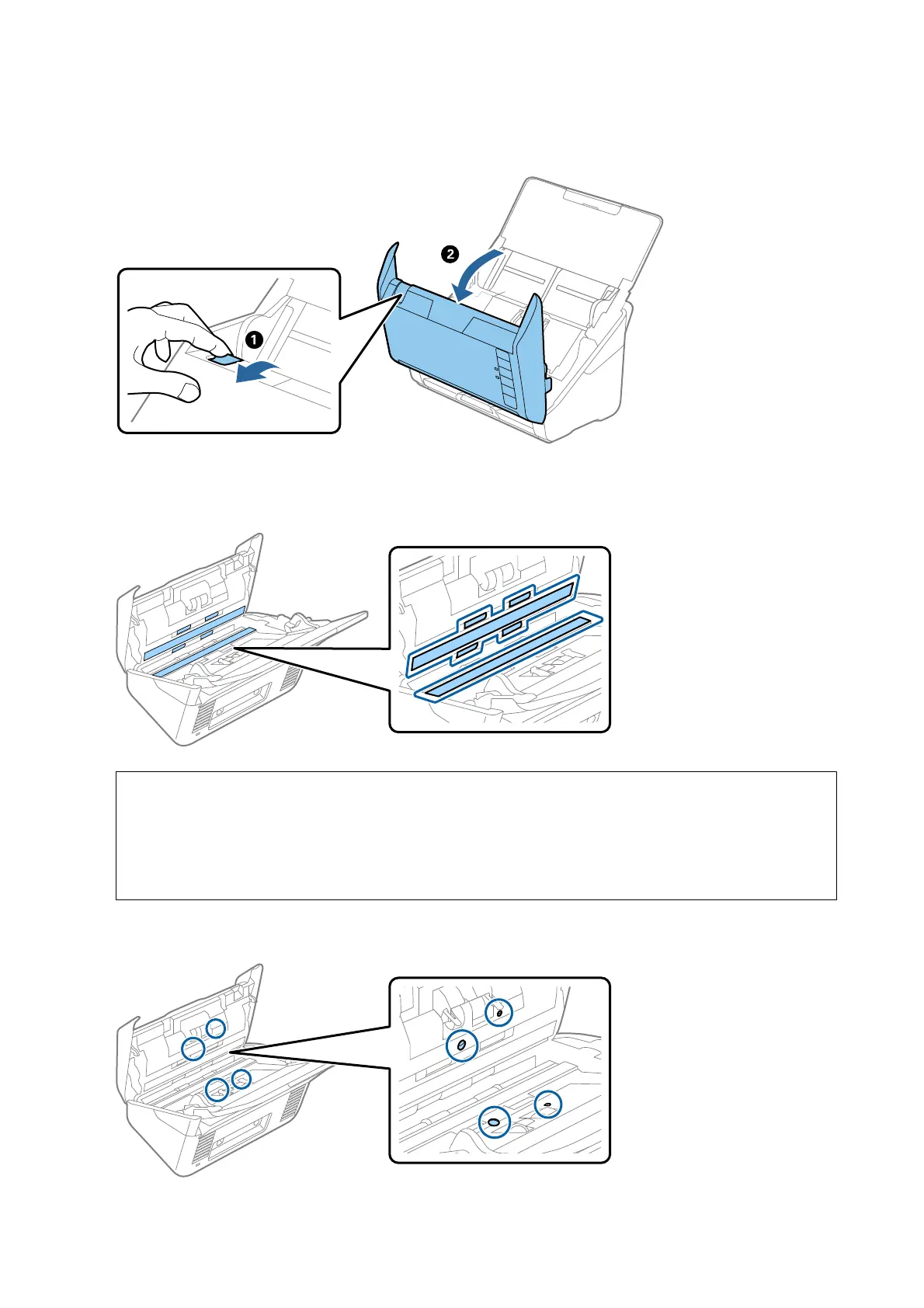
3. Pull the cover open lever and open the scanner cover.
4. Wipe o any stains on the plastic roller and glass surface at the bottom inside of the scanner cover using a so
cloth (like the microber cloth that came with your scanner) or a genuine Epson cleaning kit.
c
Important:
❏ Do not place too much force on the glass surface.
❏ Do not use a brush or a hard tool. Any scratches on the glass may aect the scan quality.
❏ Do not spray cleaner directly onto the glass surface.
5. Wipe
o
any stains on the sensors with a cotton swab.
User's Guide
Maintenance
103








 To Next Page