Chapter 2 Setup
45
2
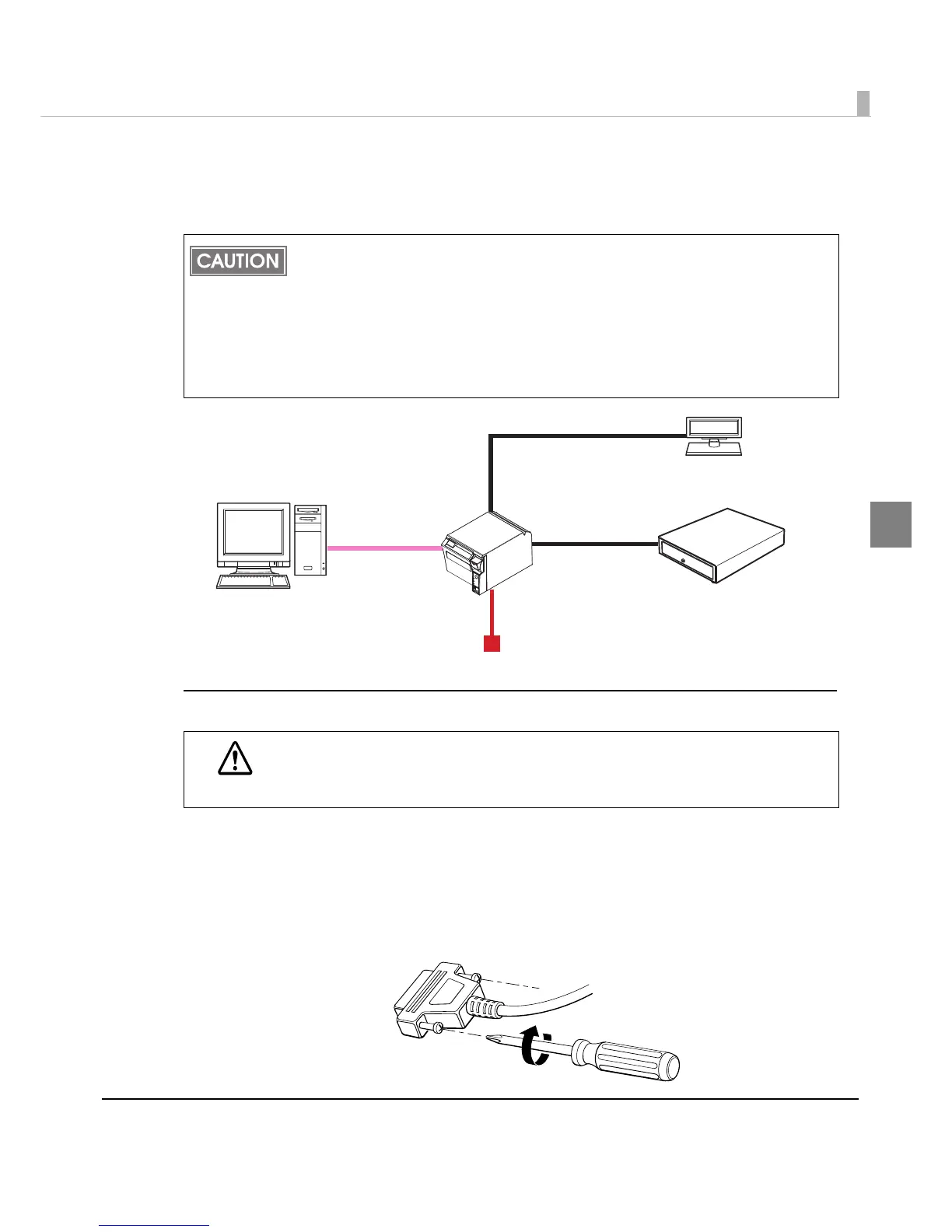
Y connection (only for models with a customer display (DM-D) connector)
This printer is connected to the host computer via the serial port. When a customer display
(DM-D) is to be connected, connect it to the printer via the modular cable.
Connecting the serial interface (RS-232) cable
1
Insert the interface cable connector firmly into the interface connector
on the connector panel.
2
When using connectors equipped with screws, tighten them to secure
the connectors firmly.
Make sure to pull out the power cable before connecting cables.
When connecting a customer display to the printer, connect the modular jack from the
customer display to the DM-D connector.
Set the communication conditions of the customer display as follows:
Baud rate: 19200 bps
Bit length: 8-bit
Parity: no parity
Stop bit: 1
WARNING
Be sure to turn off the power supply for both the printer and host computer before
connecting the cables.


 To Next Page
 Loading...