15
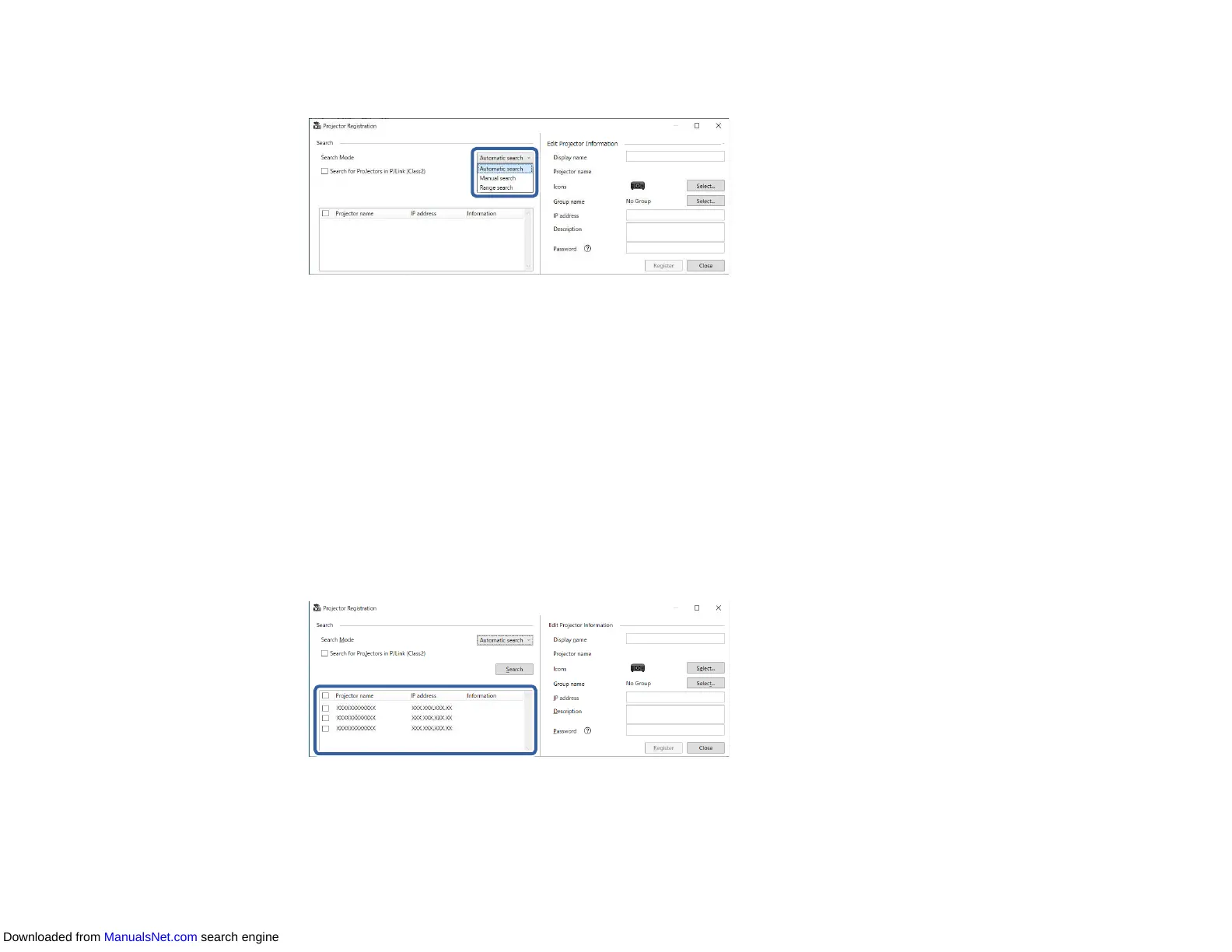
3. Select a search mode.
• Select Automatic search to search for the projector on the same network.
• Select Manual search to search for the projector by specifying the IP address. Enter an IP
address.
• Select Range search to search for the projector by setting an IP address range. Enter an IP
address in Start IP address and End IP address.
Note: If you want to search non-Epson projectors that support PJLink Class2 automatically, select
Search for Projectors in PJLink (Class2).
4. Click Search.
You see a list of network projectors.
5. Select the projector that you want to register.
Downloaded from ManualsNet.com search engine



 To Next Page