How to Place Various Originals
Placing Photos for Copying
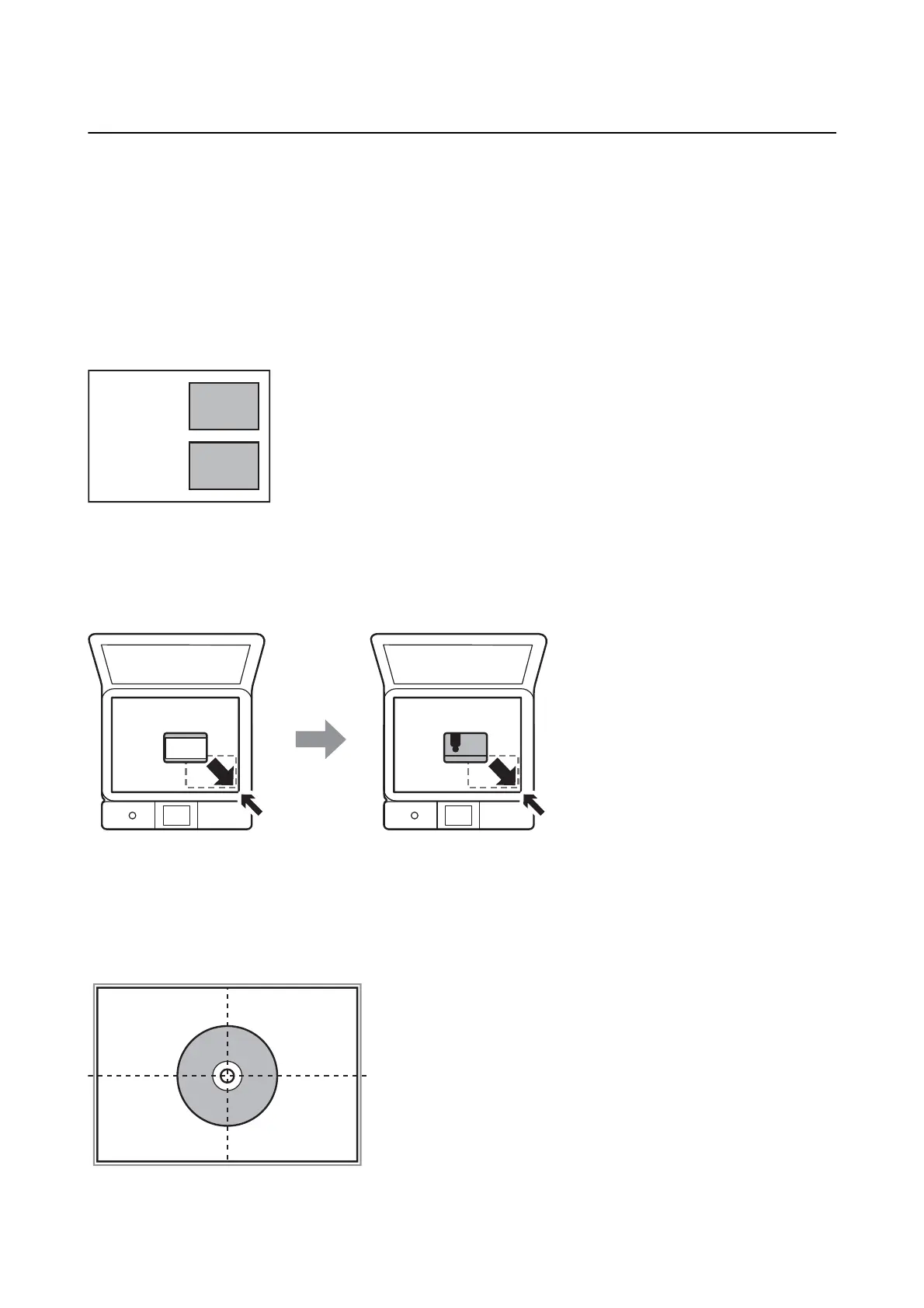
You can place multiple photos at a time to make separate copies. e photos should be larger than 30×40 mm.
Place a photo 5 mm away from the corner mark of the scanner glass, and leave 5 mm between photos. You can
place photos of dierent sizes at the same time.
Maximum size: 10×15 cm (4×6 in.)
Placing an ID Card for Copying
Place an ID card 5 mm away from the corner mark of the scanner glass.
Placing a CD/DVD for Copying Labels
Place a CD/DVD in the center of the scanner glass. If the CD/DVD is not placed exactly in the center, the
positioning is automatically adjusted.
User's Guide
Placing Originals
60



 To Next Page
 Loading...










