Eureka Manta Manual Page 18 of 67
C.3 Hot Buttons
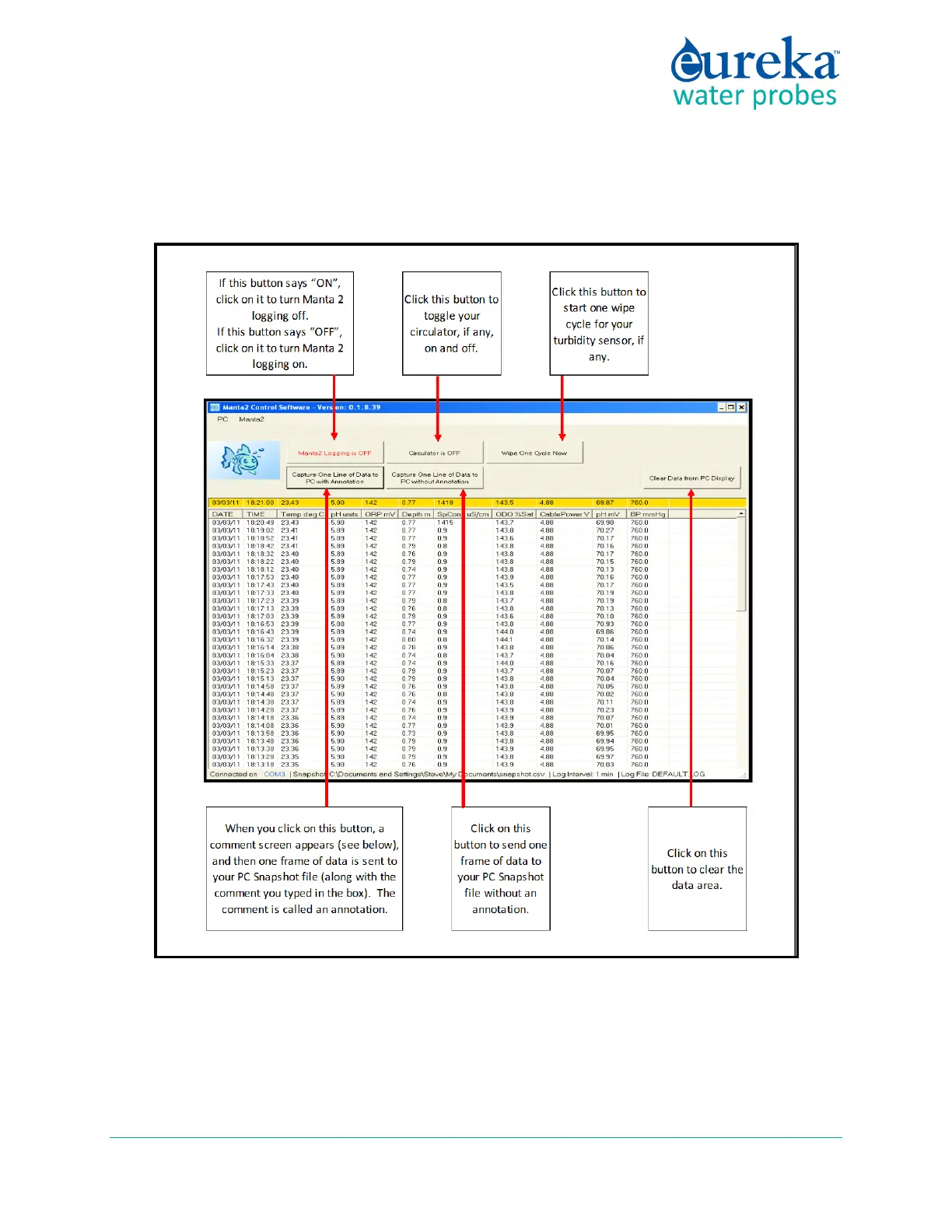
“Hot Buttons” are the little squares you can click on to do something important without leaving the Home
Page. The Hot Buttons are:
1 Click the “Manta logging is OFF” (or, “Manta logging is ON”) hot button to enable or disable the
Manta’s Logging function. It lets you tell the Manta that you will be deploying it in the field for
unattended Logging. Clicking the hot button toggles the Logging on and off. Generally, Logging should
be off – turn Logging to ON only when you’re preparing for unattended deployment.



 To Next Page