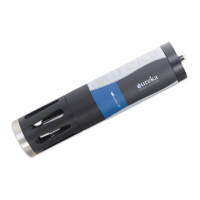
Eureka Manta Manual Page 12 of 67
B MANTA BASICS
Eureka is the only major multiprobe manufacturer that provides a three-
covers all sensors, including pH and DO.
B.1 Deployment Specifications
The Manta can be used in natural water up to 50 degrees C and 200 meters deep, except that ISE’s are
rated to 10 meters deep, and TDG sensors and low-range depth should go no deeper than 25 meters.
B.2 Manta Control Software Flow Chart
Please see the first page in Section C.
B.3 The Manta Has Four Basic Applications
1 Manual Data Collection, also known as profiling, surveying, site-to-site measurements, etc., means
that the user is present at the monitoring site and uses a Data Display for observing measurements.
This allows the user to make data-based decisions in the field in real-time, and lets the user visit
multiple monitoring sites in one day. The Data Display can be a laptop, Amphibian2, or almost any
tablet or smart phone. The user makes note of measurements either with pen and paper or,
preferably, by using the Manta’s Snapshot or Automatic Snapshot features. You might “snapshot” a
series of measurements in one or more lakes or streams during the day, and then download the data
to your desktop PC that evening. (C.3, E.1)
2 Unattended Logging means that the user has set the multiprobe into its Logging mode, deployed the
multiprobe in the proper location in the water, and then left the site. The Manta can run for weeks
at a time with cable-supplied power or an optional Manta integral battery pack. You can, for instance,
set the instrument to take a set of readings every half-hour, anchor it in an estuary, and return after
two weeks to retrieve the instrument and download the data to a PC, laptop, or Android device.
3 Telemetry Relay means that the user has connected the multiprobe to a telemetry device, deployed
the Manta in the proper location in the water, and then left the site. A cable connects the multiprobe
to the telemetry system. The telemetry device uses satellite or cell-phone communication to
periodically report data collected by the multiprobe to the user’s office PC or to a proprietary Web
page. In many telemetry systems, the user can also contact the multiprobe and request transmission
of the most recent data. Telemetry Relay allows the user to collect data all night and all day for weeks



 To Next Page