Eureka Manta Manual Page 8 of 67
D
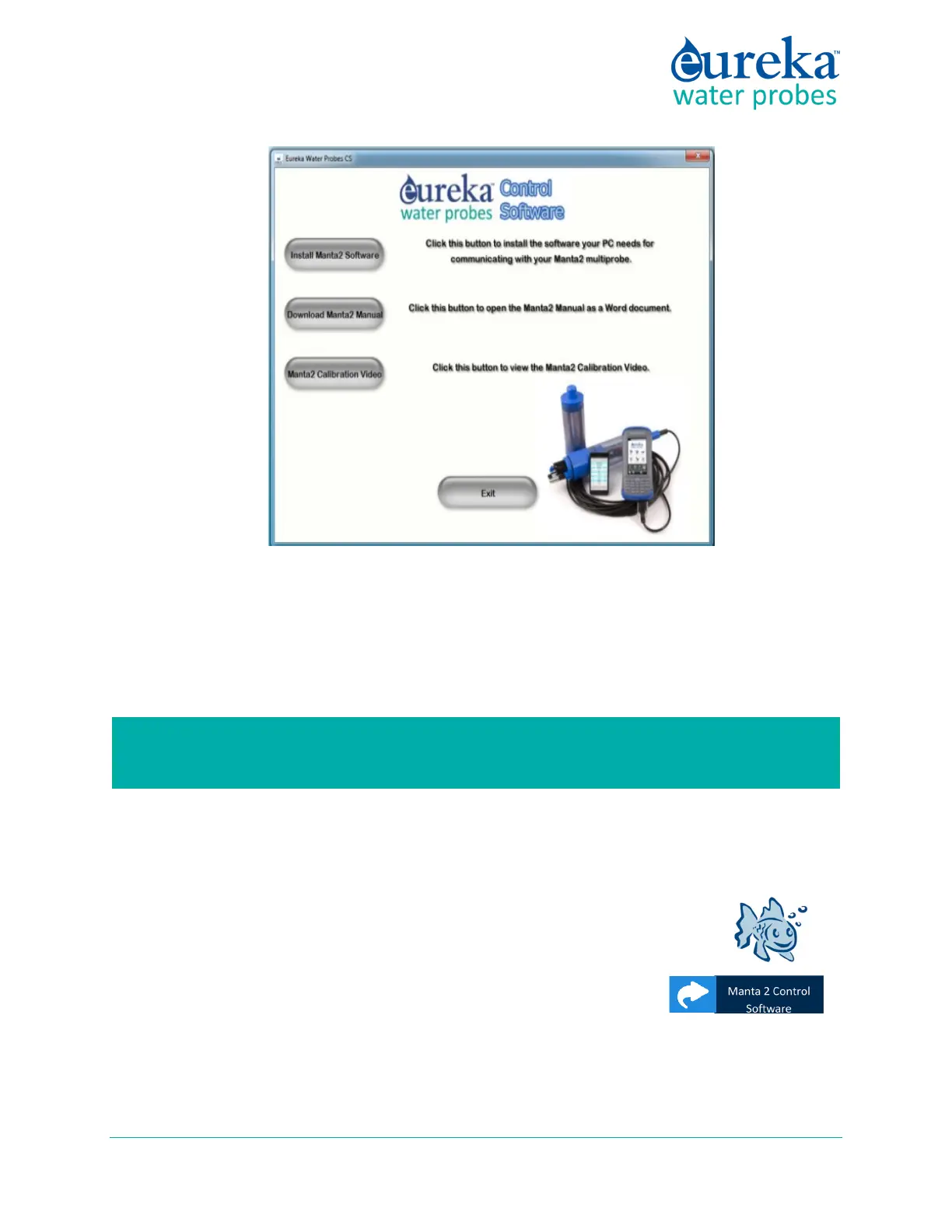
epending on which version of Windows you are accursed with, you might have to answer the usual
questions about your intention to load new software on your PC. Once you’re through with that,
you’ll be returned to the same screen that you started with, meaning that your Manta software and
USB Driver are installed.
Click the X in the upper right corner of the dialog box to close the installation process.
Note that you can download the Manta manual and various videos and technical documents that are
stored on the Eureka Flash Drive.
3 If your Windows did not create on your Desktop a shortcut to the Manta
Control Software, and you would like to have one, click the Start button in
the lower left of your screen, click All Programs, click the Eureka folder,
right-click “Manta 2 Control Software”, and drag it to your desktop.
4 Now connect your Manta to the USB Adapter using either a Manta Data
Cable or Underwater Cable. Click the Eureka “fish” icon to connect your PC and Manta. The Home
Page will appear, showing the Manta’s real-time data and various menu options. You can close the
program by clicking the X in the upper right corner.
This software installation process should take only a few minutes. Please call us (512-302-
4333, Ext 1111) if you have any problems.



 To Next Page