62
7. The upper display shows the next calibration point.
8. Rinse the ISE with clean water. Place it in the next calibration solution and
follow the steps 4 through 6 to calibrate other points.
9. Press ESC (F4) to go to measurement mode.
2.2 Calibration Report
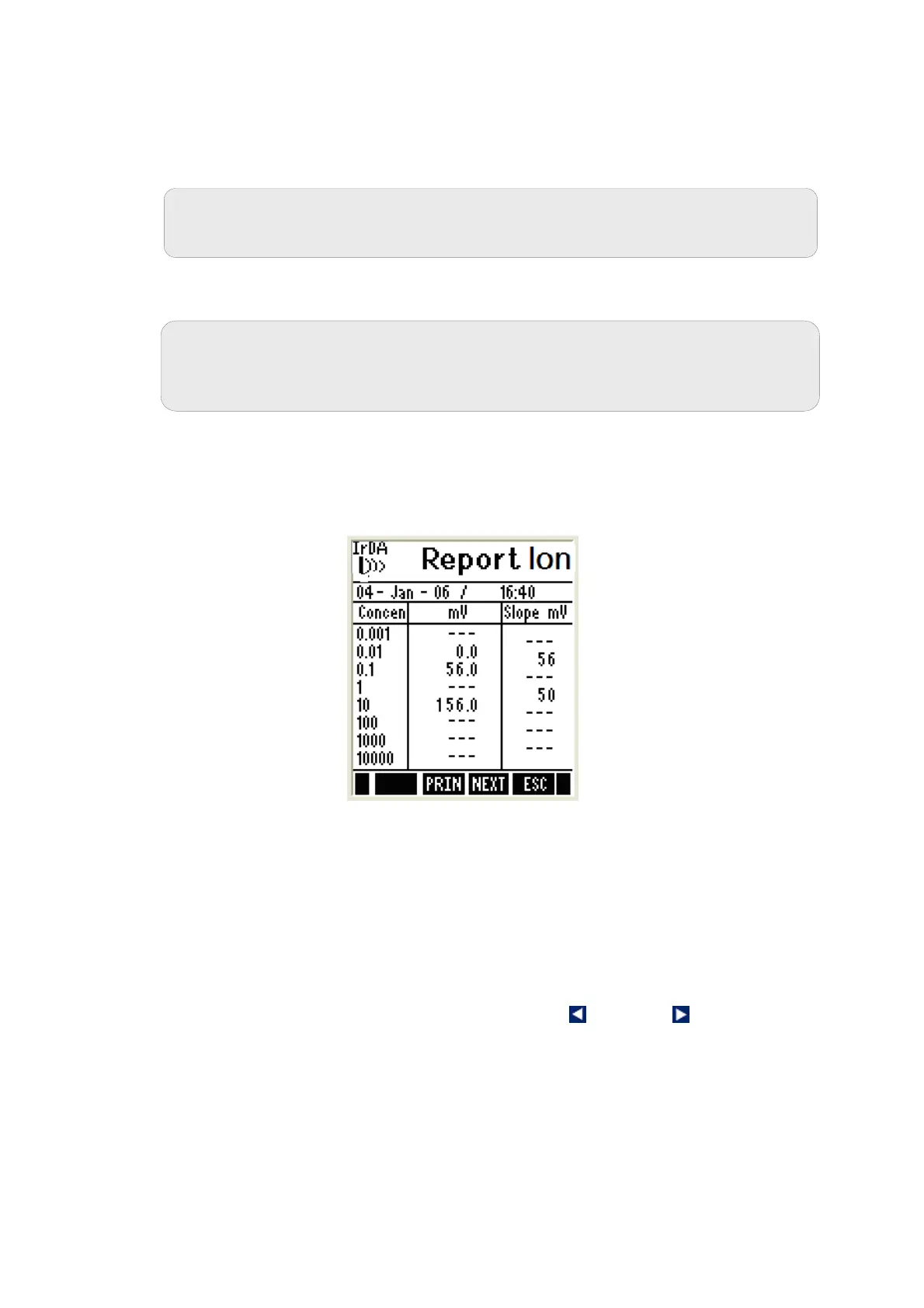
Calibration report gives you detailed information on calibration. It includes date
& time, calibration points (Ion concentrations), absolute mV reading for each
point and slope.
Figure 25 : Ion Calibration Report
Example: In the given Ion calibration report, calibration has been done for
0.01, 0.1 & 10 Ion concentrations. The corresponding absolute mV readings
are 0.0mV, 56.0mV & 156mV. The slope is 56 mV/decade for the range
enveloped from 0.01 to 0.1 ppm. Similarly, the slope is 50 for the range
enveloped from 0.1 to 10ppm where 0.1 calibration point has been skipped.
2.2.1 To View Calibration Report
1. From ION measurement mode, press left or right arrow key to
navigate to other available functions until you see REPO function in the
LCD
2. Press REPO (F2) key. The calibration report is shown in the display.
3. Press PRIN (F2) to transfer the calibration report to computer through IrDA.
Note: The function of the keys available on the Ion calibration/ report
screen is same as previously described in pH calibration with a user-
defined buffer section.
Note: The meter accepts the second and subsequent points only if the mV
readings are within the calibration window (15mV/decade to 90mV/decade).




 To Next Page