98
4.11 INFORMATION
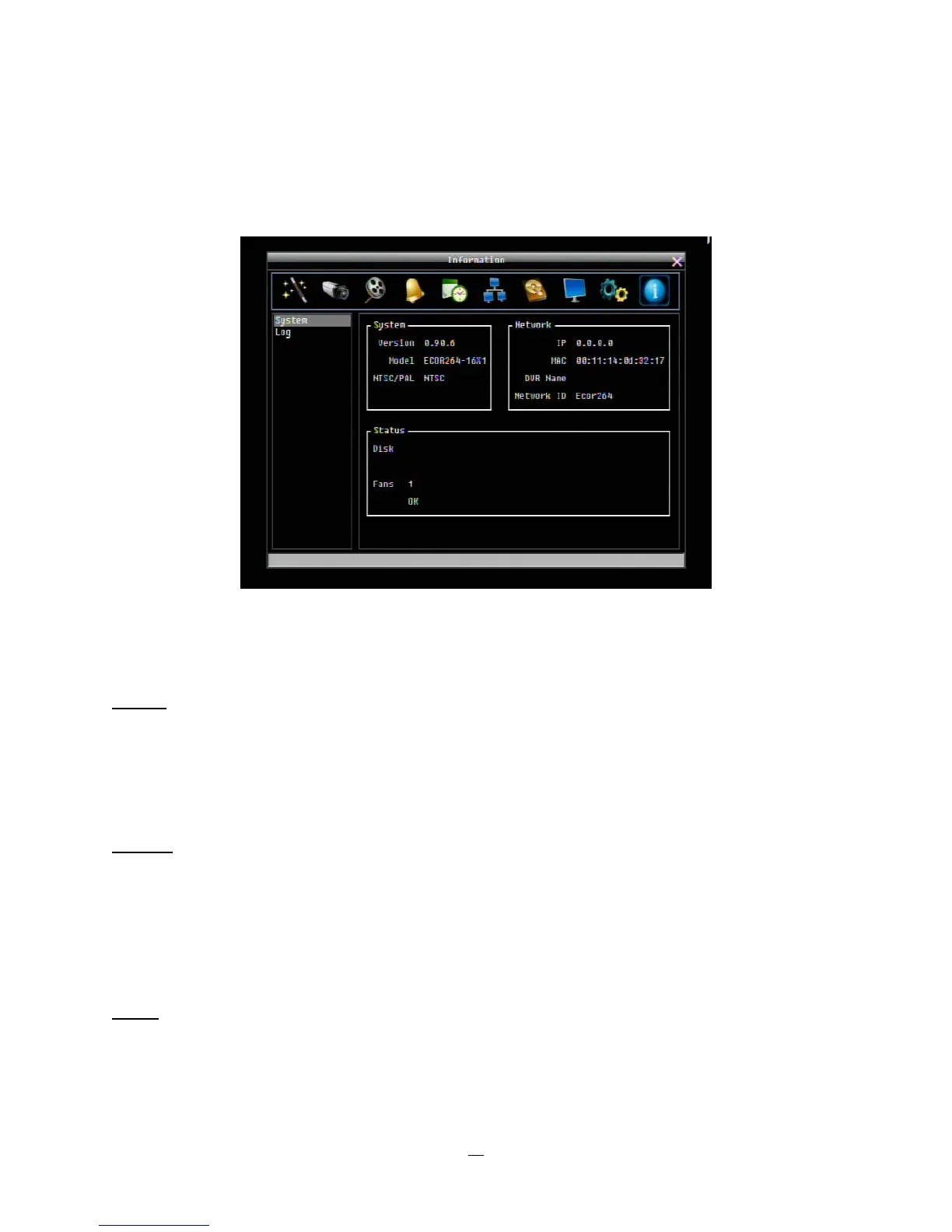
Figure 4.42 is a screenshot of the INFORMATION MENU. This menu displays important (read only) system
information.
Figure 4-42 Information Menu – System
4.11.1 System
System
Version: Displays firmware version number.
Model: Displays DVR model number.
NTSC/PAL: Displays current video format selected based video format on Camera 1 input at boot up.
Network
IP: Displays the DVR’s current IP Address as set in the Network or Express Setup screen.
MAC: Unique address of the DVR’s internal network card. This option cannot be changed.
DVR Name: Displays DVR DDNS name if configured.
Network ID: The ID number for the PowerCon alarm network as set in the Alarm Server screen.
Status
Disk: Displays status of the installed disk(s); normal disk operation is indicated by “OK”.
Fans: Displays fan status; normal fan operation is indicated by “OK”.















 To Next Page