86
4.9 DISPLAY SETTING
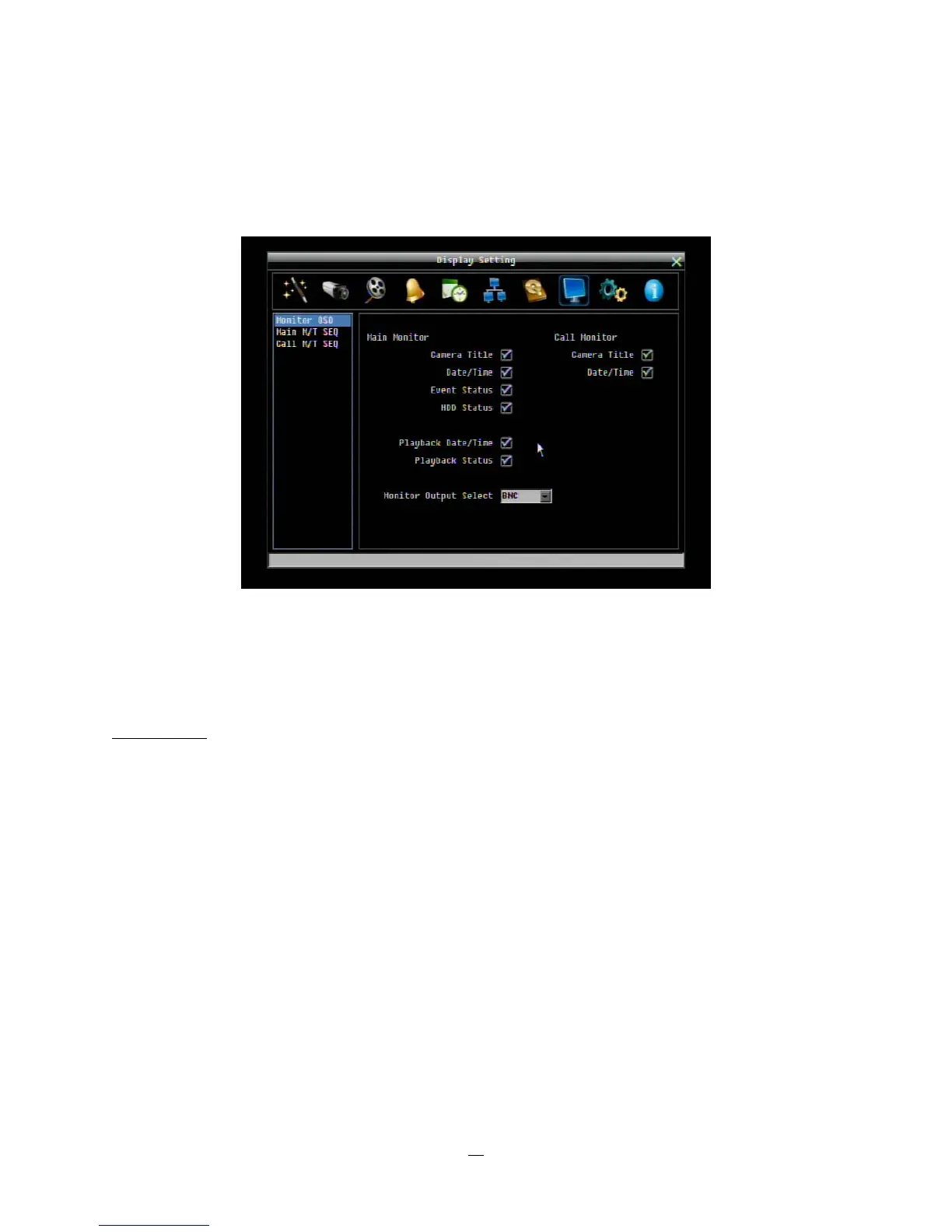
Figure 4-32 is a screenshot of the DISPLAY SETTING MENU. This menu will walk you through the Main
Monitor On-Screen Display (OSD) and Main Monitor Sequential setup.
Figure 4-32 Display Menu – Monitor OSD
4.9.1 Monitor OSD
These are the display options for the Main Monitor.
Main Monitor
Camera Title: Check the box to display camera titles.
Date/Time: Check the box to display current date/time.
Event Status: Check the box to display event status.
HDD Status: Check the box to display hard drive status.
Playback Date/Time: Check the box to display playback date/time.
Playback Status: Check the box to display playback status.
Main Monitor Output: This system supports either VGA or BNC main monitor display, but not both at the
same time. Choose from VGA, BNC or Auto (to automatically detect the monitor type)















 To Next Page