83
Confirm: Re-enter password.
Note: For more details on DDNS setup, please see “Chapter 7 - Everfocus DDNS Setup”.
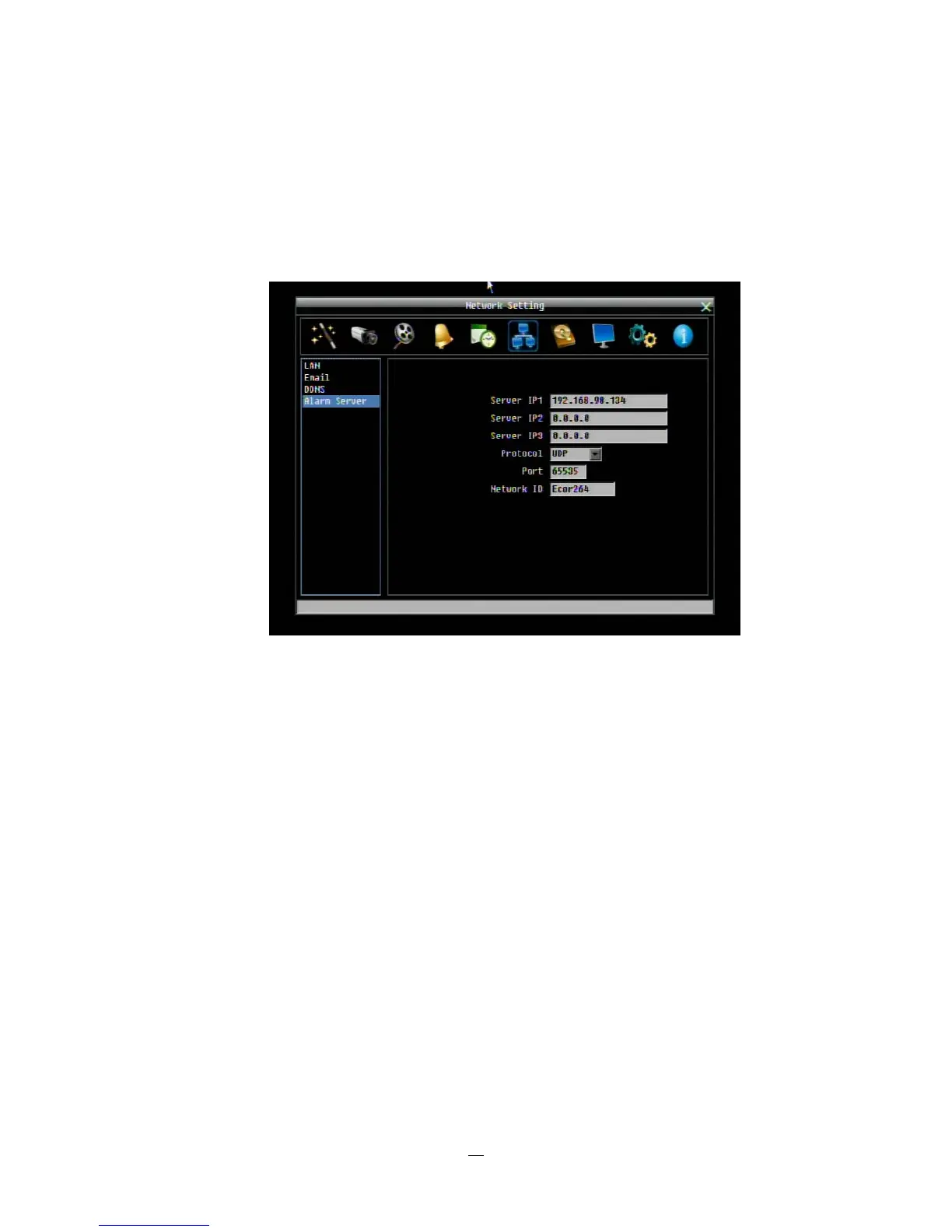
4.7.4 Alarm Server
Figure 4-29 Network Menu – Alarm Server
This menu defines the parameters for communicating with a PC running PowerCon software.
Server IP1~3: IP address of client PC with installed PowerCon Software. The network alarm can be
transmitted to up to 3 addresses.
Protocol: Select the protocol type for alarm transmission:
UDP: User Datagram Protocol
TCP: Transmission Control Protocol
Port: Select the transmission port for network alarm messages
Network ID: The network ID is an identifier for the alarm transmitter (DVR sending the alarm).















 To Next Page