99
4.11.2 Log
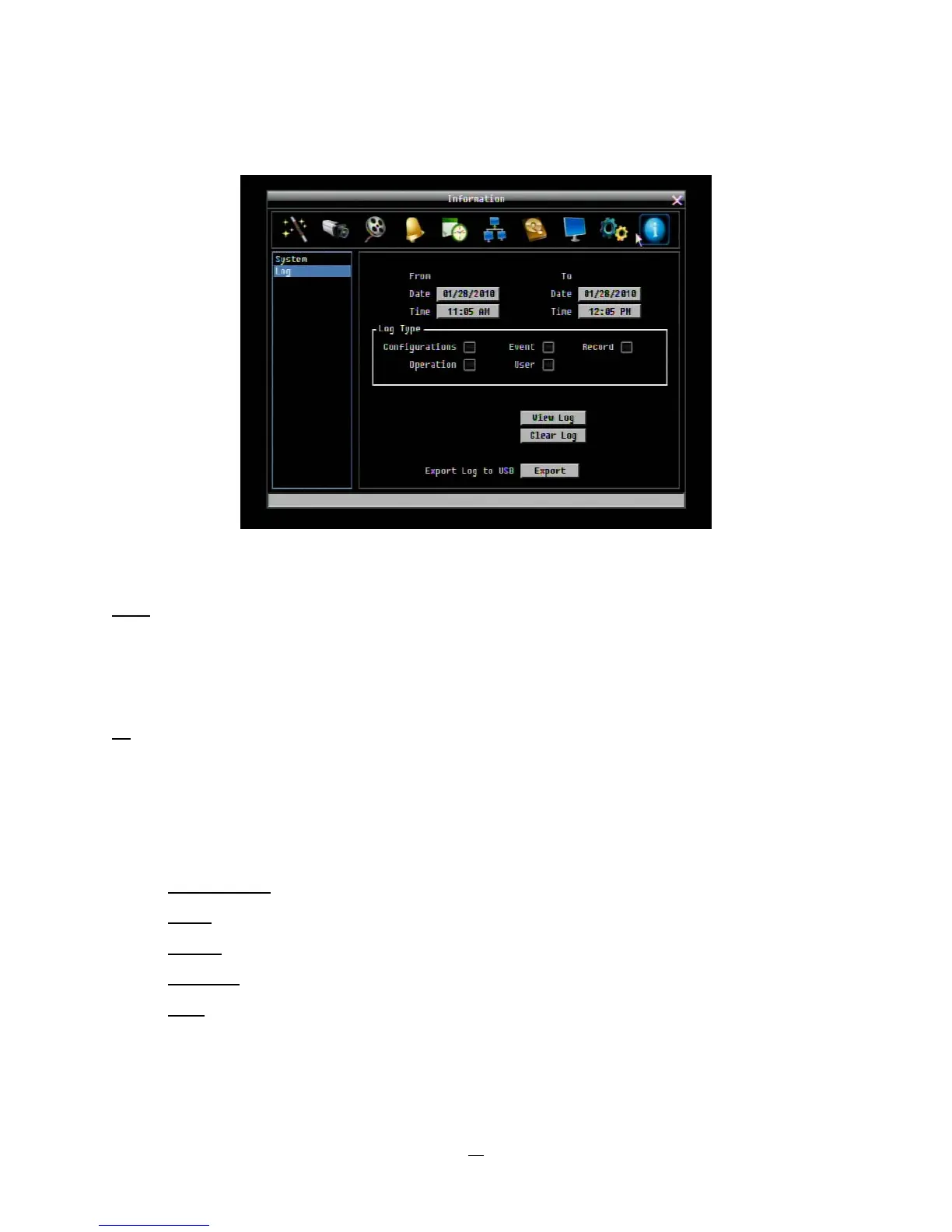
Figure 4-43 Information Menu – Log
This screen is used to choose, display and/or export log entries.
From
Date: Select starting date of log to be displayed.
Time: Select starting time of log to be displayed.
To
Date: Select end date of log to be displayed.
Time: Select end time of log to be displayed.
Log Type:
Configurations:
to see log entries related to configuration changes.
Event: to see log entries related to events.
Record:
to see log entries related to recording changes.
Operation: to see log entries related to operation changes.
User:
to see log entries related to user access.
View Log: Press “View Log” button to view the log. See Figure 4-44 for more detail.
Clear Log: Press “Clear Log” button to clear the log.















 To Next Page