68
One time: This entry is used only once, on that specific date.
Month/date: Uses this entry on the same month and day, every year (e.g. January 1 for New Year’s Day)
Month/weekday:
Uses this entry on a specific day of a specific week in the month specified (e.g 4
th
Thursday in November for Thanksgiving).
Details: Specifies the date to be used.
Prev: Previous Page (30 Holidays Total)
Next: Next Page (30 Holidays Total)
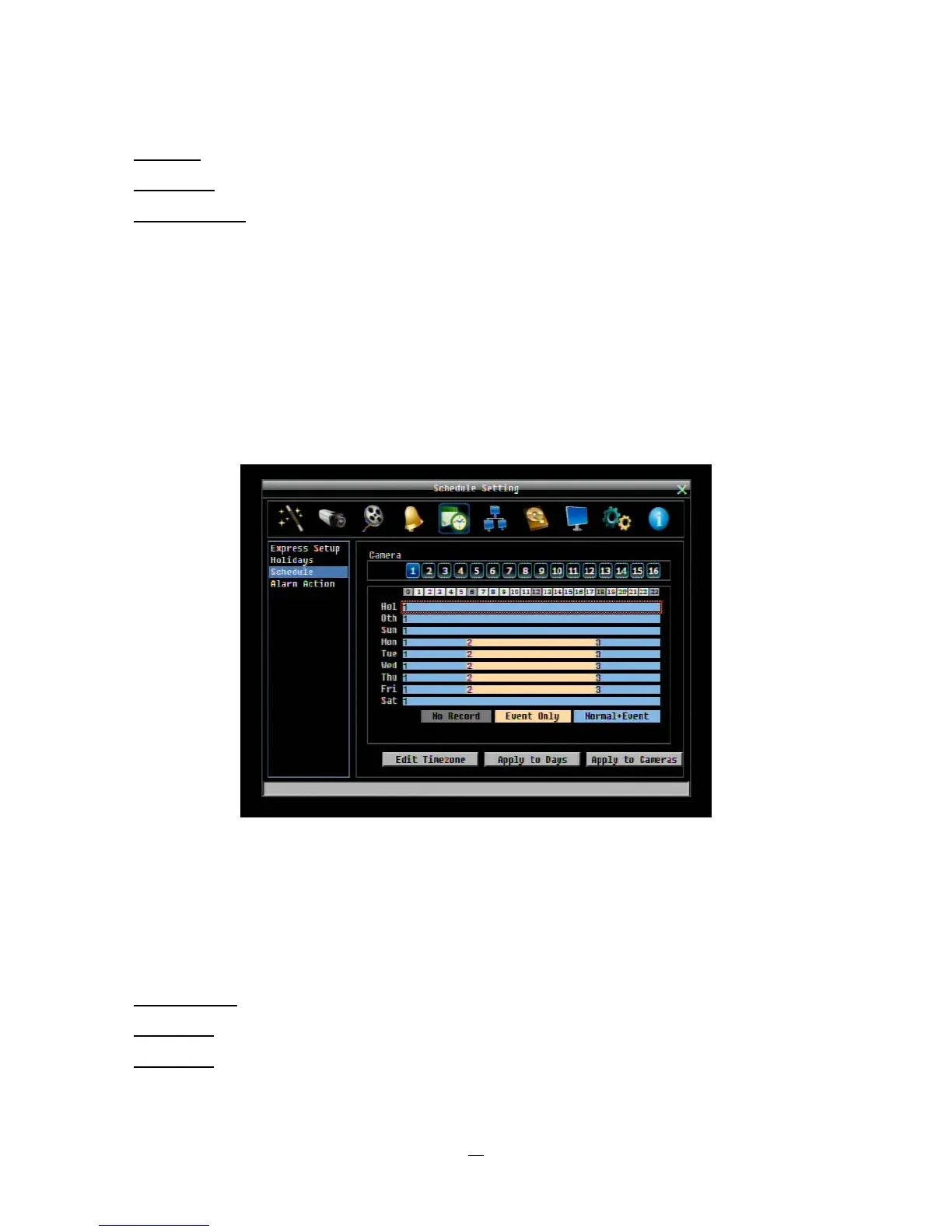
4.6.3 Schedule
Controls camera recording mode by time of day on s
pecific days of the week and/or holidays and ‘other’
days.
Figure 4-22 Schedule Menu-Schedule
Camera: Select a camera number to change the schedule for that camera. Each camera can be controlled
during a 24 hour time block for Holiday (Hol), Other (Oth), Sunday (Sun), Monday (Mon), Tuesday (Tue),
Wednesday (Wed), Thursday (Thu), Friday (Fri), or Saturday (Sat).
Time Bar: The time bar uses three different colors to distinguish each recoding mode.
Gray (No Rec): No recording during this time block.
Orange (E):
Only events are recorded during this time block.
Blue (N+E):
(Default) Normal and event recording during this time block.















 To Next Page