42
4.3 CAMERA SETTING
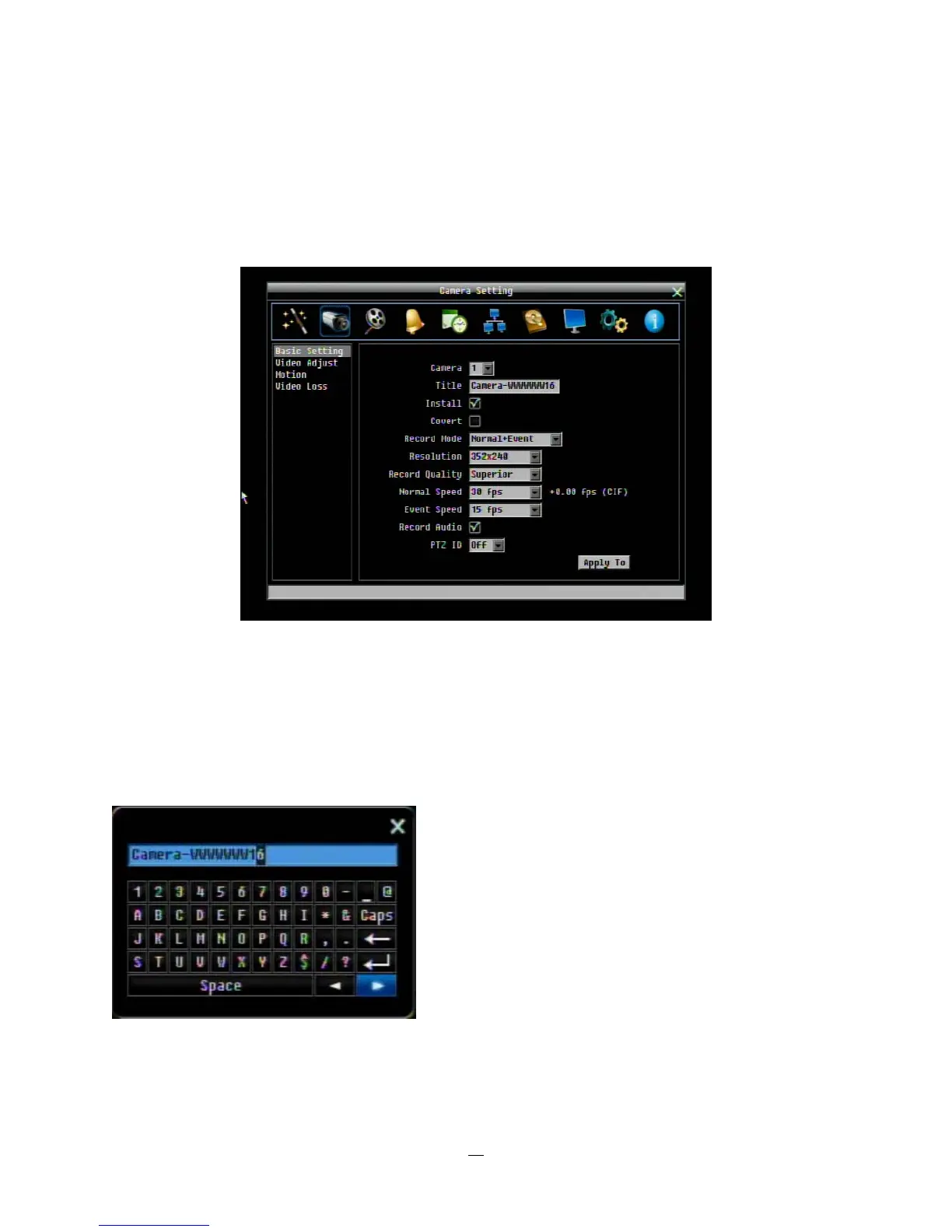
Figure 4-2 is a screenshot of the CAMERA SETTING MENU. This menu is used to configure individual
camera settings.
Figure 4-2 Camera Menu-Basic Setting
4.3.1 Basic Setting
Camera: Select the camera to be configured.
Title: The title setting allows you to assign a title to the selected camera. Each title supports up to 16
characters. The on-screen keyboard will appear when you click the title option.
Install: Check the box to enable the current camera. To take full advantage of the DVR’s recording abilities,
any unused cameras should have this option set to “disabled”.















 To Next Page