7
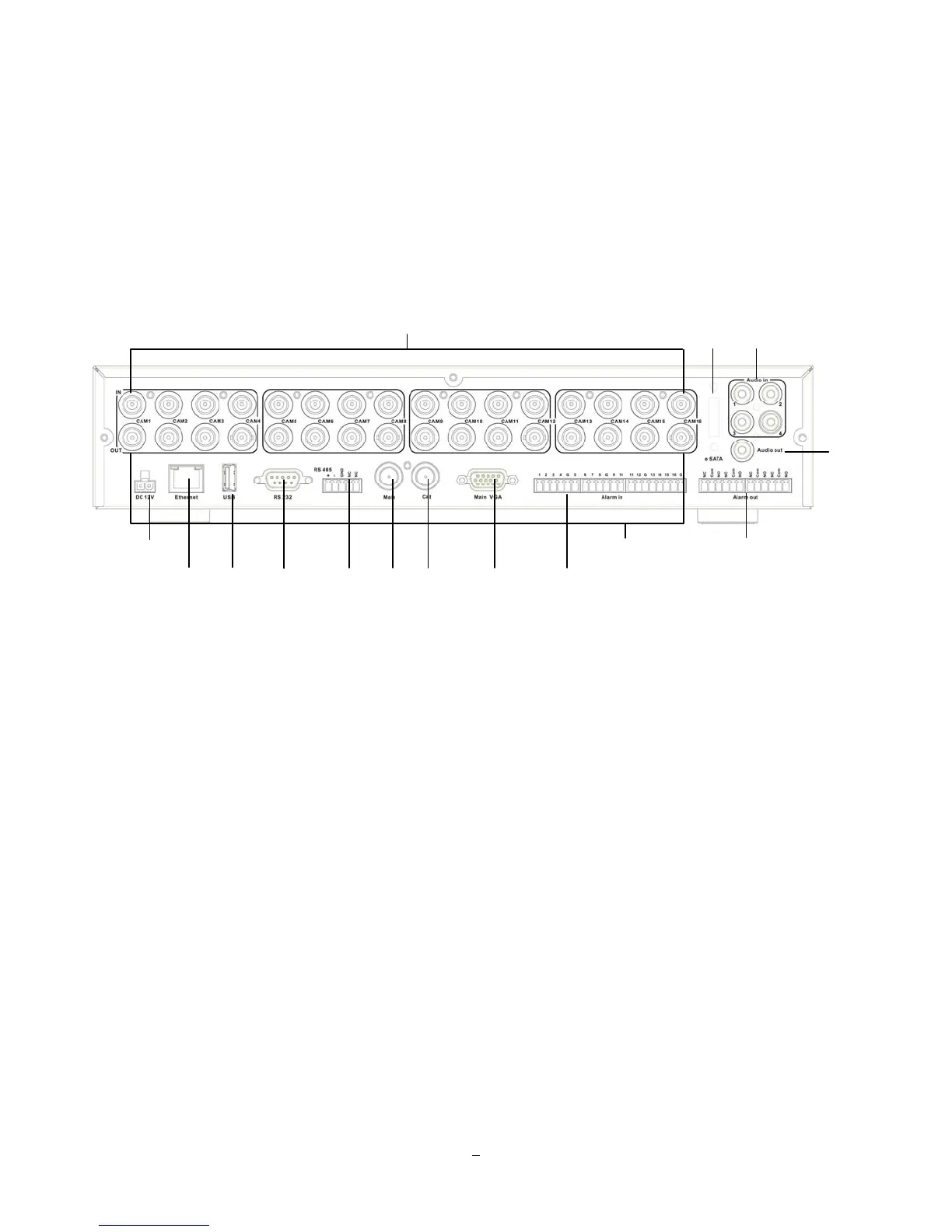
1.5 REAR PANEL
During initial setup you will be connecting your DVR to multiple input and output devices. This is done
through the rear panel.
Figure 1-2 Rear Panel
○
1
Video In: Connect camera’s video output or other composite video source to the video input
connection.
○
2
eSATA: Used for external SATA HDD bay. Note: Hot-swappable model does not support eSATA.
○
3
Audio In: Connect line level output of an audio preamplifier to the audio input connection
corresponding to the appropriate camera.
○
4
POWER: Plug the DC 12V power source provided into the power socket.
○
5
ETHERNET: RJ-45 network connection 10/100/1000Mbps Ethernet. There are two LEDs on the LAN
jack; Green LED means network is connected, amber LED flickers when data is being
exchanged.
○
6
USB 2.0: USB port recommended for connecting the USB mouse.
○
7
RS232 socket: 9-pin D-Sub control input for RS-232.
○
6
○
5
○
7
○
8
○
10
○
11
○
12
○
9
○
15
○
1
○
2
○
3
○
4
○
13
○
14















 To Next Page