Model 5600MSC Master Clock/SPG Manual
TECHNICAL DESCRIPTIONOPERATION
Revision 1.6 Page 3-1
3. HOW TO OPERATE THE MASTER CLOCK/SPG
The model 5600MSC Master Clock/SPG combines the latest LSI technology with sophisticated
embedded microcontroller firmware to provide a powerful, flexible Master Clock and Sync Pulse
Generator system. The 5600MSC Master Sync and Clock Generator, is both a broadcast quality
Master SPG and a Master Clock. It provides all of the synchronizing signals needed in a 21st century
TV station at the same time as solving the problem of locking the in-house master clock system to the
master video sync pulse generator.
3.1. AN OVERVIEW OF KEY AND DISPLAY FUNCTIONS
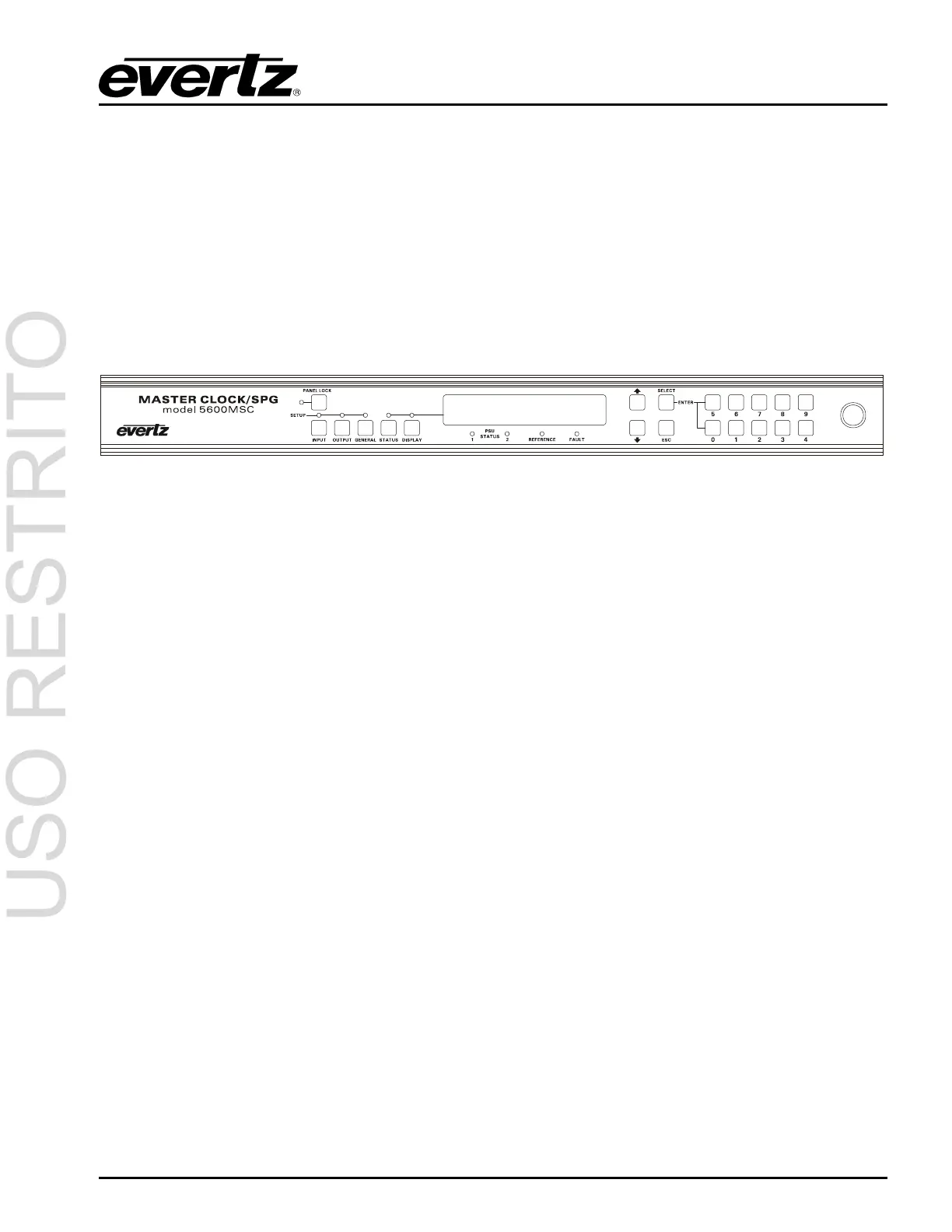
Figure 3-1: Model 5600MSC Front Panel Layout
The front panel controls consist of a 16 digit alphanumeric display, 10 LED status indicators, a 20
pushbutton keypad, and a shaft encoder knob.
The keypad is used to control the front panel
Setup menu system, to enter numeric data such as the
time and date, and to provide control of the front panel display. The shaft encoder knob is used to
navigate the front panel menu system and to adjust the phasing of the sync pulse outputs.
A front panel
Setup menu provides a quick and simple method of configuring the 5600MSC for your
application. Sections 3.2 to 3.8 give detailed information on the specific operations required to control
the 5600MSC.
3.1.1. The Setup Menu Pushbutton Group
The Setup pushbutton group consists of the INPUT, OUTPUT, GENERAL, SELECT, ESC, Ï, Ð keys
and the
SHAFT ENCODER knob and is used to navigate the Setup menu system. The INPUT,
OUTPUT
and GENERAL keys allow you to quickly go to various parts of the menu while the SELECT,
ESC,
Ï, Ð and SHAFT ENCODER knob are used to navigate the menu.
INPUT Enters the INPUT SETUP menu that is used to set up various items related to the input
references to the 5600MSC. (See section 3.5)
OUTPUT Enters the OUTPUT SETUP menu that is used to set up various items related to the
LTC, Sync, Audio and Video Test generator outputs of the 5600MSC. (See section 3.6)
GENERAL Enters the GENERAL SETUP menu that is used to set up various items related to the
overall operation of the 5600MSC. (See section 3.7)
SELECT When in one of the Setup menus the SELECT key is used to move to the next lower
sub-menu levels or to select a menu parameter that is to be changed. The
SELECT key
is also used in combination with the numeric keys to enter numeric data.



 To Next Page