Model 5600MSC Master Clock/SPG Manual
TECHNICAL DESCRIPTIONOPERATION
Revision 1.6 Page 3-29
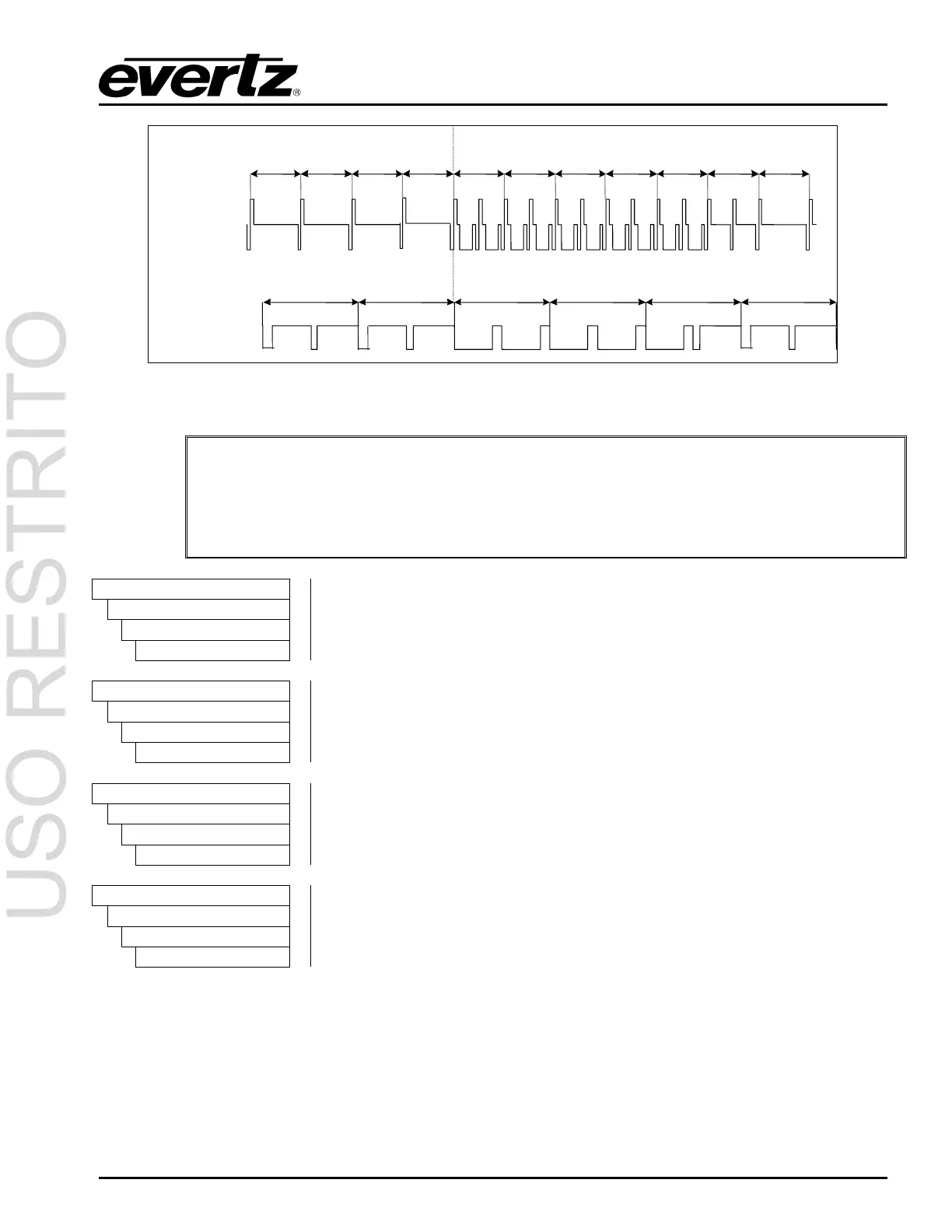
1125 1 2 3112411231122 4 5
1125/50/I Video signal
6 7
625/50/I Video signal
1234625624
Figure 3-10: Video Sync Phase Alignment in 50 Hz Field Rate Systems
"
The front panel display will show WARNING LIVE CTL for 0.6 seconds to indicate
that adjusting the Sync output phase menu items will affect the phasing of the
respective Sync output immediately. You do not have to press the SELECT button
to accept the new values. Use these controls with caution, as they will affect the
overall timing of devices connected to the sync outputs.
OUTPUT
SYNC 1 OUTPUT
Sync 1 Col’r Frm
S1 col’r frm = 1
This menu item is used to set the phase of the video output in whole frames
and is usually used to align the colour frame sequence in PAL and NTSC
systems. For HD sync standards the value for the
Col’r frm phase will
always be 1.
OUTPUT
SYNC 1 OUTPUT
Sync 1 V Phase
S1 v phase = 1
This menu item is used to set the phase of the video output in lines.
OUTPUT
SYNC 1 OUTPUT
Sync 1 H Phase
S1 h phase = 1
This menu item is used to set the phase of the video output in samples.
OUTPUT
SYNC 1 OUTPUT
Sync 1 Fine phs
S1 fine ph= 0.0%
This menu item is used to set the phase of the video output in fractions of a
sample. 100.0% is equivalent to one sample period.
When adjusting any of the above 4 phasing parameters, the display will momentarily show all of the
available
Colour Frame, V Phase, H Phase, and Fine Phase in sequence. After 1 second the display
will revert to showing the parameter being adjusted.



 To Next Page