Model 5600MSC Master Clock/SPG Manual
Page 3-12
Revision 1.6 OPERATION
X Y
Master
Frequency
Generator
59.94 Hz
Sync
Generation
50 Hz
Sync
Generation
Z Y X Y X Y Z Y X YX YX Y
DARS
Generation
DARS Phase Locking
INPUT
FREQUENCY REF
Internal freq ref
OUTPUT
AES/DARS OUT
AES Lock type
AES lock PAL
Menu Settings
160.16 sec (4004 PAL frames)
160.16 sec (4800 NTSC frames)
No Reference or selected
reference missing
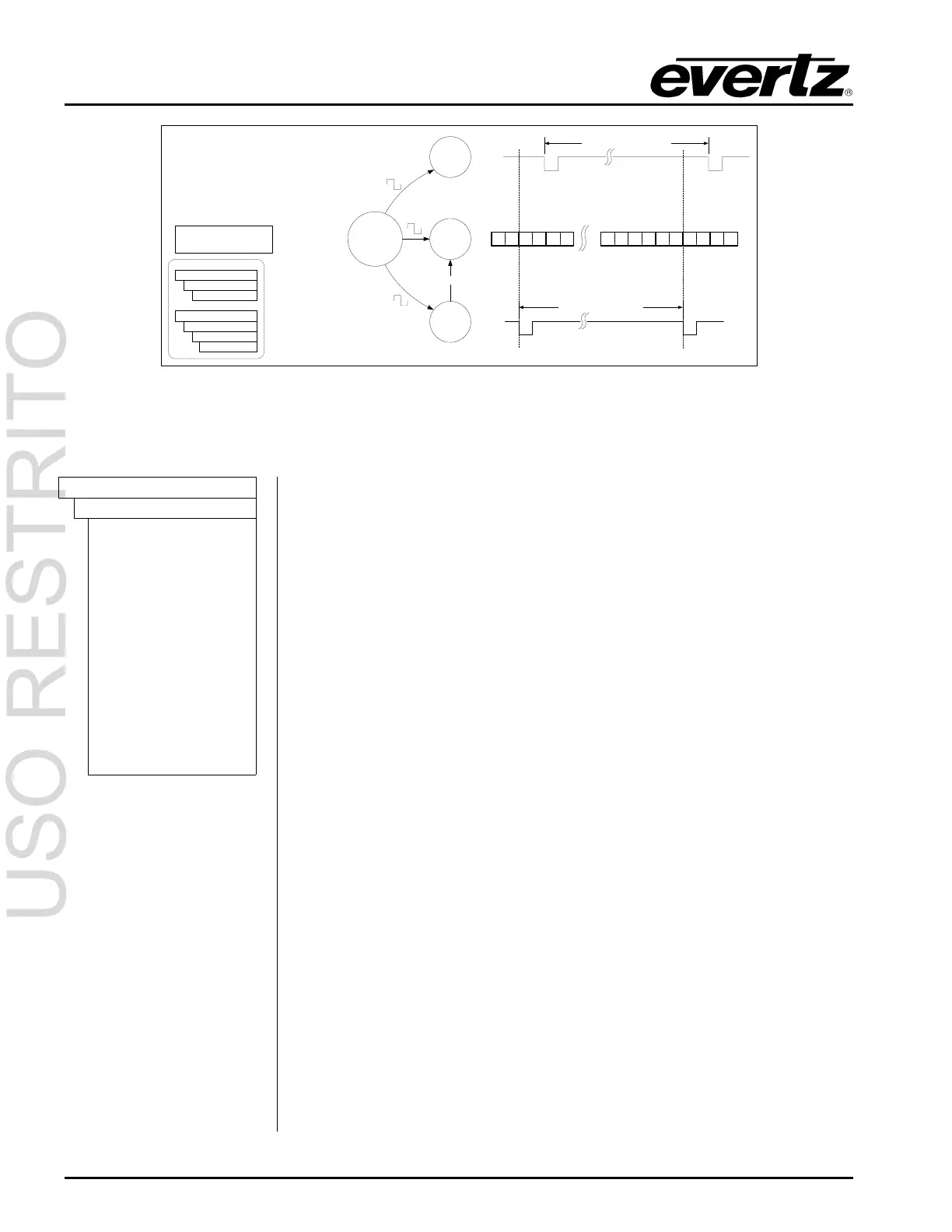
Figure 3-8: Sync Generation – No Reference – PAL outputs
3.5.2. Configuring the Time Reference
INPUT
TIME REF
GPS time ref
Modem ref
Synchro time ref
No time ref
25 LTC tm ref
25 LTC tm nd
29.97df Hz LTC tm
ref
29.97df Hz LTC nd
PAL VITC tm ref
PAL VITC tm nd
NTSC VITC tm ref
NTSC VITC tm nd
The
TIME REF menu item is used to select the type of time reference being
used for the 5600MSC.
When set to
GPS time ref the 5600MSC system time is referenced to time
information being acquired from the GPS receiver. (G option required)
When the
FREQUENCY REF menu item is set to GPS freq ref the
TIME REF is forced to GPS time ref. The front panel display will show the
message
FORCED TO GPS if you attempt to set the TIME REF to Synchro
time ref
or No time ref. See section 3.3.1 for a description of the front panel
GPS status messages.
When set to
Modem time ref the 5600MSC system time is referenced to
time information being acquired through modem connections to a high-level
time source. (M option required). After a successful modem call, the
5600MSC Time Locked Status will be valid for a period of ten days. After
10 days the Time Unlocked Status will become valid, and the front panel
display will show the message
MANUAL INPUT JAM when you enter the
INPUT menus (by pressing the INPUT button) See section 3.7.3 for
information on configuring the modem. See section 3.3.4 for a description
of the front panel modem status messages.
When the
SERIAL PORT MODE menu item is set to Synchro rx or Synch
time
you can set the TIME REF to Synchro time ref. to reference the
5600MSC system time to the other 5600MSC that is connected and running
in
Synchro tx mode. When the SERIAL PORT MODE menu item is not set
to
Synchro rx or Synch time the front panel display will show the message
NOT SYNCHRO RX if you attempt to set the TIME REF to Synchro time ref.
(See section 2.4 and 3.7.1)
When set to
No time ref the unit will be free running with respect to time
reference. The user must enter the initial time using the numeric keys on
the front panel. After the time has been set once, the 5600MSC will use an
internal battery-backed up clock to restore the time after a power disruption.



 To Next Page