7 05 2013 4365 00
CONTROLS AND INFORMATION
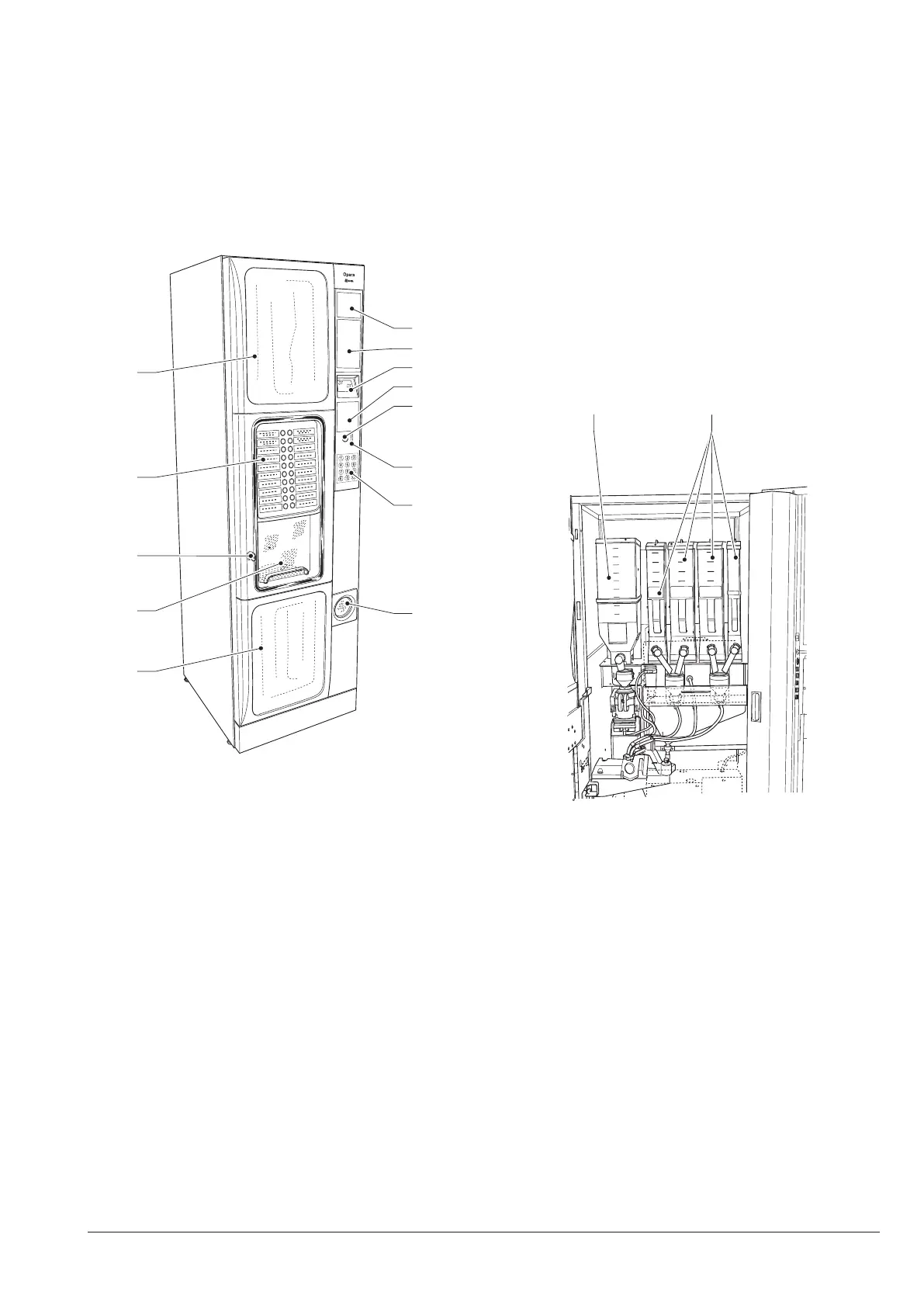
The controls and the information to the user are on the
external side of the door.
The plates with the menu and the instructions are
supplied together with the machine and they shall be
inserted when the machine is installed.
Inside the machine, on the right of the coin box unit, are
the Programming button, which provides access to the
functions of the machine, and the service buttons.
6
7
8
9
10
11
12
13
5
1
2
3
4
Fig. 5
1- Lower aesthetic side
2- Door
3- Lock
4- Direct selection keyboard (as an alternative to numeric one)
5- Upper aesthetic panel
6- Advertising space
7- Space for notes acceptor
8- Display
9- Advertising space or cashless systems
10- Coin recovery button
11- Introduction of coins
12- Instructions area / numeric keyboard
13- Coin recovery
PRODUCT LOAD
in strict accordance with the manufacturer instruc-
expiry date.
Load the products following the guidelines below.
Products may also be loaded with the containers par-
tially full.
sugar and instant produCts
Each container has an adhesive label which species
the type of product.
After lifting the corresponding cover, introduce the prod-
ucts to be dispensed into the containers being careful
not to compress them.
Make sure that the products do not contain lumps.
1 2
Fig. 6
1- Fresh brew container (fresh brew model)
2- Instant container



 To Next Page