24 05 2013 4365 00
BROWSING
ENTERING THE PROGRAMMING MODE
The programming menu can be entered by switching
the machine on with the door open, acting on the door
switch.
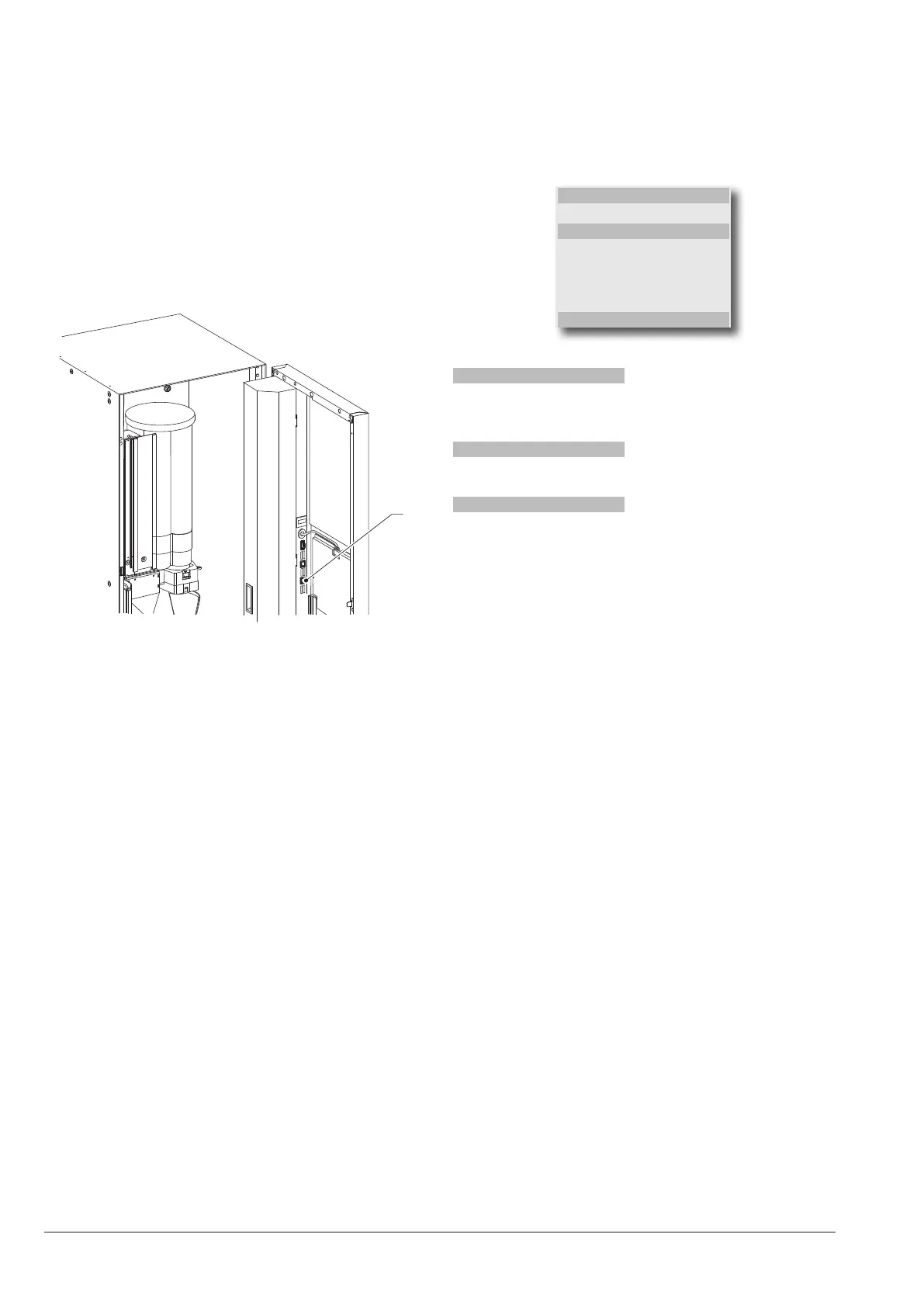
For entering the programming mode press the button
“programming access” inside the door of the machine:
The machine status changes to “loader menu”, use the
key for switching from the “loader menu” to the “engi-
neer menu” and vice versa.
1
Fig. 27
1- Programming input button
The interaction between system and operator is through:
display
8 rows display which shows the messages to the users
or the items of the menu.
The programming menu is represented as follows:
MENU TITLE:
Menu item
Selected menu item
Menu item
Menu item
Menu item
Menu item
ENGINEER> 2.1
MENU TITLE:
if requested, this is shown on the rst row, followed by
the available menu items.
Selected menu item
The item of the menu where the cursor is positioned
ENGINEER> 2.1
This shows the current active menu (Loader or Engineer)
followed by the numerical position of the function on
which the cursor is positioned (i.e. 2.1)
keyboard
With the machine in “Loader” or “Engineer” mode, the
selection keyboard assumes the functions:
navigation keys
and
:
These keys allow you to navigate between the items of
the menu (functions).
Within a function, they allow you to vary, where request-
ed, the logical status of data (ON/OFF), or enter/modify
alphanumeric values.
Confirmation key
:
This allows you to switch from a menu to a submenu or
to conrm the data shown on display.
exit key
:
This allows you to return from a submenu to the menu of
higher level, or to cancel the function.
It also allows you to switch from the “Engineer” to the
“Loader” mode and vice versa.
keys for numeriC values
When the control software requests the input of a pass-
word, the keyboard assumes the numeric values shown
in the gure.
For machines with direct selection keyboard



 To Next Page