16 05 2013 4365 00
UNPACKING THE VENDING MACHINE
After removing the packaging, verify the integrity of the
machine.
In case of doubt, do not use the machine.
reach of children as they are a potential source of
danger.
The packaging materials need to be disposed of in
authorised places. Recycling materials shall be given to
specialised recycling companies.
Important
The machine shall be positioned so that the maximum
inclination does not exceed 2°.
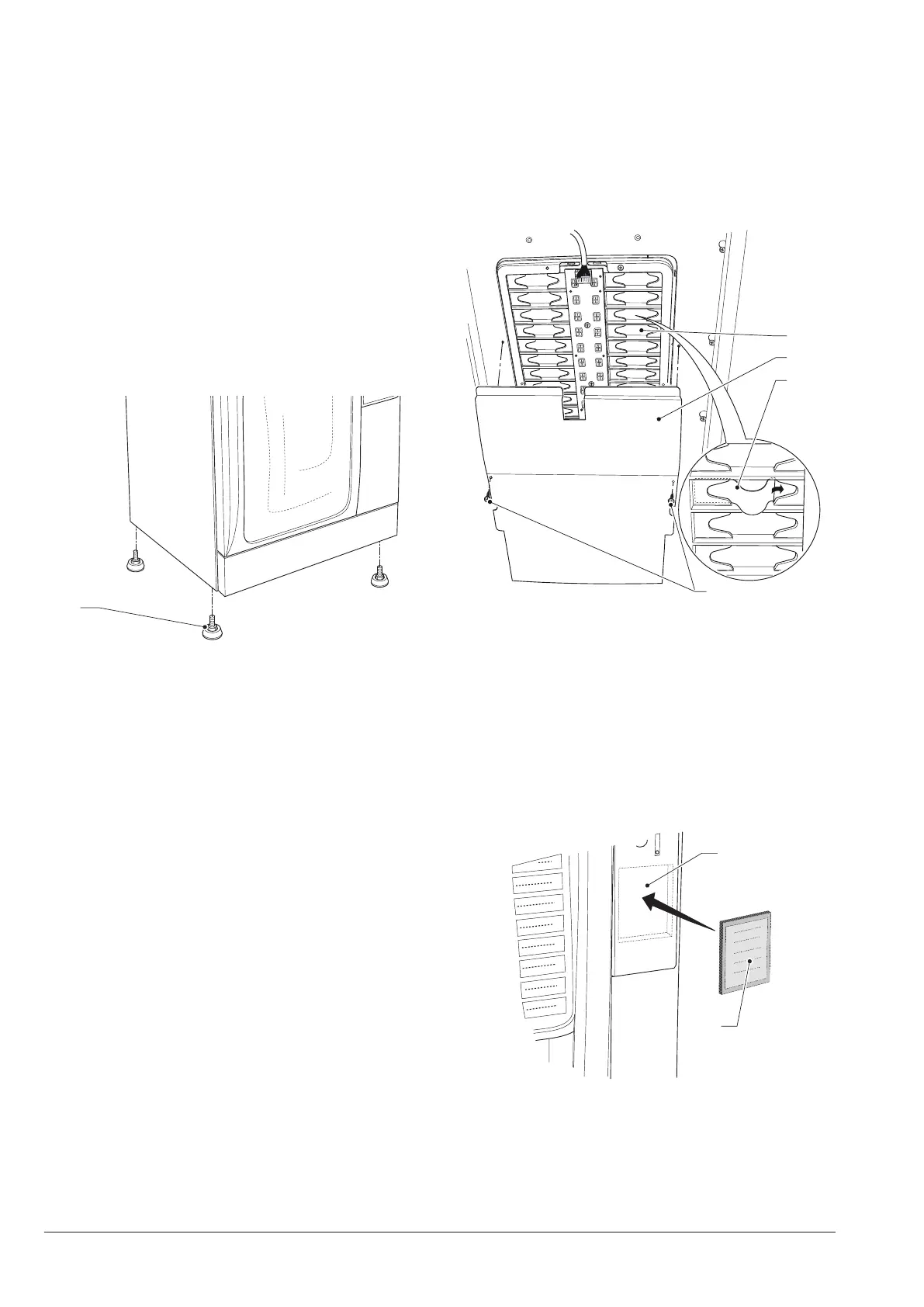
If needed, level it out using the appropriate adjustable
feet provided with the machine.
1
Fig. 18
1- Adjustable foot
INSERTING THE PLATES
Remove the xing screw and remove the cover.
The plates need to be inserted into the appropriate slots.
Based on the models, some buttons could be disabled
(see doses-selections table).
The machine is supplied with self-adhesive plates which
shall be attached to the products containers based on
layout (see doses-selections table)
2
1
4
3
Fig. 19
1- Keyboard cover fixing screws
2- Flexible plate
3- Keyboard cover
4- Plates support
Insert the instruction plates or advertising spaces on the
user interface.
In the absence of a numeric keyboard, apply the lid (sup-
plied by default)
1
2
Fig. 20
1- Instruction plate / numeric keyboard
2- Lid with the instruction plate



 To Next Page