Functional characteristics
MIG/MAG welding
56 Item No.: 099-005073-EWM01
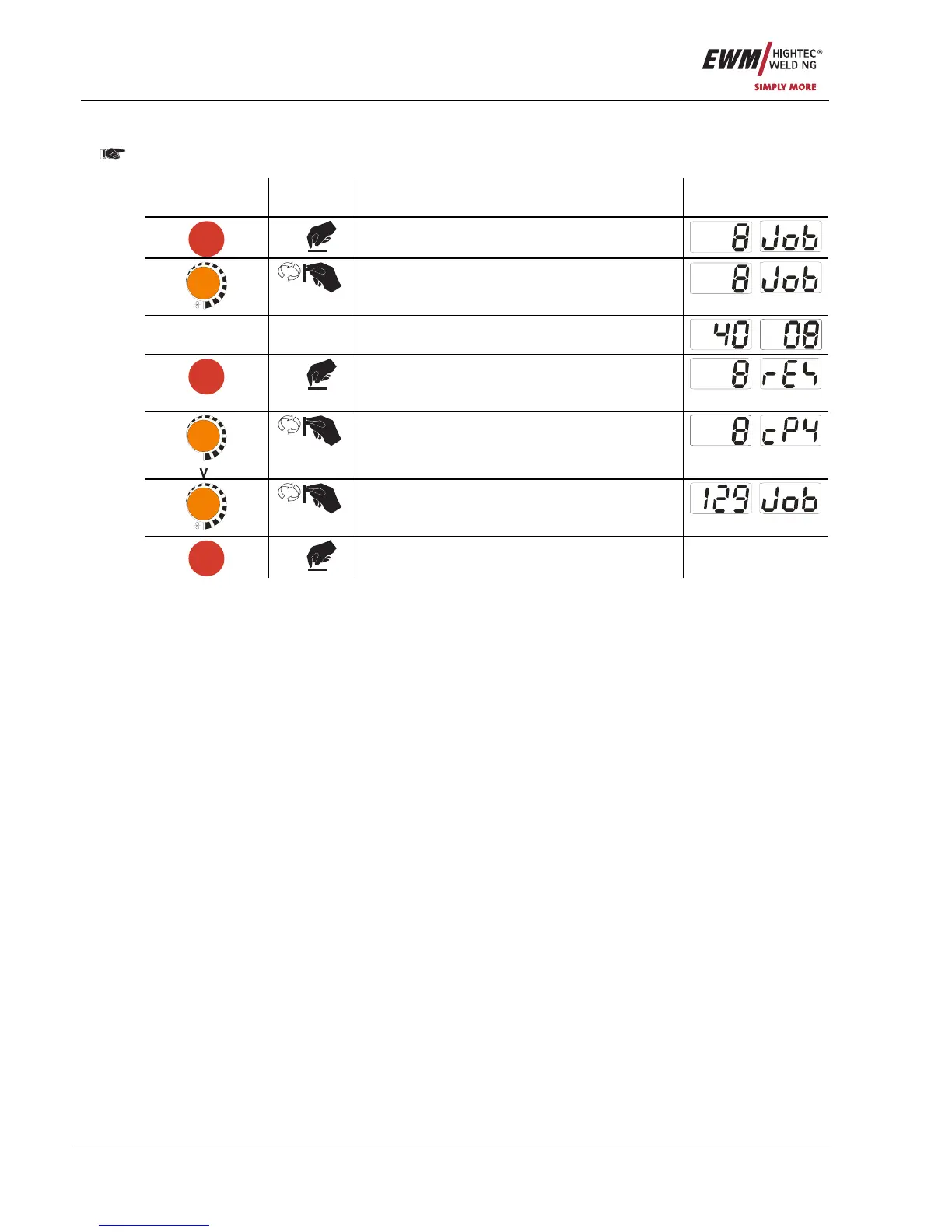
5.2.11.18 Copying JOBs, "Copy to" function
The possible target range is between 129 - 169.
• First configure special parameter P12 to P12 = 2 or P12 = 1!
Operating
element
Action Result Display
JOB-
LIST
1 x
Select JOB list
m/min
Select the source JOB
- -
Wait for around 3 seconds until the JOB has
been transferred
JOB-
LIST
1 x
> 5s
Keep button pressed for around 5s
Setting to copy function ("Copy to")
m/min
Select JOB number of the target JOB
JOB-
LIST
1 x
Save
The JOB is copied to the new position
By repeating the last two steps, the same source JOB can be copied to multiple target JOBs.
If the control does not register any user activity for longer than 5 seconds, the parameter display is shown
once more and the copy process is complete.
5.2.11.19 Lower and upper limits of the remote JOB changeover process (P13,P14)
The highest and lowest JOB numbers which can be selected using accessory components, such as the
PowerControl 2 torch.
Avoids an accidental changeover into undesirable or undefined JOBs.
5.2.11.20 Hold function (P15)
Hold function active (P15 = 1)
• Mean values for the last main program parameters used for welding are displayed.
Hold function not active (P15 = 0)
• Setpoint values for the main program parameters are displayed.
5.2.11.21 Software key switch (SCH)
The key switch function allows the welding machine to be locked using the software. This is useful on
units that do not have a key switch (e.g. PHOENIX 401 BASIC).










 To Next Page