Functional characteristics
Interfaces
Item No.: 099-005073-EWM01 63
5.5 Interfaces
Only the accessory components described in these operating instructions may be connected.
Only plug accessory components into the relevant connection socket on the welding machine
and lock it when the machine is switched off. The component is detected automatically when the
welding machine is switched on.
Comprehensive descriptions can be found in the operating instructions for the relevant
accessory components.
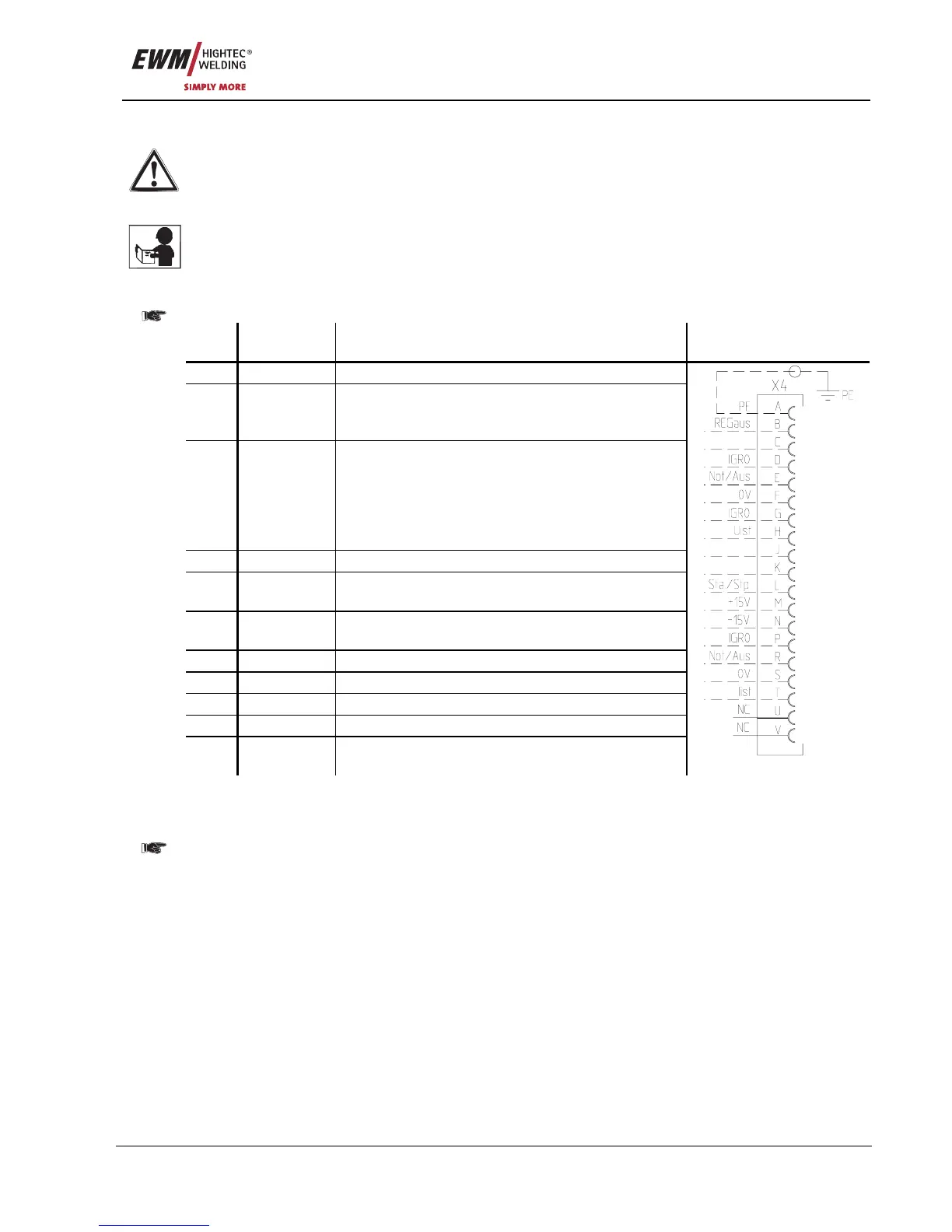
5.5.1 Automation interface
These accessory components can be retrofitted as an option, see Accessories chapter.
Pin Input /
output
Description Diagram
A
Output PE Connection for cable shielding
D
Output
(open
collector)
IGRO Current flows signal I>0 (maximum load 20
mA / 15 V)
0 V = welding current flows
E
+
R
Input Not/Aus Emergency stop for higher level shut-down
of the power source.
To use this function, jumper 1 must be
unplugged on PCB M320/1 in the welding
machine. Contact open = welding current
off
F
Output 0 V Reference potential
G/P
Output I>0 Power relay contact, galvanically isolated
(max. +/-15 V / 100 mA)
H
Output Uist Welding voltage, measured against pin F,
0-10 V (0 V = 0 V; 10 V = 100 V)
L
Input Str/Stp Start = 15 V / Stop = 0 V
1)
M
Output +15 V Voltage supply (max. 75 mA)
N
Output -15 V Voltage supply (max. 25 mA)
S
Output 0 V Reference potential
T
Output Iist Welding current, measured on pin F;
0-10 V (0 V = 0 A, 10 V = 1000 A)
1) The operating mode is given by the wire feed unit (the start / stop function equates to pressing the
torch trigger and is used in mechanised applications, for example).
The appendix includes a list of equivalent JOB numbers in the PC 300 software for the PHOENIX
BASIC and PHOENIX PROGRESS models.
With PHOENIX EXPERT models, the software JOB numbers are the same as those for the machine.










 To Next Page