43
EXCELL PRECISION CO., LTD.
ZSME200000051
3-1-10
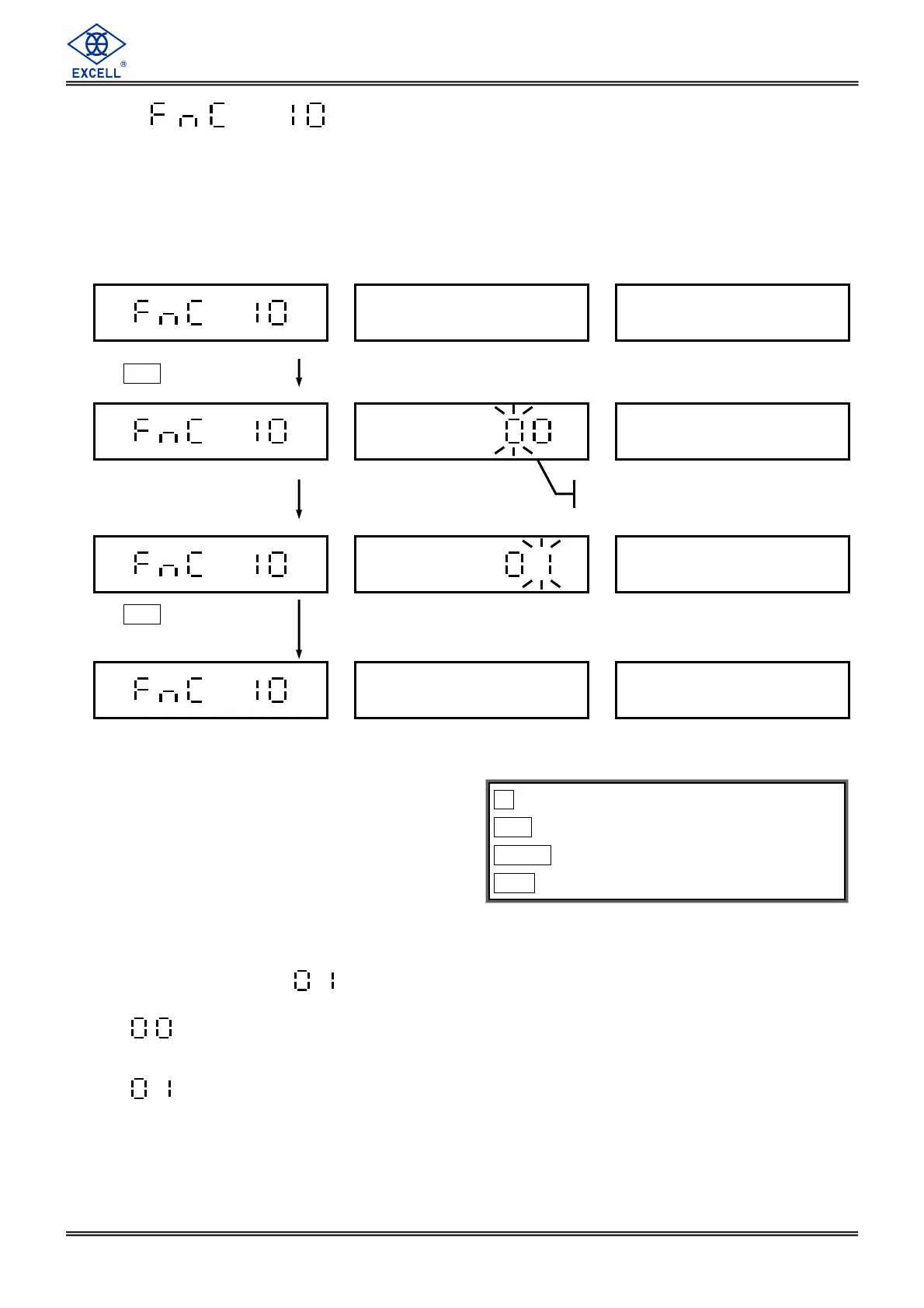
Beeper Sound Output Condition Setting
under Quantity Mode
The default setting is
.
⇒ If the weighing quantity exceeds quantity setting (or weight exceeds weight
setting), the beeper will make sounds “bee” under unstable situation.
⇒ If the weighing quantity exceeds quantity setting (or weight exceeds weight
setting), it’s no need to be stable and the beeper will make sounds “bee”
automatically.
key ⇒
⇒⇒
⇒ Exit
CE key ⇒
⇒⇒
⇒ Move the cursor leftward
TARE key ⇒
⇒⇒
⇒ Move the cursor rightward
MC key ⇒
⇒⇒
⇒ Enter
Press
MC
Enter parameter 00, 01
according to demand.
Press
MC
key to save
the setting data.
Previous setting


 To Next Page