Maintenance
120 FIP-400B
Replacing the Battery of the Multifiber Source
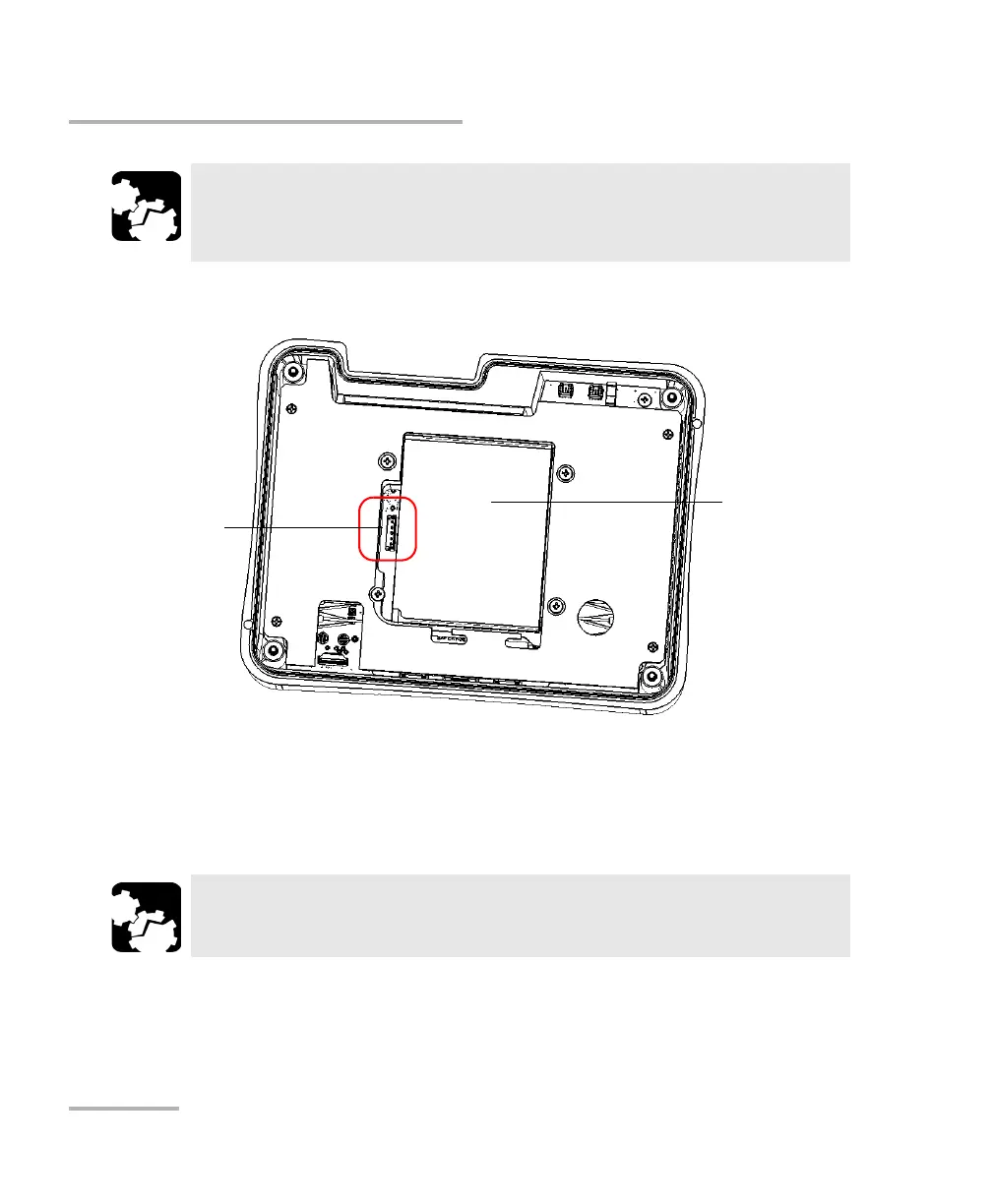
7. Disconnect the battery cable from the unit by pulling on its connector.
Note: To simplify the illustration, the battery cable and several other components
do not appear.
8. Remove the battery from the unit.
9. Position the new battery so that its connector and wires are on its left
side, and then place the new battery in the unit.
CAUTION
Be careful not to touch any component inside the unit when you
disconnect the battery cable.
CAUTION
Gently pull on the battery to avoid damaging the wires.
Battery
Connector socket
where the battery is
connected



 To Next Page