Inspecting Fiber Ends
Fiber Inspection Scope 49
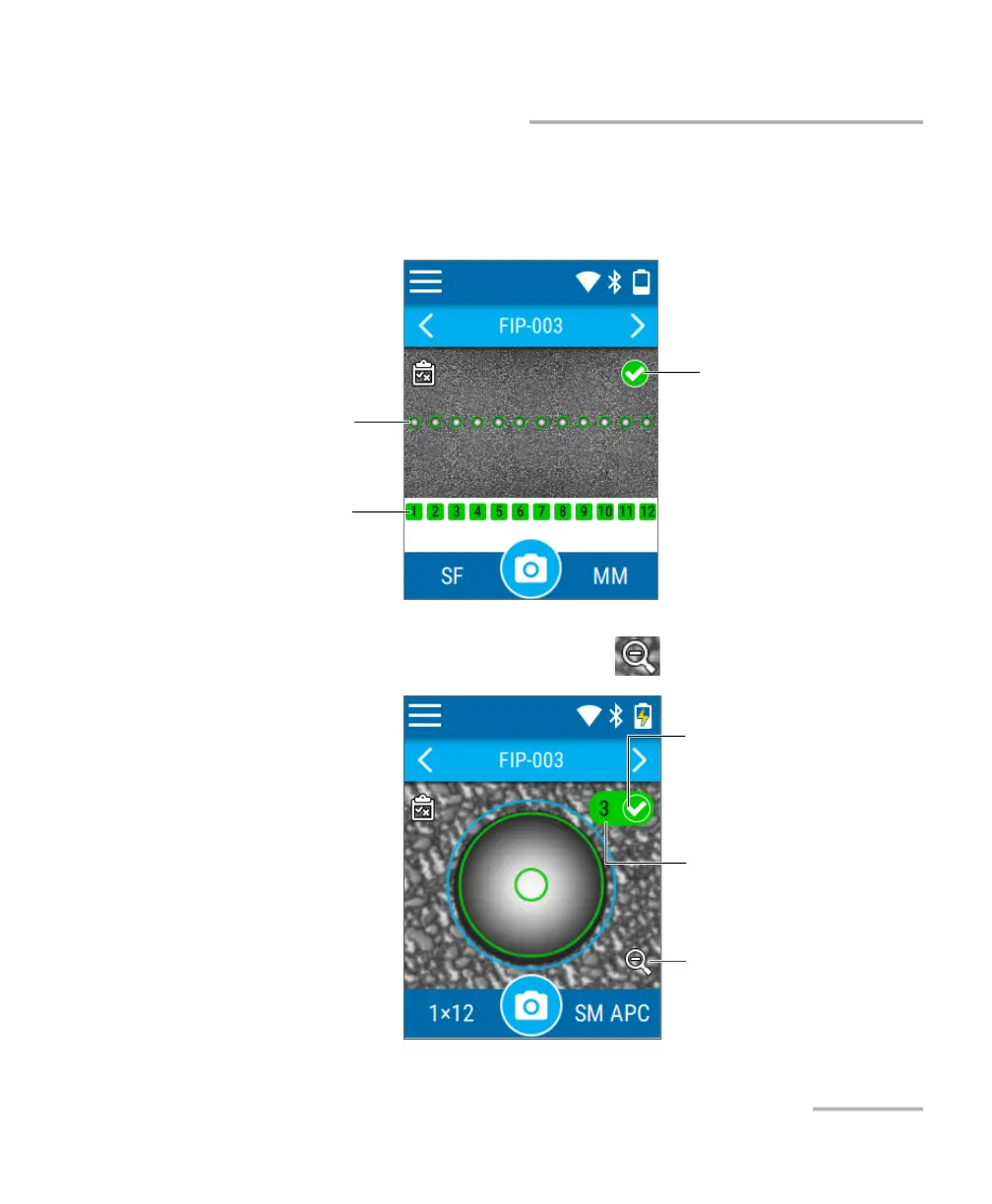
Navigating Through Multi-Fiber Captures
To access the detailed capture of any of the inspected fibers:
From the overview, tap the image of the fiber (small circle) or the desired
fiber number.
To return to the overview:
From the detailed capture view, tap the icon.
Image of a fiber
Fiber number
Global pass/fail status of
the connector
To return to the overview
of the connector
Number of the displayed fiber
(multi-fiber connector).
The icon and color in the
background indicates the
pass/fail status of the fiber.



 To Next Page