Maintenance
Fiber Inspection Scope 85
Replacing the Battery
To replace the battery:
1. Turn off the unit by pressing the on/off button for about three seconds.
A shutdown animation will be displayed on the screen.
2. If applicable, disconnect the USB cable.
3. Position the unit so that its side panel with the on/off button rests on a
flat surface such as a table.
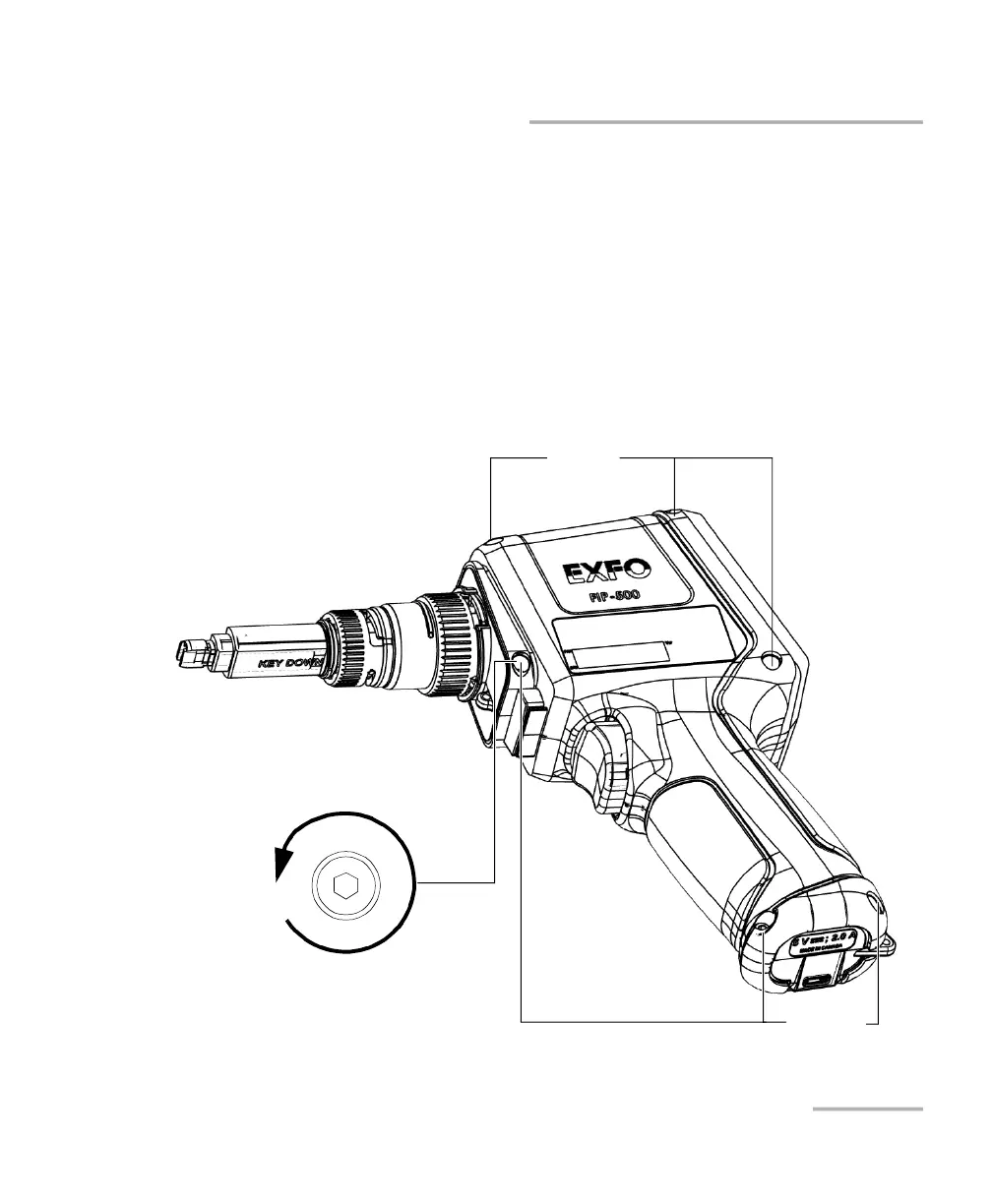
4. On the case of the unit, using a 2.5 mm hex socket screwdriver, turn
the screws (6) counterclockwise until they are loose, and remove
them.
Screws
Screws
Turn screws
counterclockwise



 To Next Page