Working with Your Unit
242 MAX-700
Setting Storage Parameters for Screen Captures
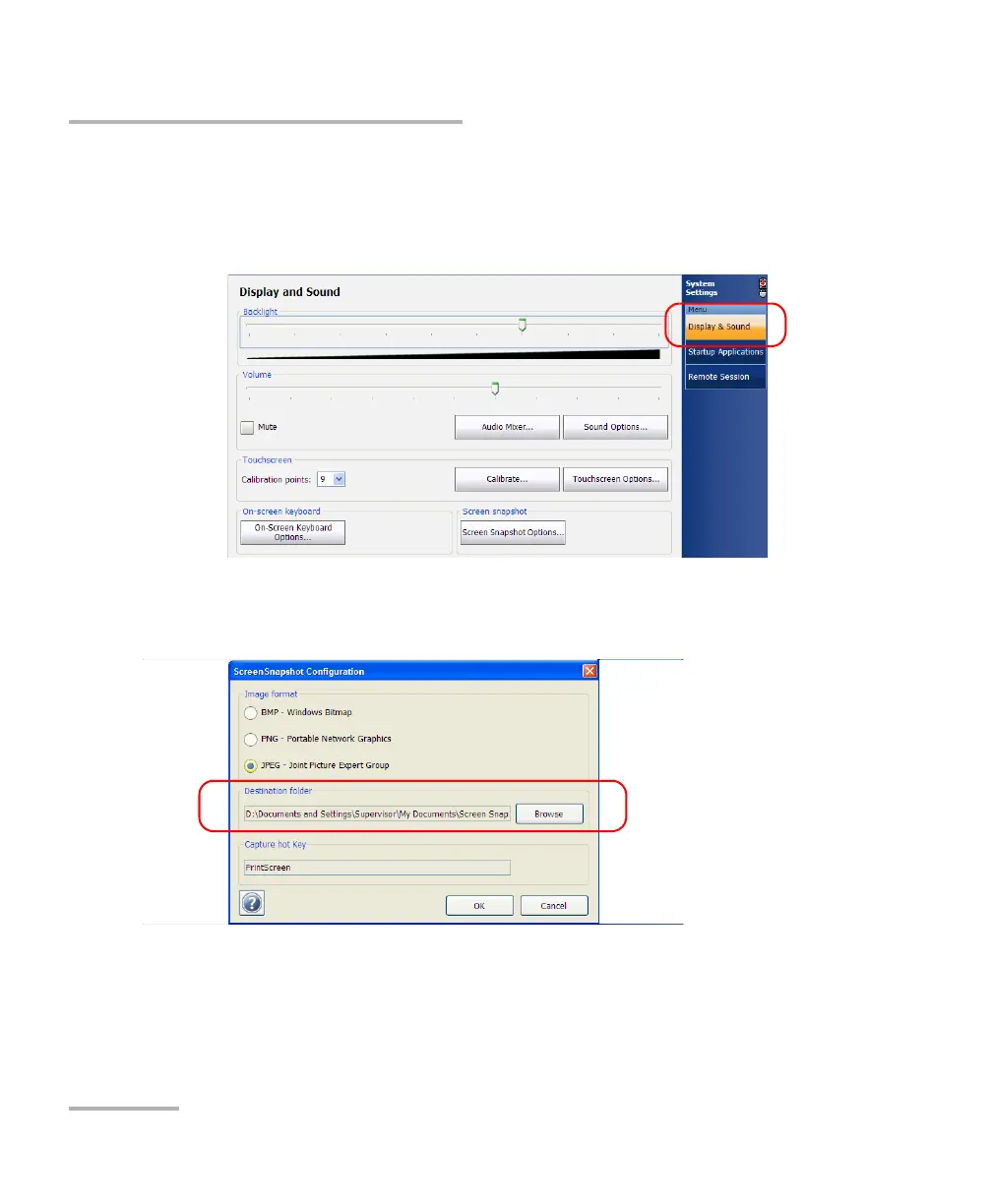
To modify the destination folder:
1. From the Main Menu, tap System Settings.
2. If necessary, from System Settings, tap Display & Sound.
3. Under Screen snapshot, tap the Screen Snapshot Options button.
4. Under Destination folder, tap Browse.



 To Next Page