Accessing Your Unit Remotely
MAX-700 293
Working With TightVNC
4. Write down the IP address, and then close the window.
Note: It may take a few seconds before you see the IP address on the list.
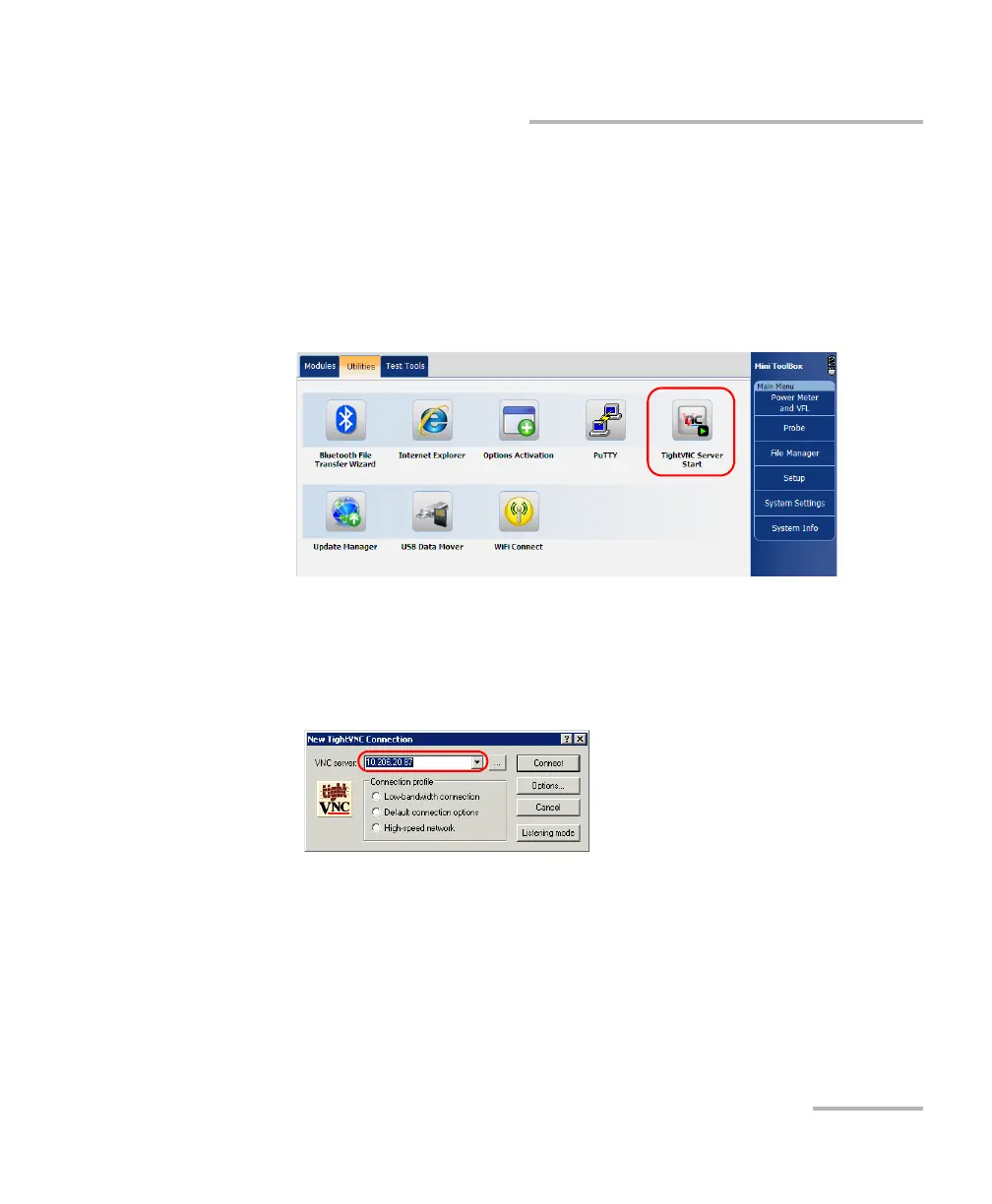
5. If you have configured TightVNC Server to start automatically when you
turn on your unit, go directly to step 6. Otherwise, from the MAX-700
software, select the Utilities tab, then tap TightVNC Server Start.
6. From your computer, double-click the TightVNC Viewer shortcut on
your desktop.
7. In the VNC Server list, type the IP address of your unit that you wrote
down at step 4.
8. Click Connect.



 To Next Page