Pilot’s Operating Handbook Section 901
EXTRA 500 Avidyne IFDs and CDU
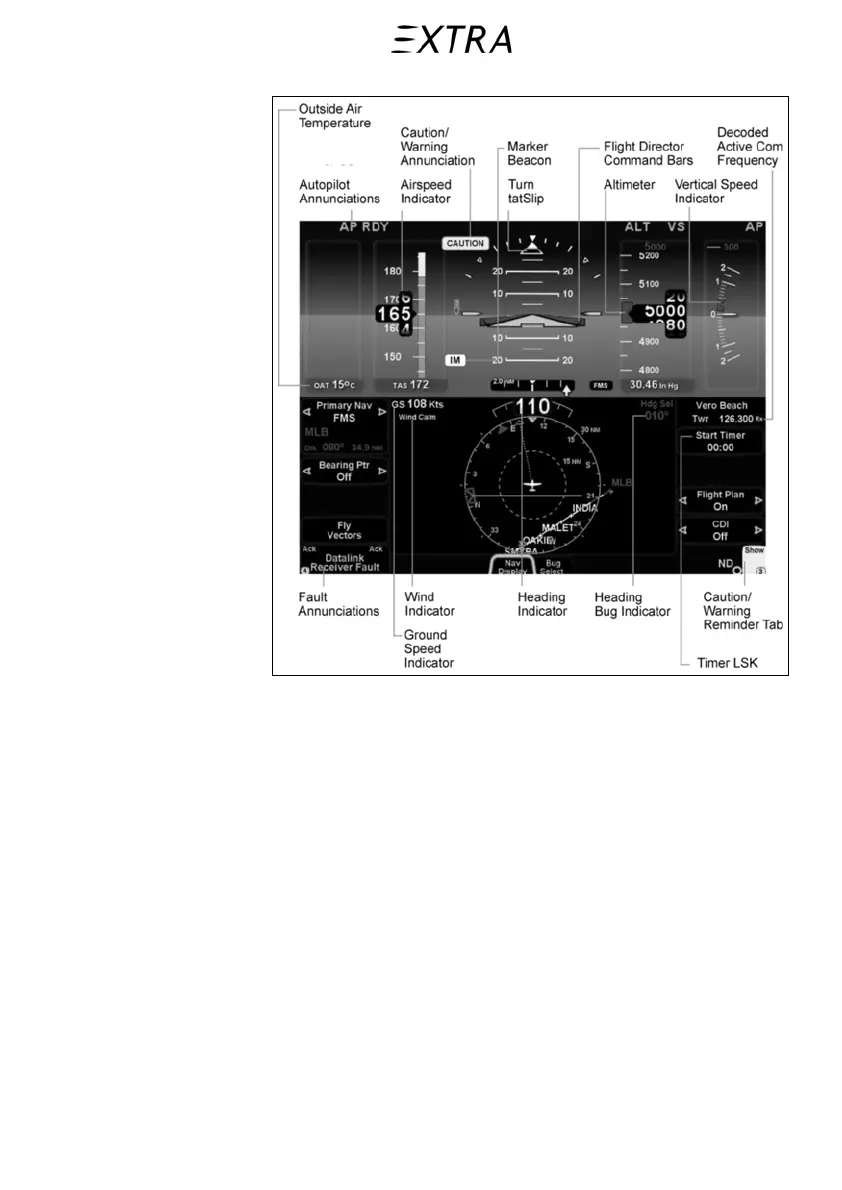
Figure 901-2
IFD Functions
901.7.b Page Function Keys and Tabs
The 5 buttons along the bottom of the IFD bezel are called
“Page Function Keys”.
PFD (Primary Flight Display)
FMS (Flight Management System)
MAP (Moving Map)
SYS (System Pages)
CHKL (Electronic Checklist)
Detailed descriptions of the functions and information provided
on tabs available on each Page is provided in Avidyne Pilot’s
Guide P/N 600-00190-000, Revision 04, or later
Each key is labeled by function and represents a “page”. Each
has a number of associated “tabs”. Navigate the tabs by rocking
26. January 2011
901-9



 To Next Page