TLP Pro x25 Series and TLS x25 Series • Panel Features 11
Rear Panel Features
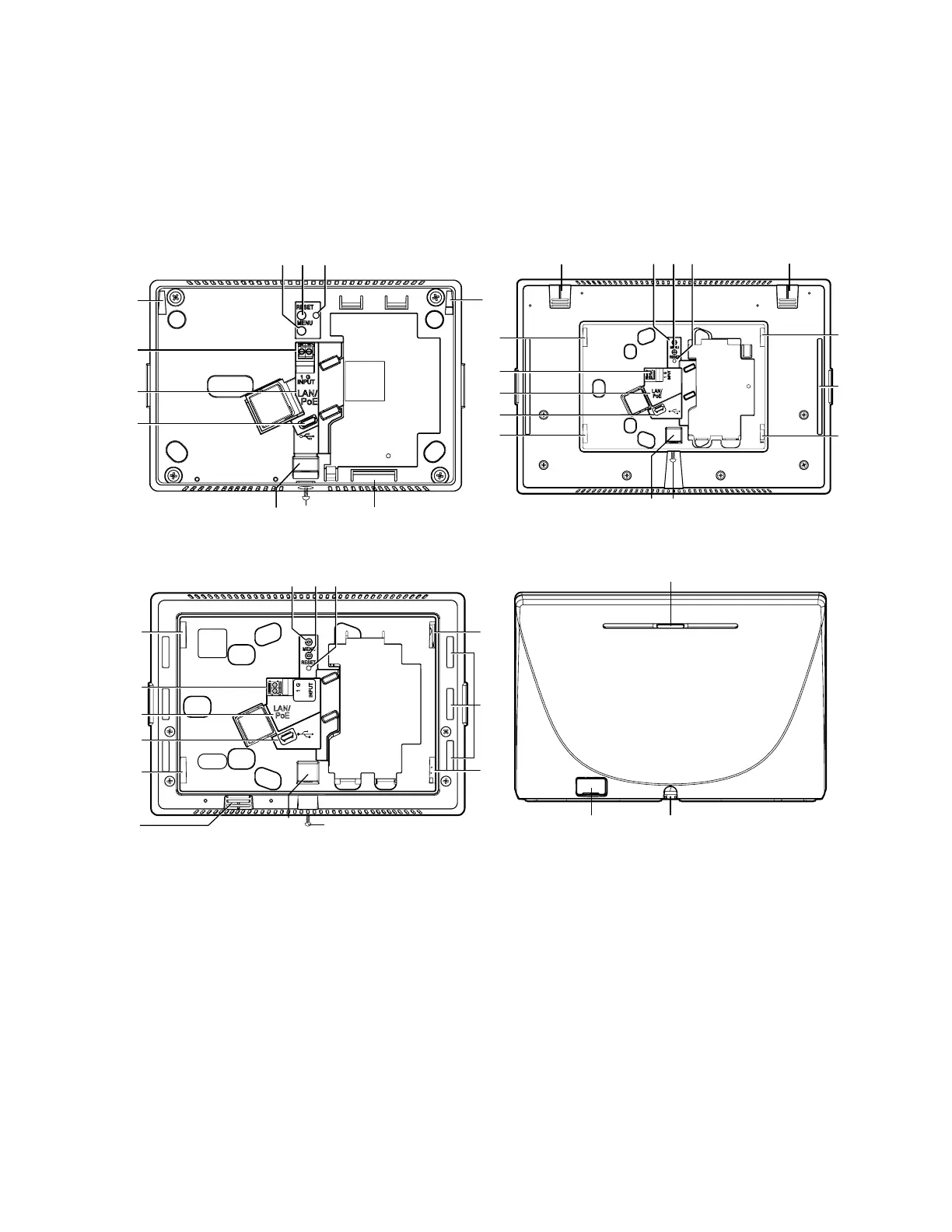
Figure 4 shows the rear panels of the TLP Pro 525M (top left), TLP Pro 725M (bottom left), TLP Pro 1025M (top
right) and TLP Pro 725T (bottom right). The rear panels of the TLS series are similar to the TLP Pro x25M models.
The rear panels of the TLP Pro 525T and TLP Pro 1025T are similar to the TLP Pro 725T. The rear panels of the
NC models are similar to the corresponding “Non-NC” models.
Many of the features shown on the TLP Pro 525M, 725M, or 1025M rear panels are found on the TLP Pro 525T,
TLP Pro 725T, and TLP Pro 1025T Base (see page 13).
F
F
D
D
C
CA
AB
B
E
E
J
JH
H
TLP Pro 525M
I
I
G
G
D
D
C
CA
AB
B
E
E
F
F
G
G
H
H
I
I J
J
K
K
D
D
D
D
D
D
D
D
C
CA
AB
B
H
H
H
H
E
E
F
F
G
G
D
D
D
D
K
K
D
D
D
D
I
IJ
J
TLP Pro 1025M
K
K
G
G L
L
A
MENU button
G
USB port
B
RESET button
H
Speaker
C
Reset LED
I
Slot for mounting plate
D
Mounting slots
J
Mounting screw
E
Digital input monitoring port
K
Rear status light
F
LAN/PoE connector
L
Cable guide
Figure 4. TLP Pro 525M (top left), 725M (bottom left), 1025M (top right) and 725T (bottom right) Rear
Panels
gure 4



 To Next Page