Page 63 of 91
The serial door must be set like that:
Baud rate: 9600
Data bits: 8
Stop bits: 1
Parity: even
Com: the one used at the time of the connection
12.4.3 RS485 connection
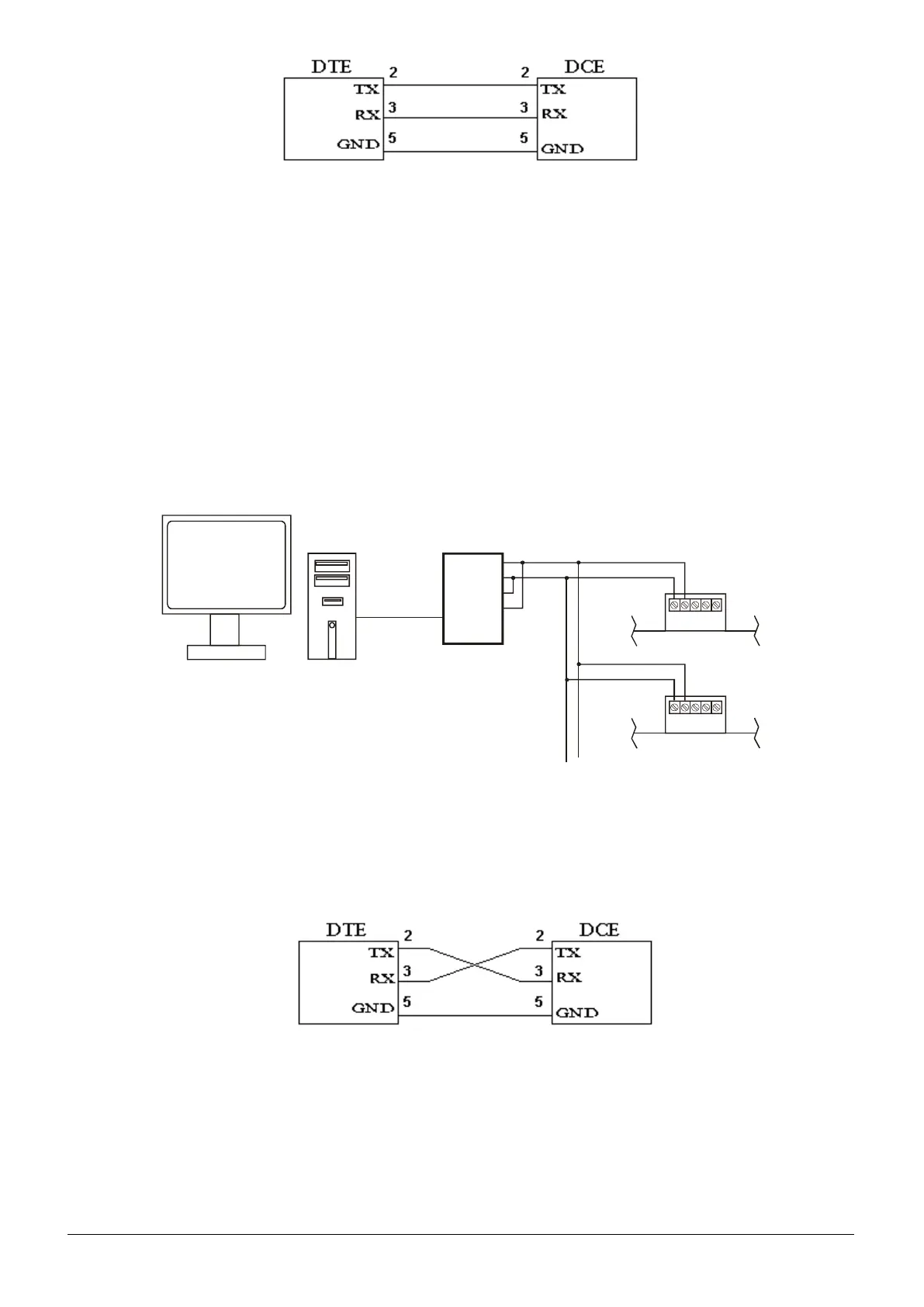
With RS485 connection it is possible to connect at a PC a maximum of 64 control panels. To create this net the
user must:
1. For every control panel the user must install the RS485 module (see chapter 2.5.2).
2. The PC must have a RS232-RS485 module installed with: DCE, T-RTS/R-RTS.
To following there is an example of connection between some control panels.
T+
T-
R-
R+
Rs232
12.4.4 LAN connection
Another connection can be the LAN net (Ethernet) for the connection of 64 control panels in net at a PC master
disposal.
The connection takes place through MOXA TCP/IP converter module, which turns the RS232, serial port into LAN
output. A crossed RS232 cable is used for the LAN connection.
CAUTION: To convert to RS232 - LAN (Ethernet) it is advisable to utilize the MOXA DE-211 module.
It is possible to utilize other modules for the conversion providing that they bear the same technical features of the
MOXA DE-211 (please refer to the Tech. Sheet of the product).
The MOXA module must be set like a traditional TCP/IP. Inside the module the IP address is 192.168.127.254,
once it has been found inside the net set, as the user likes. After the user has entered the NPort menu, set the
serial door like that:



 To Next Page