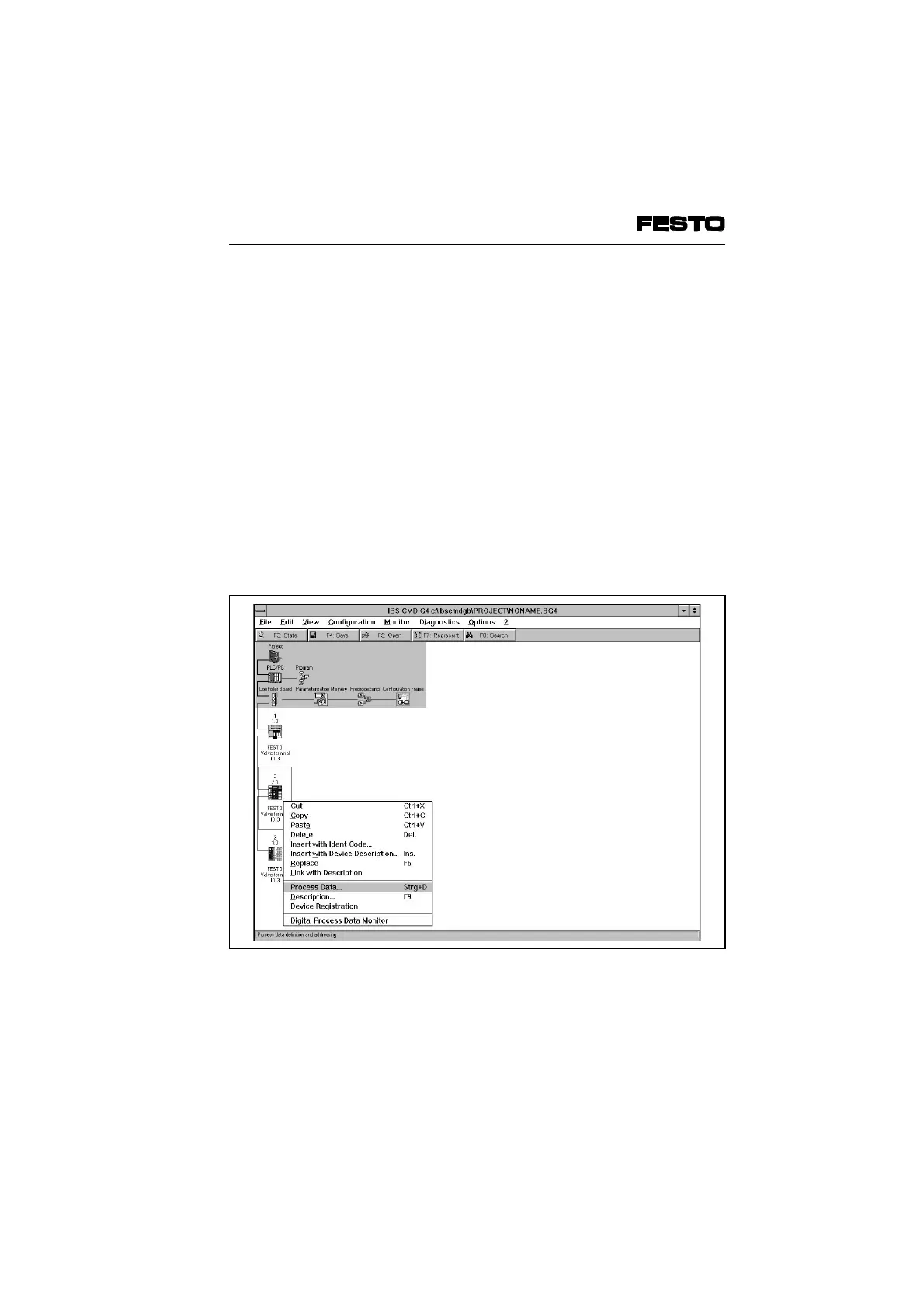
4.2.4 Process data entry via the CMD software
As from version 4, the CMD software offers the
possibility of assigning each input/output of a
valve terminal bit-by-bit to any input/output in the
PLC/IPC within the configured address range. In
order to do this, proceed as follows:
• Insert a valve terminal into your bus structure
(necessary steps see Chapter 3.2.1 "Bus
configuration via the CMD software").
• Use the right-hand mouse key to open the
dialogue window of the valve terminal which
you have inserted.
• Select the option "Process data."
Fig. 4/13: Select option for entering the process data
VIFB6 - 03/05 4. Commissioning
9809c 4-33








 To Next Page