EasyManua.ls Logo

FINAPRES NOVA - 4.3 Graphical User Interface

FINAPRES NOVA
98 pages
Print Icon
To Next Page IconTo Next Page
To Previous Page IconTo Previous Page
Loading...
4
Basic user manual
Finapres Nova
26
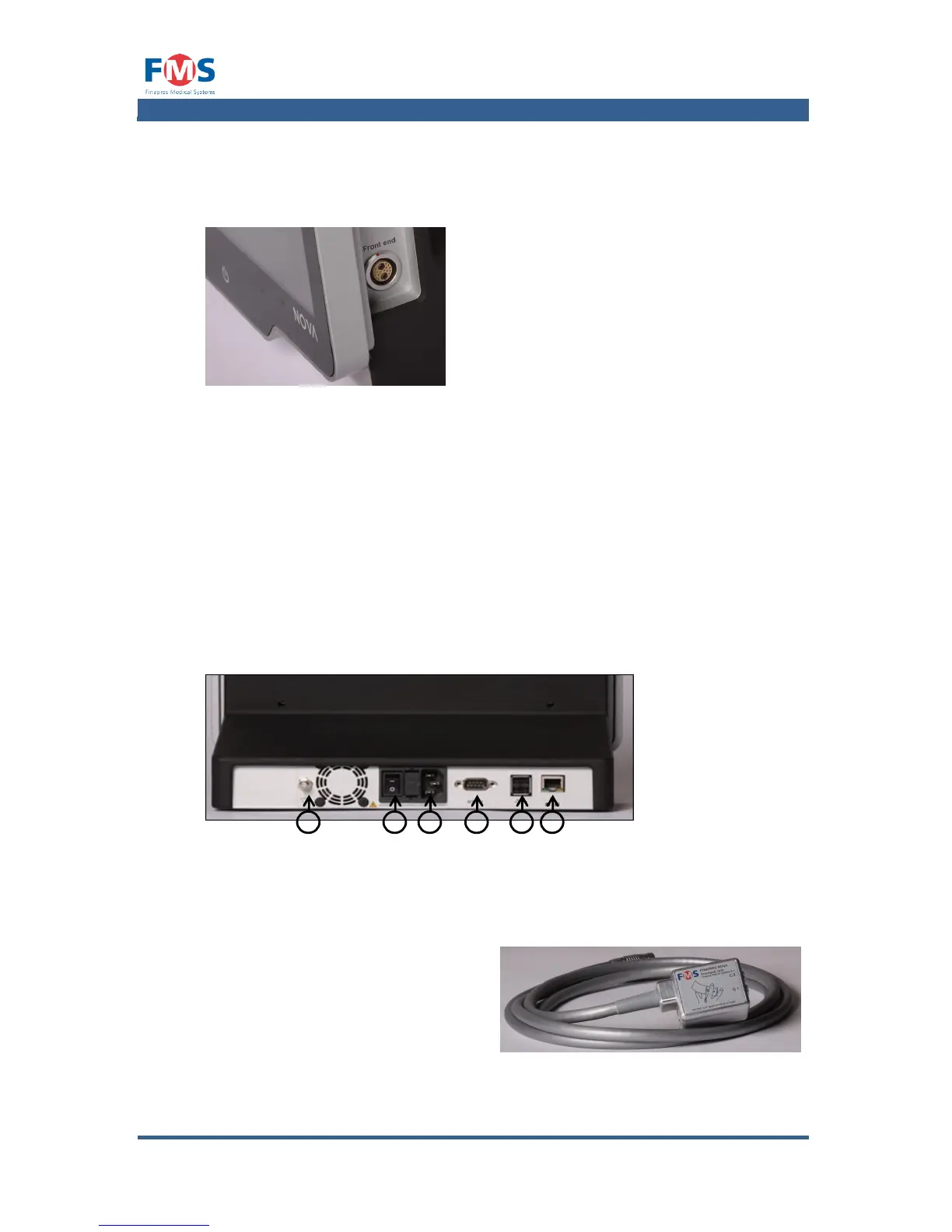
Connection on the right side
The connection of the Frontend Unit can be found on the right side of the Finapres
Nova.
Figure 4-3: Connection for the Frontend Unit
Controls and connections on the back
On the back of the housing general connections and the mains switch of the
Finapres Nova can be found (Figure 4-4).
1. Equipotential connection
2. Mains switch
3. Mains connection
4. RS232 connection
5. USB connections
6. Network connection
Figure 4-4: Connections on the back
4.2.1 Accessories
The Finapres Nova is provided with the following accessories:
1. Frontend Unit
6
5
4
3
2
1

Table of Contents

Related product manuals