EasyManua.ls Logo

FINAPRES NOVA - 5.5 Reviewing a Measurement

FINAPRES NOVA
98 pages
Print Icon
To Next Page IconTo Next Page
To Previous Page IconTo Previous Page
Loading...
6
Basic user manual
Finapres Nova
34
5.4.5 Stopping the measurement
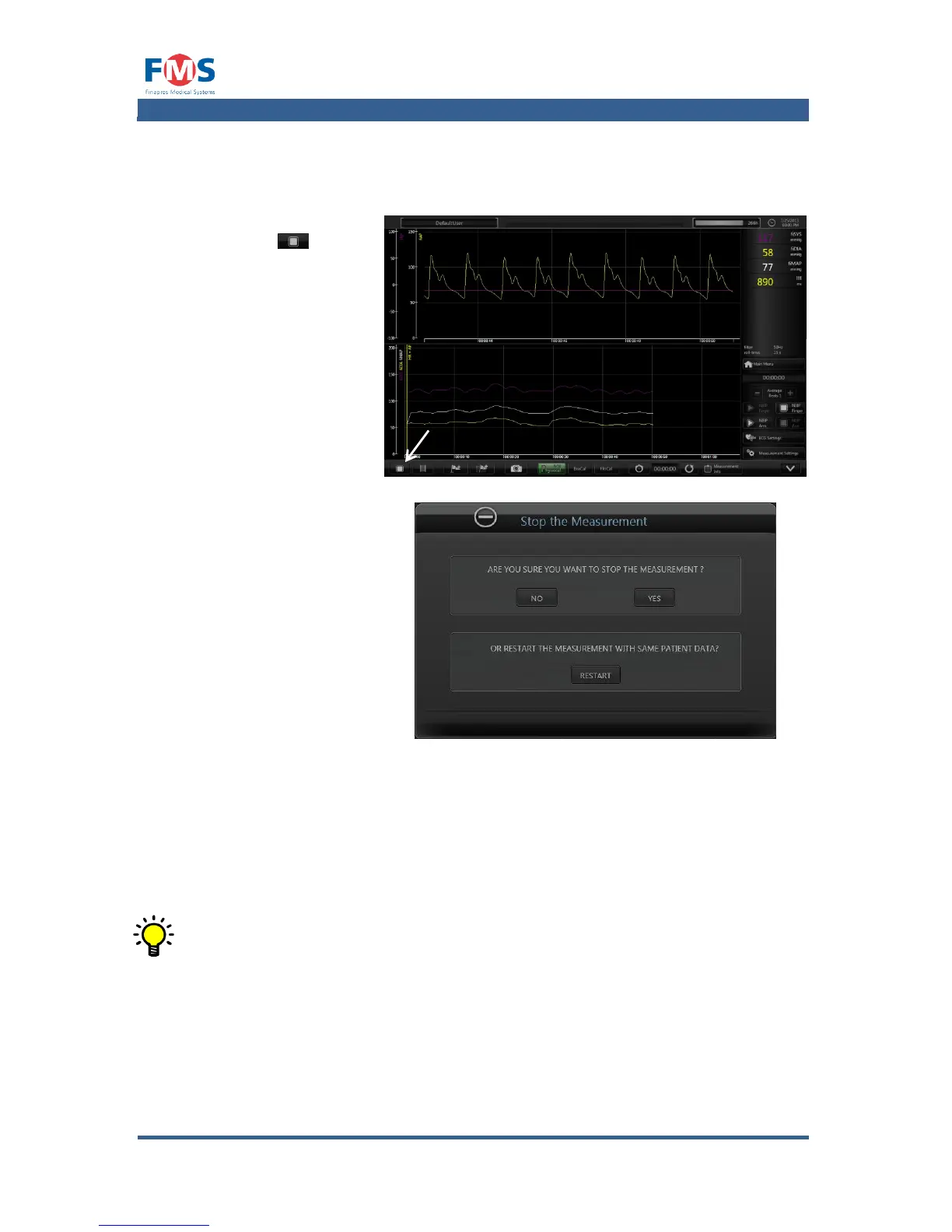
To stop the recording of a measurement:
1. Press the “STOP”
button .
A confirmation
pop-up is shown.
2. Press “YES” to
stop recording the
measurement.
The “REVIEW
MEASUREMENT
screen is opened
with the recorded
data shown.
..or..
3. Press “NO” to
continue the
recording.
..or..
4. Press “RESTART”
to stop recording
the measurement
and to start a new
recording for the
same patient.
When “RESTART” is pressed, the data recorded up to the point of
“RESTART” is stored under the given filename. The new recording will be
stored under the same name with an additional index number appended
to it.
5.4.6 Disconnecting the patient
After the measurement is finished the patient can be disconnected from the
Finapres Nova by removing all accessories from the patient.
To disconnect the Frontend Unit to the Finapres Nova:

Table of Contents

Related product manuals