Version date: 04 April 2016
A1.4 Setup and start measurement
The SETUP AND START MEASUREMENT option on the MAIN MENU SCREEN opens
the first preparation screen of the measurement procedure.
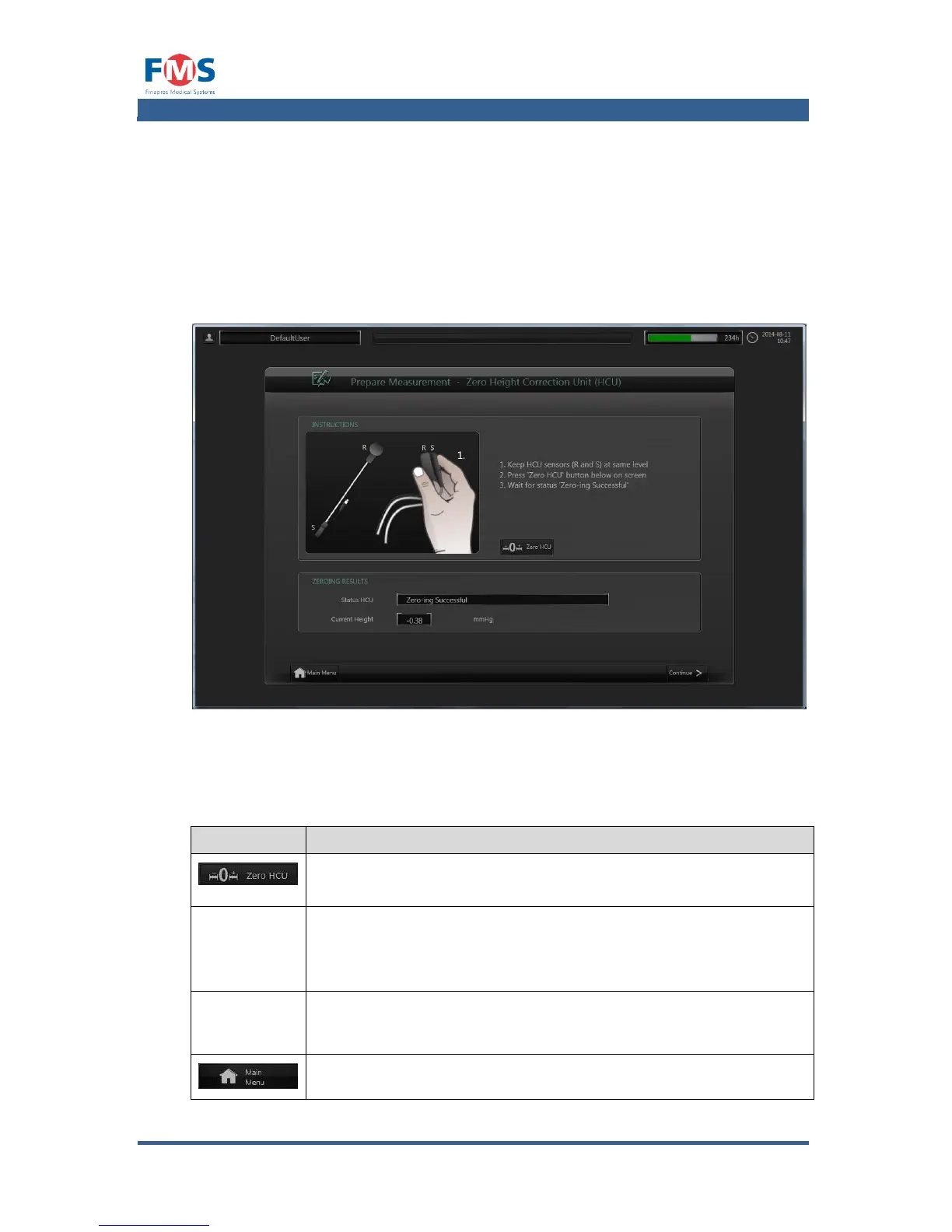
The procedure starts with showing the “ZERO HEIGHT CORRECTION UNIT”
screen. This is a screen that enables the user to zero the Height Correction Unit
(HCU).
Figure A1-5: The “ZERO HEIGHT CORRECTION UNIT” screen when a HCU is connected
The elements of the first “ZERO HEIGHT CORRECTION UNIT (HCU)” screen have
the following meaning:
To be pressed to zero HCU after following onscreen instructions
STATUS HCU
Displays the status of the HCU;
“NOT CONNECTED”, “”NOT ZEROED”, “ZERO-ING”, ZERO-ING
FAILED” or “ZERO-ING SUCCESSFUL”
Displays the difference in height between the patient’s heart and
the patient’s finger (provided that the HCU is connected).
Returns to the MAIN MENU.



 To Next Page