Version date: 04 April 2016
Appendix 1 Graphical user interface
A1.1 General screen description
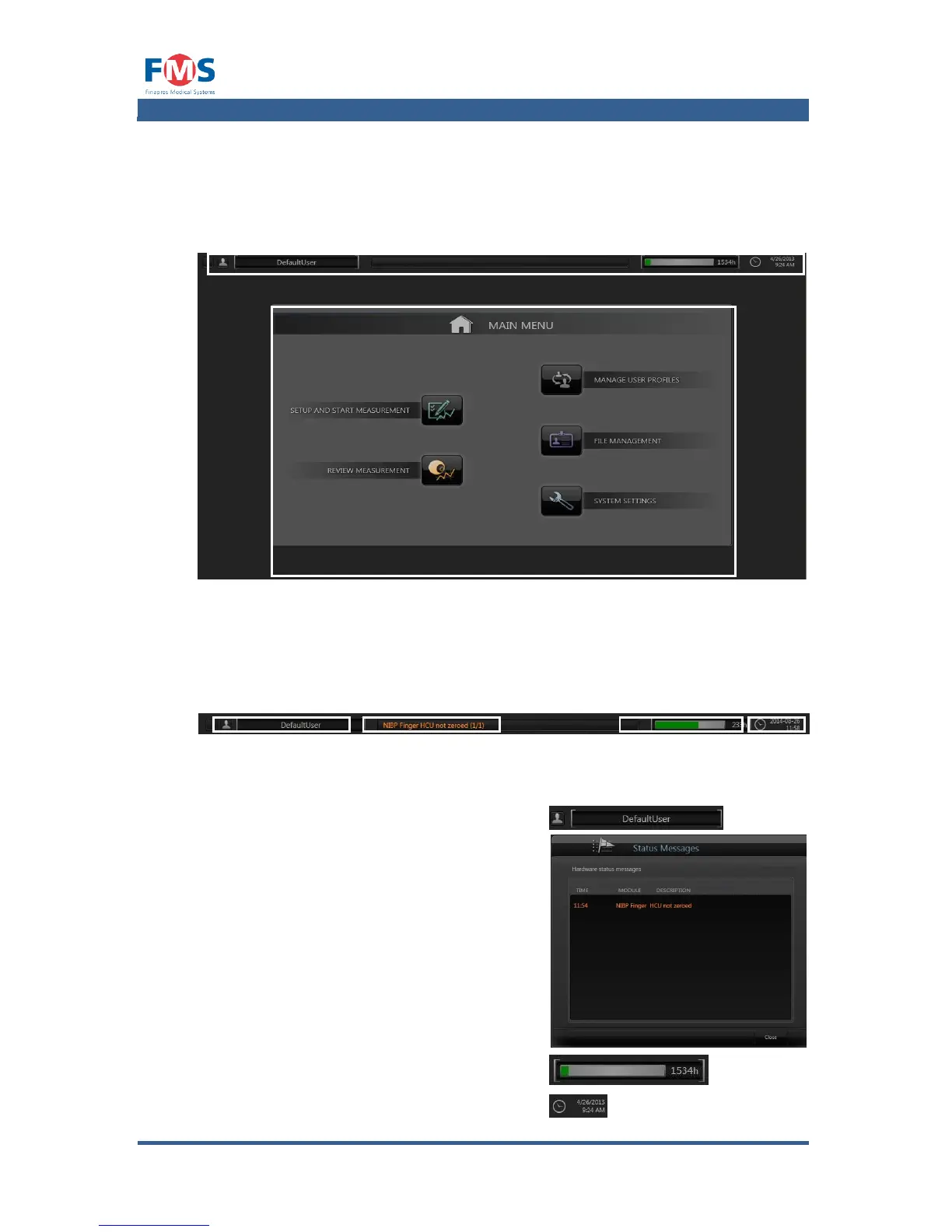
Figure A1-1: General screen description
All screens of the graphical user interface consist of a STATUS BAR (1) on top of
the screen and a CONTENTS BOX (2) in the middle (see Figure A1-1).
Status bar
On the STATUS BAR (see Figure A1-2) the following information is displayed:
1. The active user profile.
2. Notification of occurring errors or
warnings. The total number is indicated
between brackets (number of current
warning or error / total number of
warnings or errors)
Clicking the message will cause the
“STATUS MESSAGES” pop-up screen
to appear. In this screen a list of the
generated error and warning
messages is shown.
3. An estimation of the remaining recording
time.
4. The actual time and date.



 To Next Page