A keyboard and mouse can be connected to the Finapres NOVA using a USB hub.
USB ports can be found at the back side of the device.
A1.4.5 File management
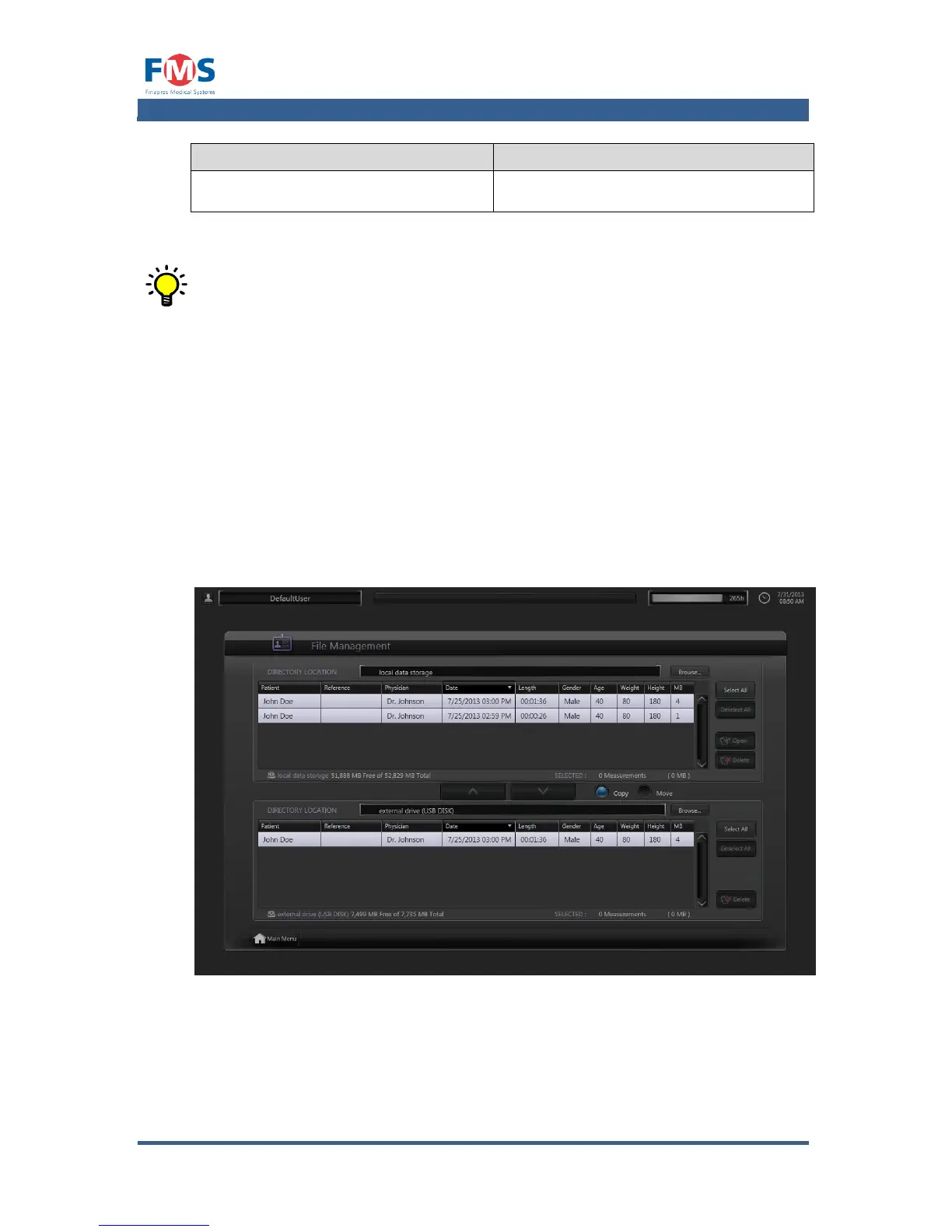
By means of the “FILE MANAGEMENT” screen the files containing the
measurement data can be opened for reviewing or deletion. Furthermore it
enables the user to copy or move the files to another directory or external
storage medium.
The screen is divided into two panes, each representing a directory. At the top of
the pane the current directory location is shown. After being selected, files can be
copied or moved between the panes.



 To Next Page