Version date: 04 April 2016
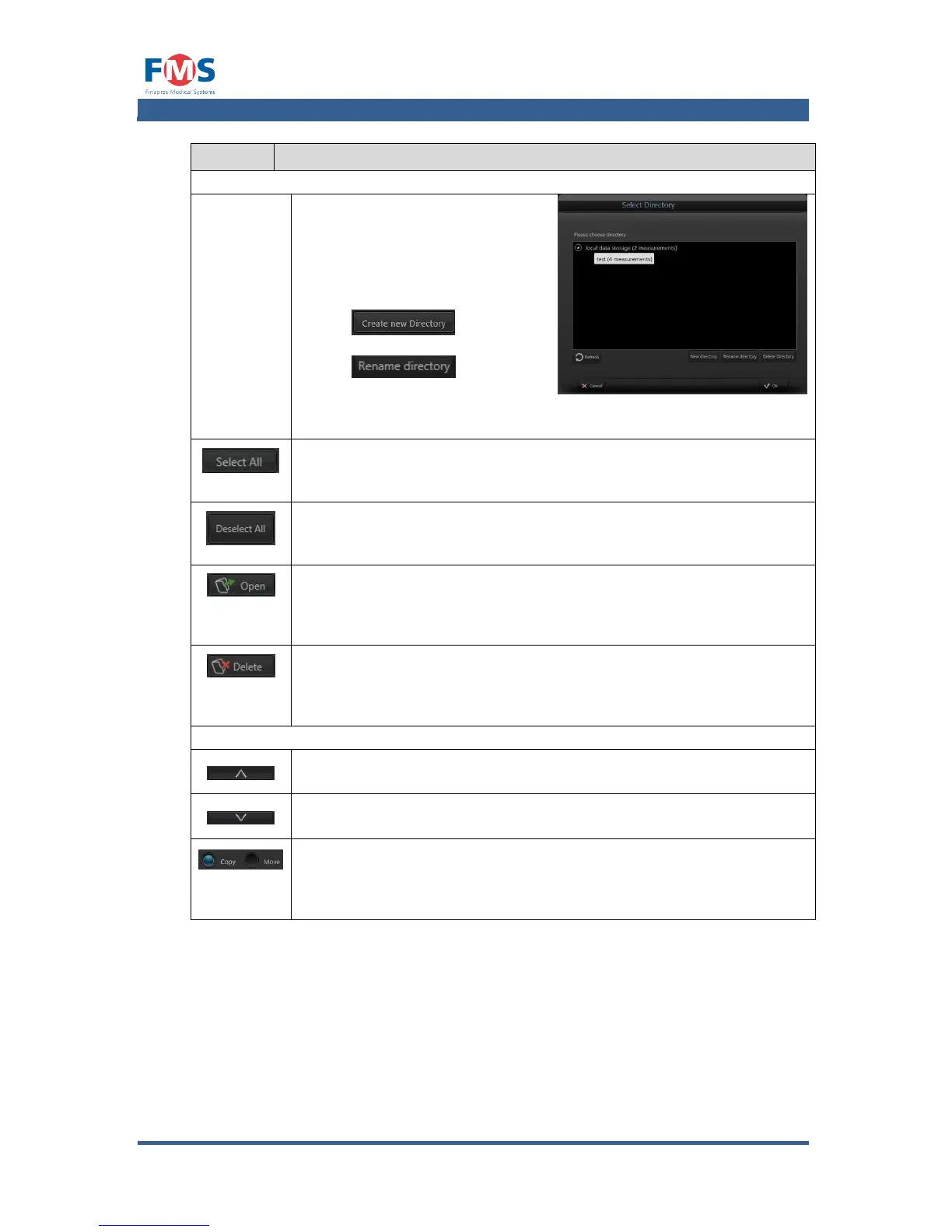
Opens a pop-up that allows the
user to select the directory to be
shown in the pane.
When needed, a new directory
can be created by pressing the
button . A folder
can be renamed by pressing the
button . The on
screen key pad opens where the
new directory name can be
entered.
Pressing the “SELECT ALL” button will select all files present in the
directory.
Pressing the “DESELECT ALL” button will deselect all files present in
the directory.
The “OPEN” button is enabled when a single file is selected. Pressing
this button will load the selected file in the “REVIEW
MEASUREMENT” screen (refer to A1.4.1).
The “DELETE” button is enabled when one or more files are
selected. Pressing this button will remove the files from the disk
after asking for user confirmation.
Moves or copies the selected files from the lower to the upper pane.
Moves or copies the selected files from the upper to the lower pane.
COPY / MOVE
Selects whether files are to be copied or moved to the other pane.
In case “MOVE” is selected, the user will be prompter with the
question whether he wants to remove the file from the source.



 To Next Page