EasyManua.ls Logo

FINAPRES NOVA - 5.8 File Management

FINAPRES NOVA
98 pages
Print Icon
To Next Page IconTo Next Page
To Previous Page IconTo Previous Page
Loading...
6
Basic user manual
Finapres Nova
37
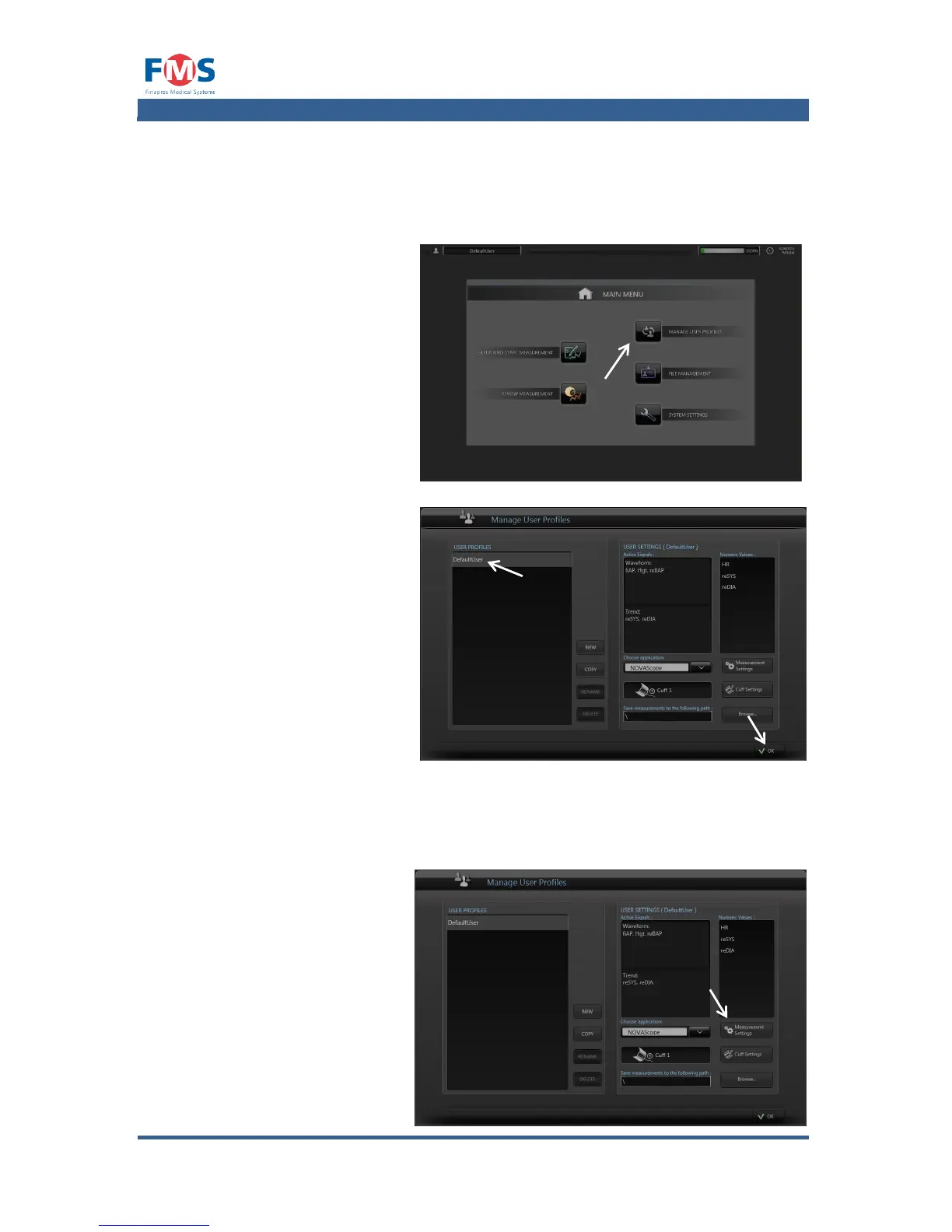
5.6 Selecting a user profile
The appearance of the measurement and review screen is stored in user profiles.
For creating, copying, renaming and deleting user profiles see A1.4.2.
1. Press the “MANAGE
USER PROFILES” button
of the “MAIN MENU”.
The “MANAGE USER
PROFILES” screen
appears.
2. Select the desired user
profile from the list and
press the “OK” button.
5.7 Measurement settings
Measurement settings can be changed during measurement and review (see A1.4
and A1.4.1) or via the user profile settings:
Open the “MEASUREMENT
SETTINGS” screen by
pressing the
“MEASUREMENT
SETTINGS” button in the
“MANAGE USER PROFILES
screen.

Table of Contents

Related product manuals