Version date: 04 April 2016
5 Operation
5.1 Switching on
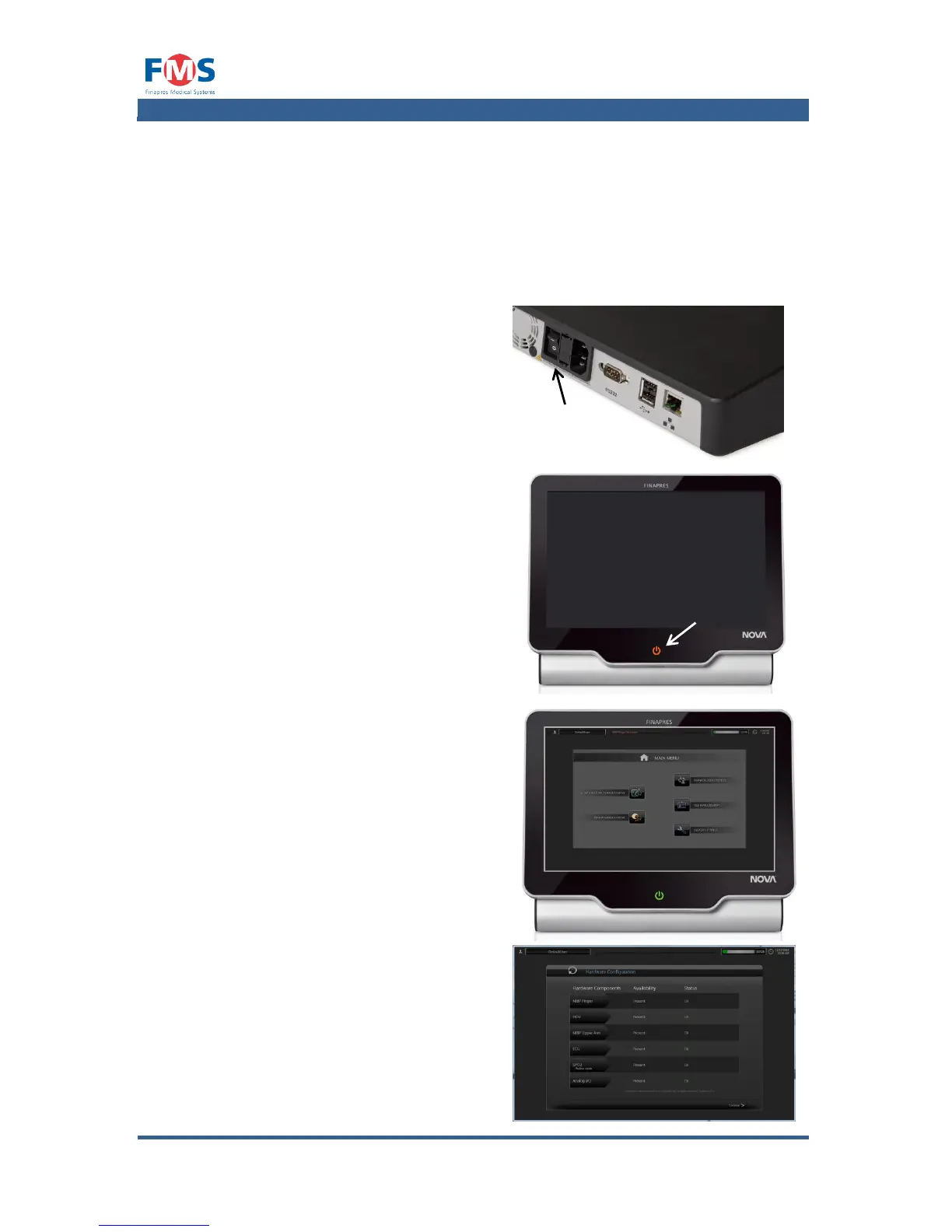
To switch on the Finapres Nova:
1. Check if the power cable is
connected.
2. Switch the main switch on the back
of the Finapres Nova to “1”.
The ON/OFF button on the front
panel is lit orange to indicate the
system is “IDLE”.
3. Touch the ON/OFF button.
The Finapres Nova starts up.
The status button on the front panel
is lit green to indicate the system is
“Running”.
The startup will take about one
minute and then…
4. The “MAIN MENU” appears.
…or…
5. The “HARDWARE CONFIGURATION”
screen will appear when one or
more additional modules report an
important error
6. To start the Finapres Nova, press
the “CONTINUE” button to open the
“MAIN MENU”



 To Next Page