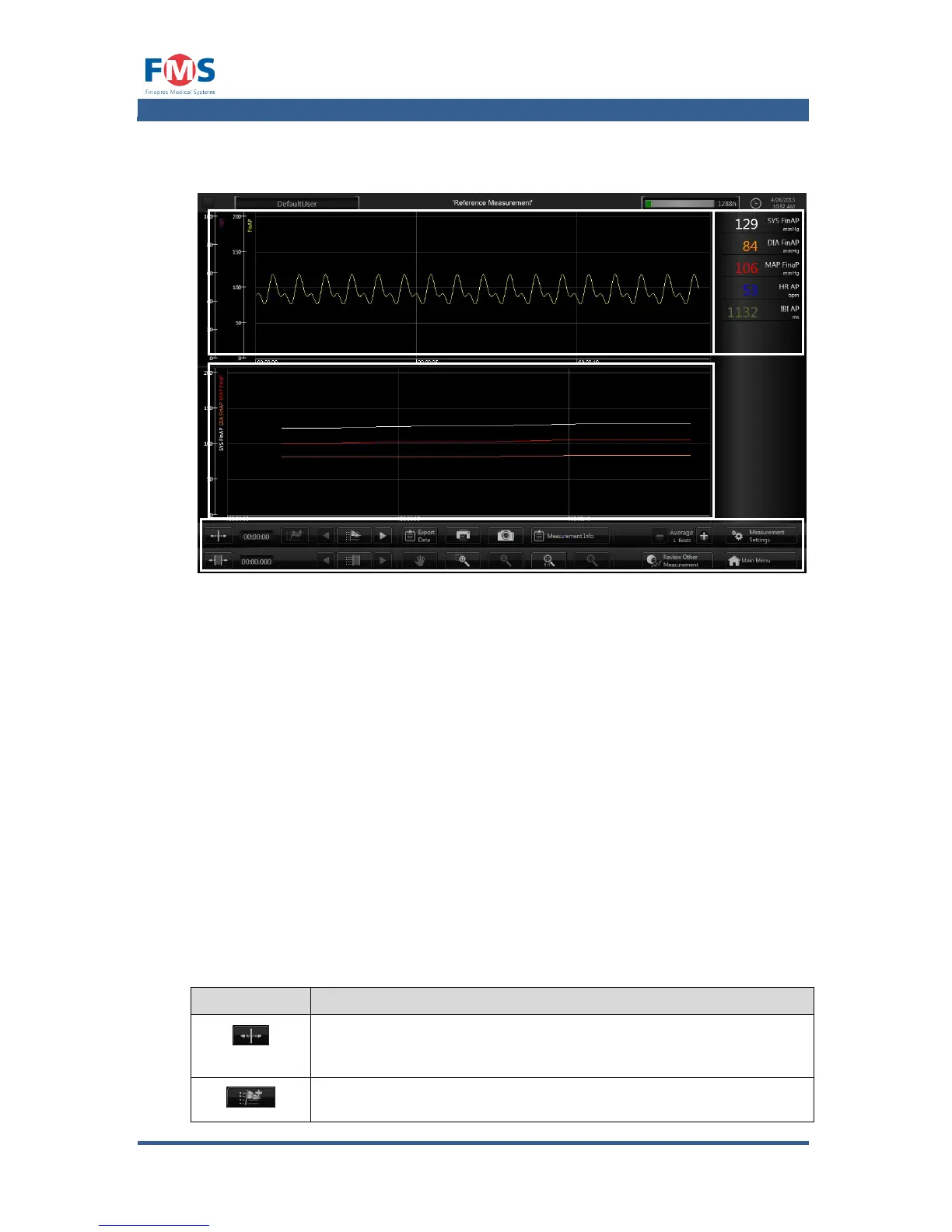
The “REVIEW MEASUREMENT” is divided into four parts:
1. Trend Graphs
In this area the trend graphs defined in the “MEASUREMENTS SETTINGS”
screen (refer to A1.4.4) are shown.
2. Wave form graphs
In this area the wave form graphs defined in the “MEASUREMENTS
SETTINGS” screen (refer toA1.4.4) are shown.
3. Numeric signals
In this area the numeric values of the signals defined in the “MEASUREMENT
SETTINGS” screen (refer to A1.3.5) are shown.
4. Controls
The controls in review mode have a toggle function. They have to be clicked
to be activated, after which the user can perform the selected action in the
measurement screen (nr 1 and 2 indicated above). When done, the button
has to be clicked again or another button has to be clicked to disable it
function. The controls of the “MEASUREMENT” screen have the following
functionality:
After selecting the user can place a cursor on screen. When
placed, the numerical values are shown of that time index.



 To Next Page