177
Discovery, Discovery LXE, Pace Arrow, and Pace Arrow LXE
Alternating Current Components and Status
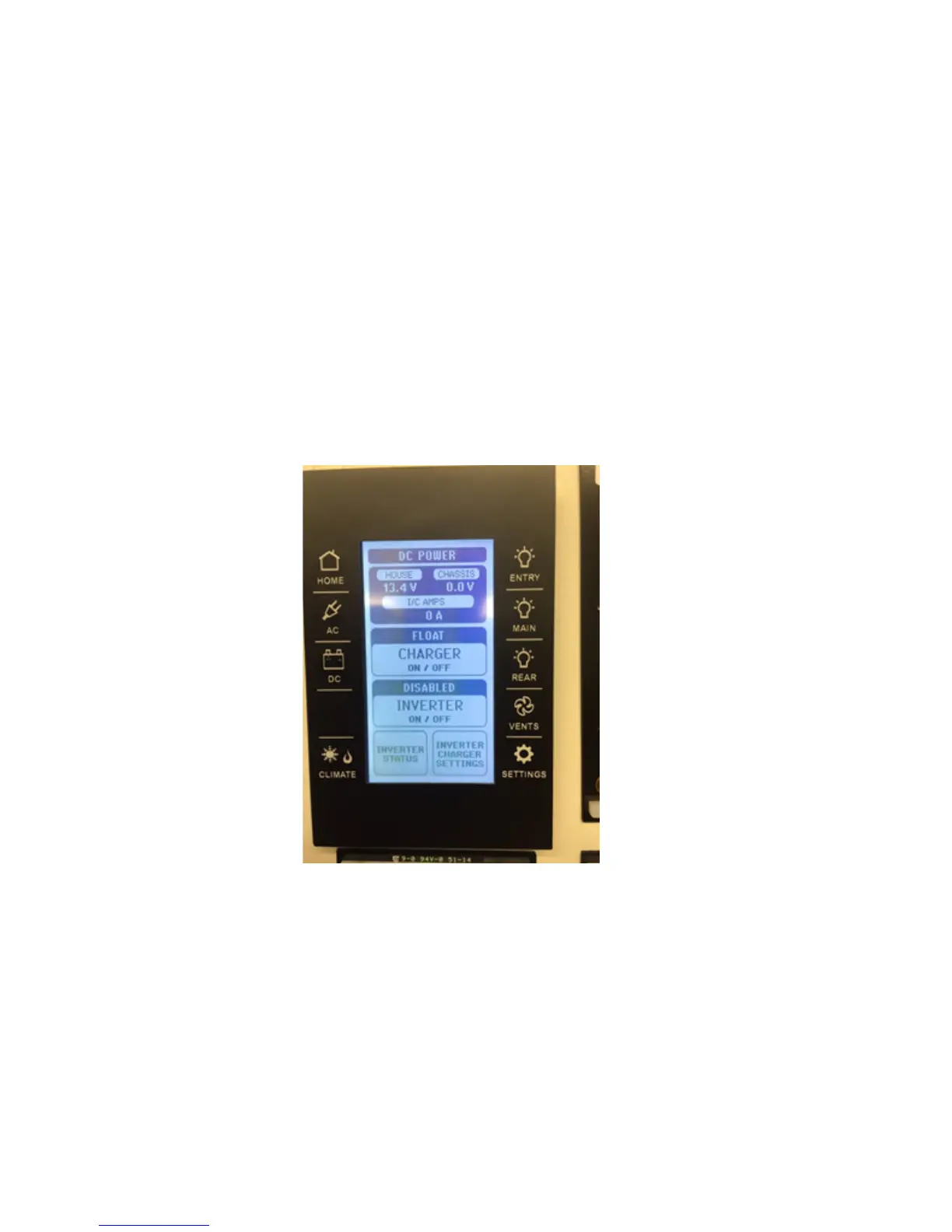
By depressing the Icon that looks like and “electrical cord” with the letters “AC” underneath the LCD screen will change to look like Figure II.
The screen shown in Figure II shows the condition or output of the AC electrical system and the various components within the system. This is benet to
know how much electrical power the on-board electrical system is using and the status (ON or OFF) of the individual component. Since there are two “legs”
(AC electrical circuits) running to your motor home from either the “shore cord” or generator, both are displayed.
Also shown is the “Generator Auto Start” status, “Generator Hours” (total run time), “Inverter” status (ON of OFF), “Auto Gen Start” (ON or OFF), “Block
Heater” (ON or OFF), “Inverter Charge Status”, “EMS Load Status” and “Generator AGS Option”. By pressing an Icon you can determine the status of a
component, change the status of a component or set the time the component will be enabled to make your motor home experience more enjoyable.
Figure II
Alternating Current Components and Status



 To Next Page