User’s manual FlexGain Plex, V2
Version 1.3 82 from 99
3.1.9.1. Check if 10.3.3.3 is the real IP address of the
FlexGain Plex, V2
device
.
3.1.9.2. Launch the ARP –D command (in the Start menu of ОС
Windows, select RUN and launch the arp program with the parameter -D).
3.1.9.3. In the Start menu of ОС Windows, select RUN and launch the
ping program with parameter 10.3.3.3. If the communication is not
established (TIME OUT), check the network connection (cable,
connectors, HUB/Switch port). After checking the network equipment, pass
to item 1.9.
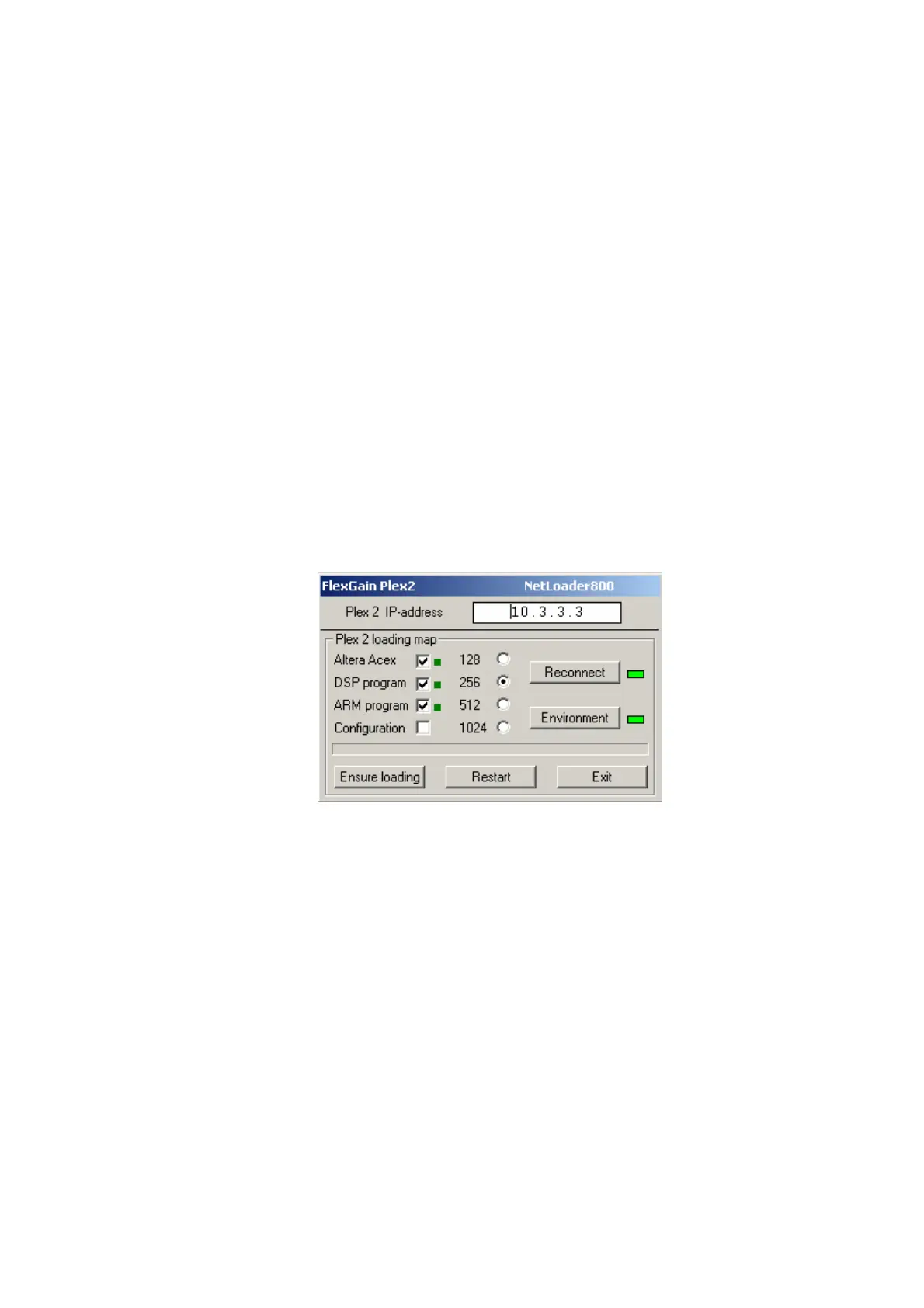
3.1.10. Start the processing of three data files. Tick Altera Acex, DSP program,
ARM main program in the Plex 2 loading map.
3.1.11. Click Environment. The NetLoader window will look this way:
3.1.12. Click Ensure Loading. The software downloading lasts no more than
40 seconds (at 10Мbit Ethernet). The programming time depends on the
communication quality, remoteness of the device and the network payload. The
lower part of the window displays the downloading process. The software
downloading being completed, the NetLoader program will fill three squares
opposite the checkboxes of file processing.



 To Next Page