FLEX-6000 Signature Series – Maestro User Guide
Page 100
Copyright 2019 FlexRadio Systems. All Rights Reserved.
23 DISPLAYING SPOTS IN SMARTSDR FOR MAESTRO
SmartSDR v2.3 for Maestro introduced a feature that allows spots, supplied by third party programs,
to be displayed directly in the Panadapter window. Some of these programs include N1MM, FRStack,
Slicemaster, DXLabs, and Logger32. While there is no capability in SmartSDR to directly connect to a
cluster server via telnet, spots can be provided using these programs as well as any other third-party
program that uses the Spot API commands in the radio. This section explains the various Spot
controls that are available in SmartSDR.
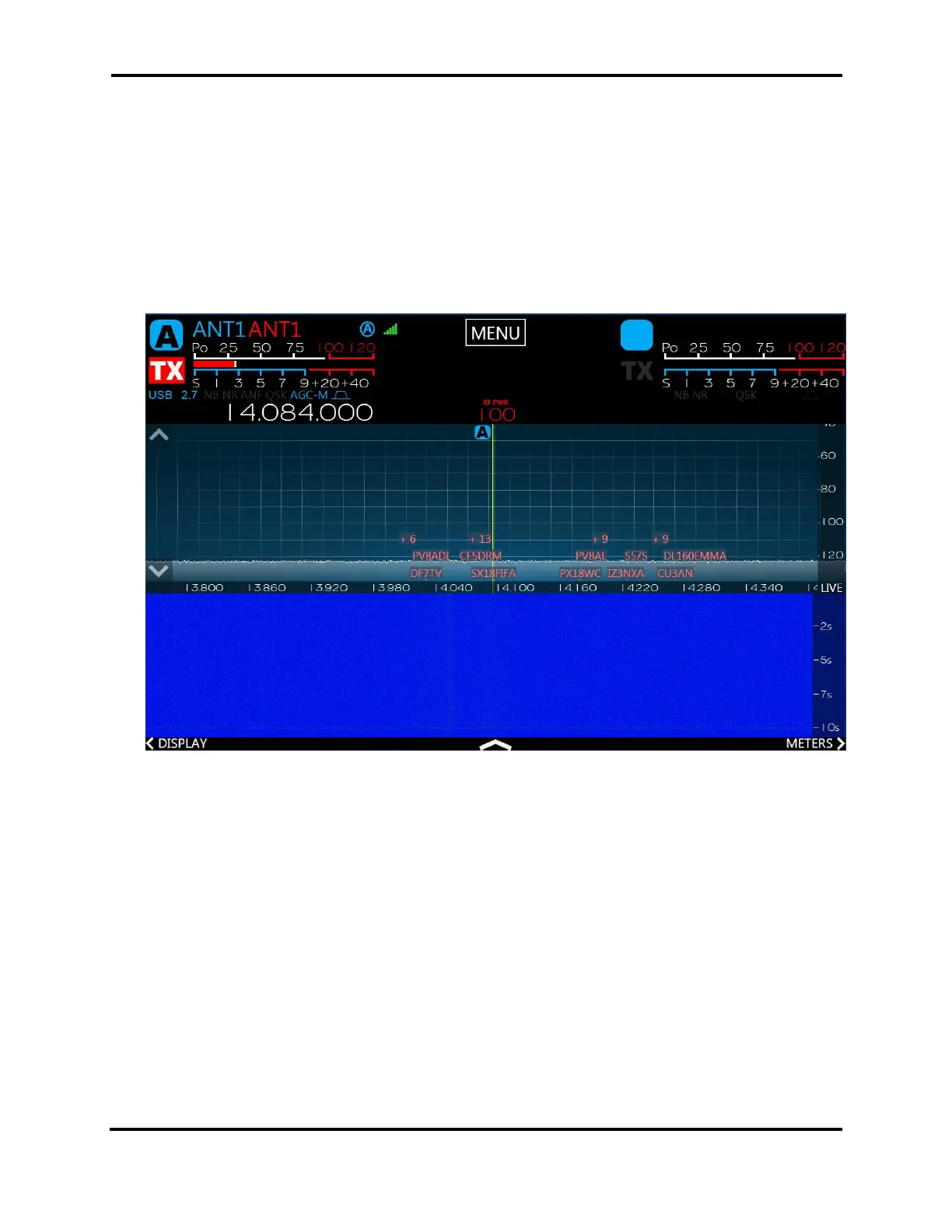
When enabled, spots will appear in the panadapter display as shown below:



 To Next Page
 Loading...