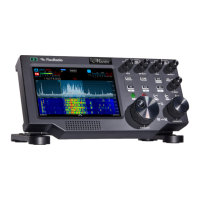
FLEX-6000 Signature Series – Maestro User Guide
Page i
Copyright 2019 FlexRadio Systems. All Rights Reserved.
TABLE OF CONTENTS
1 How to Request Technical Support and Assistance ............................................................... 1
2 Key Contacts ........................................................................................................................... 2
3 Getting to Know Your Maestro .............................................................................................. 3
4 Setting Up Your Maestro ........................................................................................................ 7
4.1 Power ................................................................................................................................ 7
4.2 Network Connection ........................................................................................................ 7
4.3 Input Device ..................................................................................................................... 8
4.4 Making the BACK-PANEL Connections ........................................................................ 8
4.4.1 Straight Key or Paddles (KEY)................................................................................. 8
4.4.2 Powered Speaker (PWR SPKR) Connector .............................................................. 9
4.4.3 Line Out Connector................................................................................................... 9
4.4.4 Phones Connector ..................................................................................................... 9
4.4.5 PTT Connector ........................................................................................................ 10
4.4.6 Mic 2 Connector ..................................................................................................... 10
4.4.7 Line In Connector ................................................................................................... 10
4.4.8 Mic 1 Connector ..................................................................................................... 11
4.4.9 Ethernet Connector ................................................................................................. 11
4.4.10 10-15 VDC Coaxial Power Connector ................................................................... 12
4.4.11 USB Power Bank Connections ............................................................................... 12
4.4.12 USB Power Bank Selection .................................................................................... 15
4.5 Starting/Stopping the Maestro ........................................................................................ 16
4.6 Wi-Fi Network Setup ..................................................................................................... 16
4.7 Network Status ............................................................................................................... 20
5 Connecting to a Radio ........................................................................................................... 21
6 How to Select Maestro and Radio Software ......................................................................... 23
6.1 Selecting a SmartSDR Version and installing it ............................................................ 23
6.2 Licensing SmartSDR Version 2 ..................................................................................... 24
7 SmartLink ............................................................................................................................. 26
7.1 SmartLink Overview ...................................................................................................... 26
7.2 SmartLink Setup ............................................................................................................. 27
7.2.1 Create a SmartLink Account ................................................................................... 27
7.2.2 Register the Radio in SmartLink............................................................................. 30
7.2.3 Test the Radio in SmartLink ................................................................................... 32
7.3 Using SmartLink ............................................................................................................ 33



 To Next Page
 Loading...