FLEX-6000 Signature Series – Maestro User Guide
Page 160
Copyright 2019 FlexRadio Systems. All Rights Reserved.
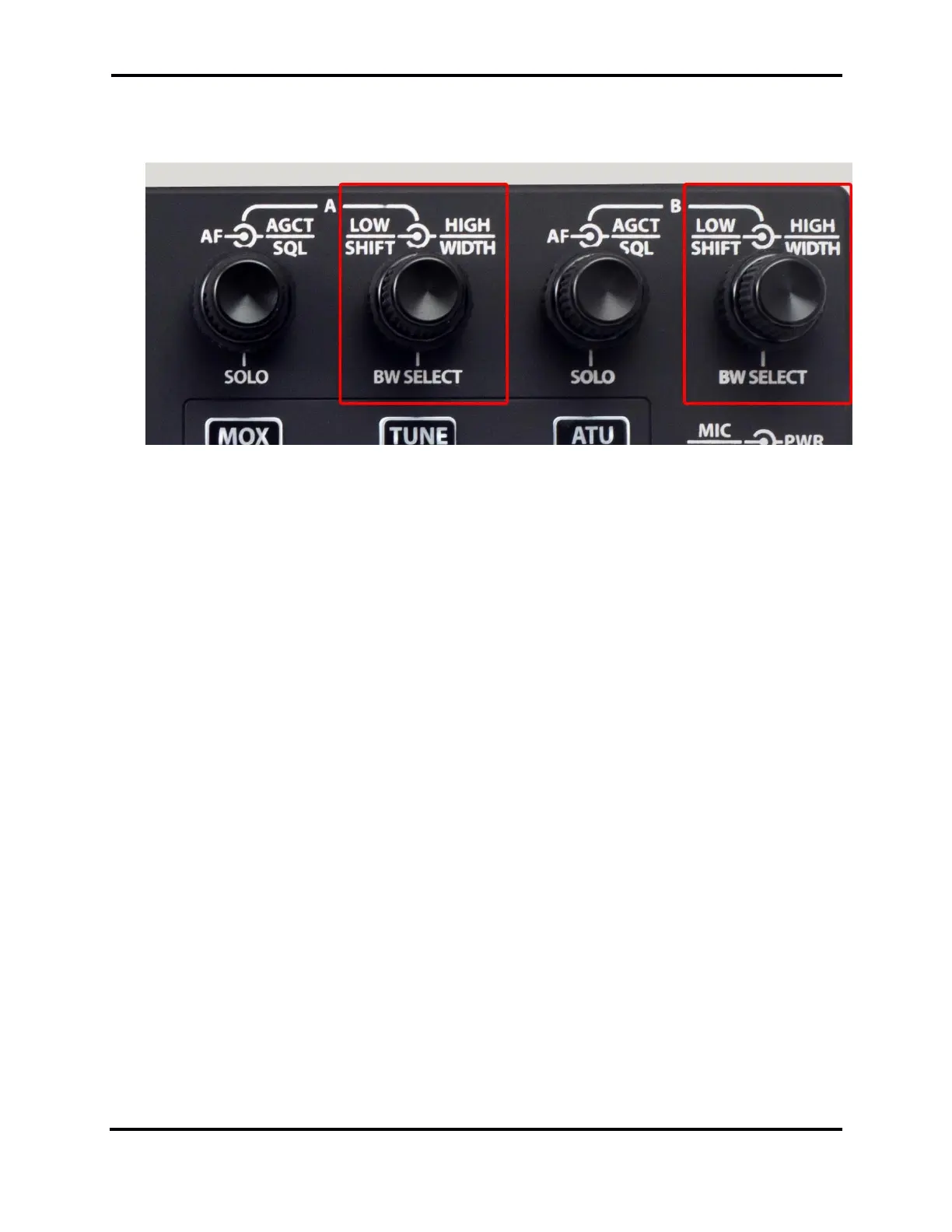
33.4 SLICE RECEIVER BANDWIDTH KNOBS
The Maestro front panel provides two sets of knobs for managing receive filters.
These multi-function knobs control Slice Receiver filter lower and upper bounds and the manner in
which they are changed.
The controls operate in two modes, High/Low mode and Center/Width mode:
• In High/Low mode, the inner knob controls the lower frequency bound of the filter and the
outer knob controls the upper frequency bound.
• In Center/Width mode, the inner knob controls the center frequency of the filter and the
outer knob controls the width of the filter.
In both cases, pop-up displays show the filter edge and center values as they are changed.
Pressing the inner knob inward performs one of two functions:
• A short press cycles the filter through the list of preset filters, appropriate to the Slice
Receiver’s mode.
• A long press changes the knob mode from High/Low to Center/Width and back. When the
knob mode changes, the annunciator in the Slice Flag changes accordingly.



 To Next Page
 Loading...