Issue 13 CWT Compact Touch Installation and Maintenanace Manual Page 69
6 DAILY OPERATION
Depending on the configuration some actions must be performed on e regular
base
•
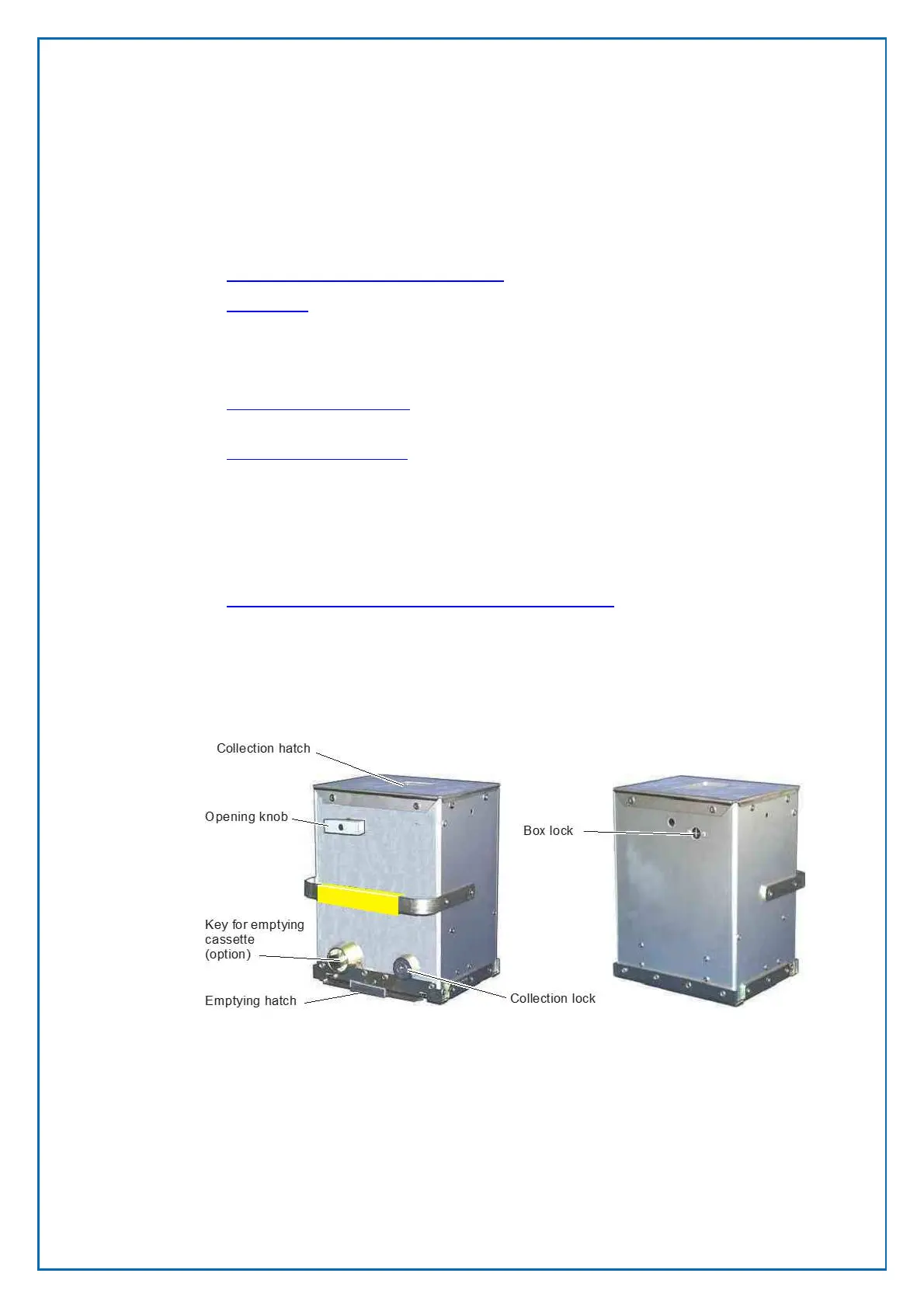
Changing and emptying the coin box
• Paper refill
Next to these actions, you must perform regular preventive to prevent doing
corrective maintenance.
• Preventive maintenance describe the action to keep the terminal in good
shape.
• Corrective maintenance describes the repair and replacement of part you can
fix yourself
Depending on your configuration the CWT software must be updated to e.g.
implement new tariffs or implement new features.
Most of these actions can be done using the CWO application
• changing the CWT Compact software and firmware
6.1 Changing and emptying the coin box
To empty the coin box follow the 3 steps described below
6.1.1 Removing the coin box
1. Open the vault door with the appropriate key.
2. Turn the opening knob clockwise to the horizontal position. This closes the
collection hatch and releases a catch that holds the box in position in the
vault.
3. Pull the coin box out. A collection ticket will be printed.



 To Next Page